June 11, 2015, 715004754 Rev. A
Page 81
5.3.1.1 Refractive index, function, and message icons in 410 mode
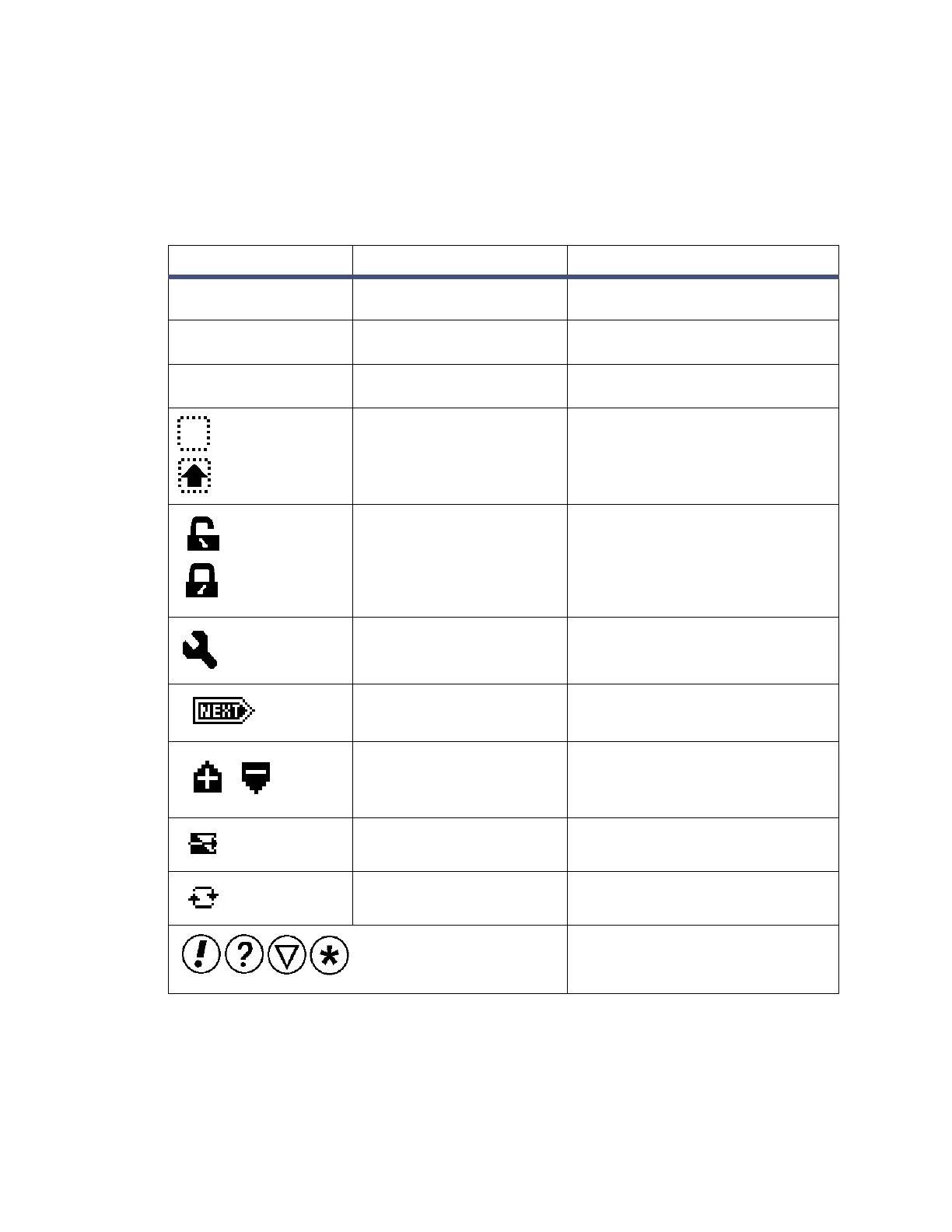
The HOME, TEMP °C, and CONFIGURE screens in the detector program display the
icons or fields described in the table below. For a list of ranges and defaults for the
function icons and fields in 410 mode, see the table on page 75.
5.3.2 Navigating to and from the home screen in 410 mode
Pressing HOME brings you to the home screen, from most screens. From the home
screen, you can access several secondary functions. To move to the secondary
Table 5–6: Mode, function, and message screen icons
Icon or field Icon/field name Function
Home1 (status),
Home2 (entry)
Sensitivity Shows the current sensitivity
setting.
Home1 (status),
Temp °C (entry)
Detector Temperature Shows the current temperature
of detector oven.
Numerical field % Full Scale Displays RIU value as % full
range for a given sensitivity.
Shift Off/ On Blank = Shift off
s = Shift on
Keypad Unlock / Lock Open lock = Unrestricted keypad
entry
Closed lock = Parameter
changes not allowed
Sticky Diagnostics When the Home screen displays
the wrench icon, a sticky
diagnostic is active.
Next Indicates that pressing Next
brings you to additional screens.
Polarity Display icon indicates current
polarity of RIU output.
Purge Purge is active
Recycle Recycle or diverter valve is in the
open position.
Message screen icons (from
left): Error, Question, Warning
and Information.



 To Next Page