June 11, 2015, 715004754 Rev. A
Page 95
6.3 Replacing fuses
Required tools and materials
• Flat-blade screwdriver
• Replacement fuse: F 3.15 A, 250 V
6.3.1 Identifying a faulty fuse
Suspect a faulty fuse if you encounter any of these problems:
• The detector fails to power-on.
•The display is blank.
• The cooling fan does not operate.
You can usually identify a faulty, or open, fuse by its smoked glass or broken filament.
Nevertheless, a fuse can be faulty even when such signs are not visible. In those
cases, you must remove the fuse and test it for electrical continuity.
For information on detecting the cause of a blown fuse, refer to “Hardware
troubleshooting” on page 105.
To replace the fuse:
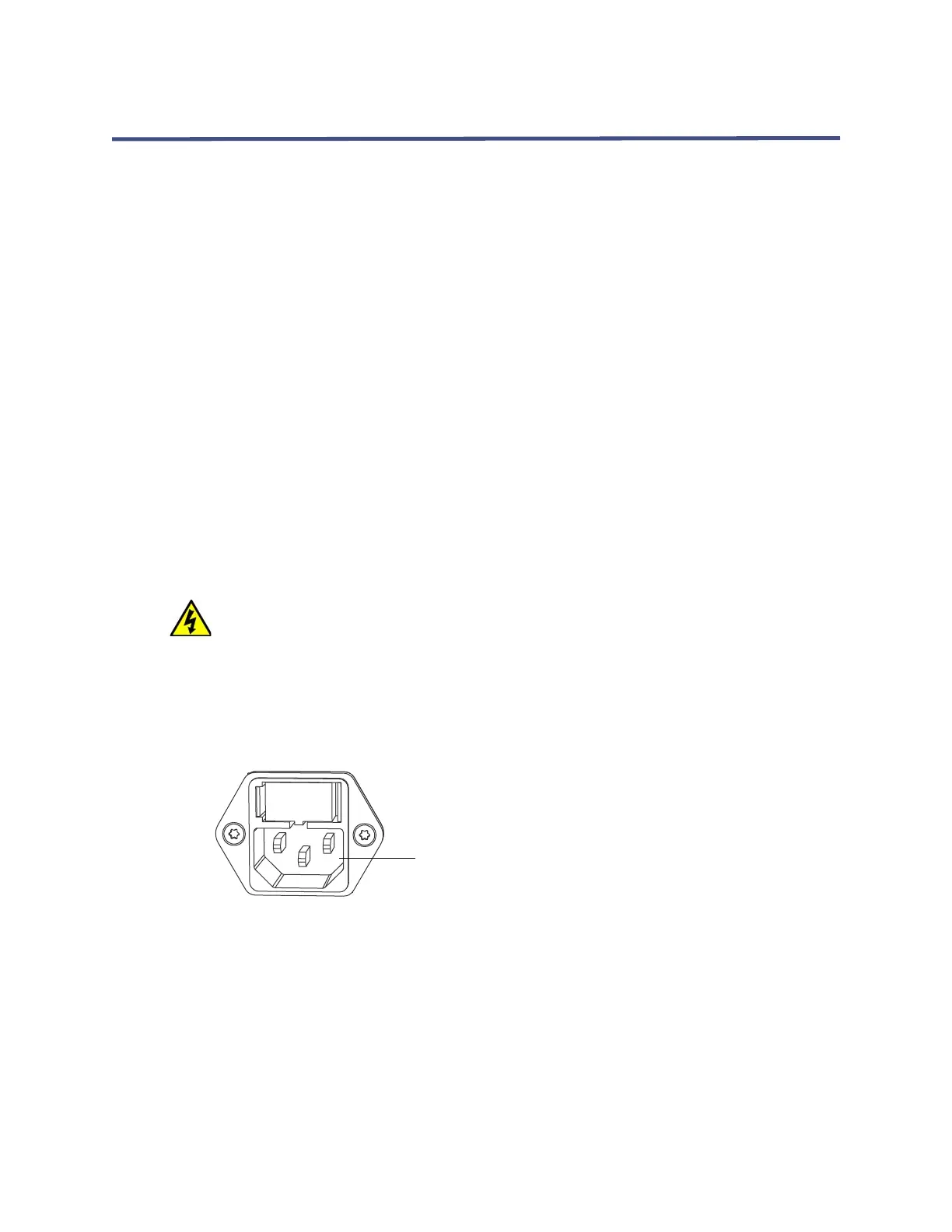
1. Power-off the detector and disconnect the power cord from the power-entry
module.
Figure 6–1: Power-entry module
2. Pinch the sides of the spring-loaded fuse holder, which is above the power entry
module on the rear panel of the detector.
Warning: To avoid electrical shock, power-off and unplug the detector before
examining the fuse. For continued protection against fire, replace the fuse only
with another of the same type and rating.



 To Next Page