14 Preparing the Separations Module for Operation
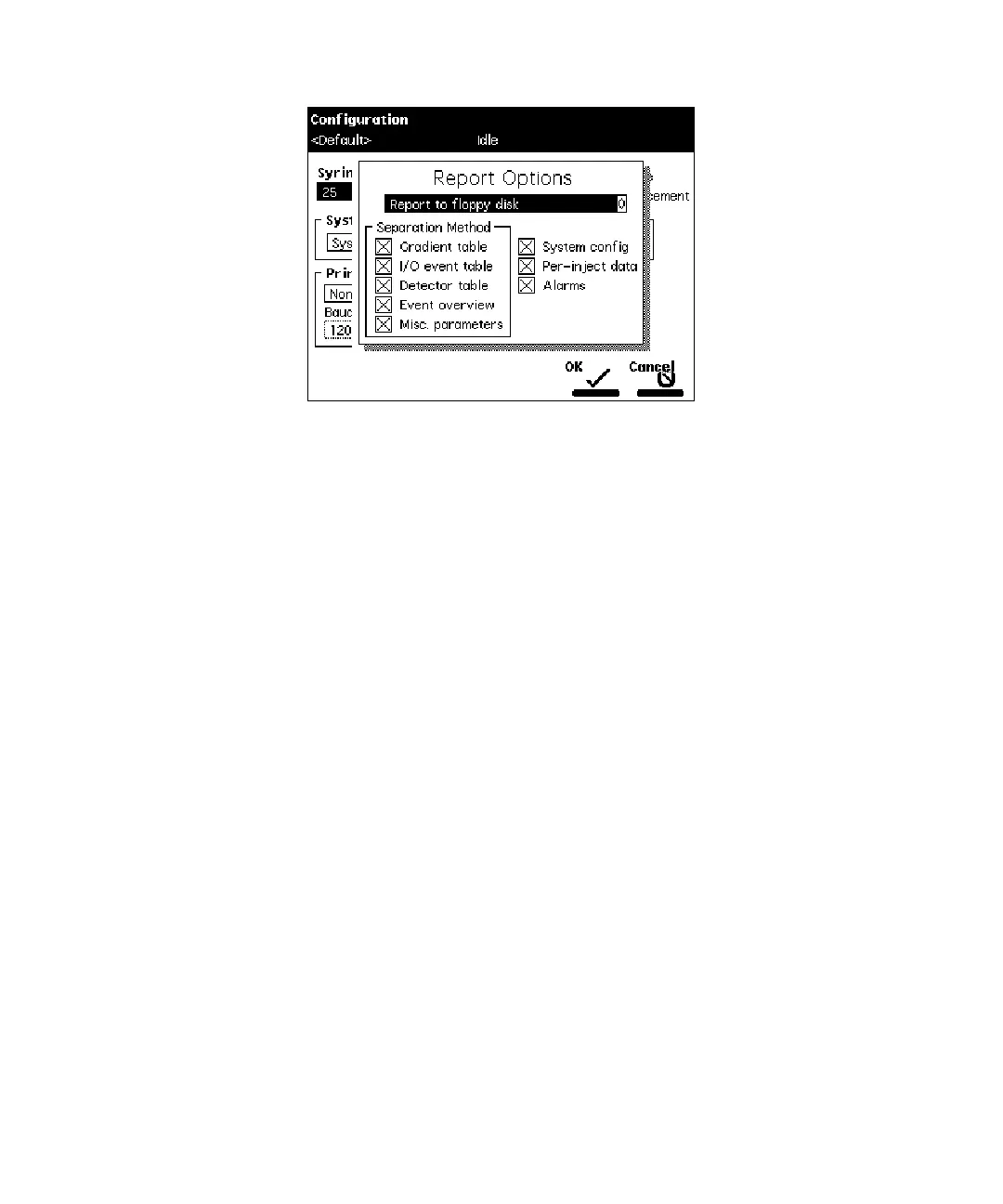
Figure 2-4 Report Options Dialog Box
2. Select the destination for the report in the drop-down list.
3. Select any option and press any numeric key to enable or disable the option,
then press
Enter
. An “X” in the box means the option is enabled. The options
include:
•
Gradient table
– Generates the gradient table
•
I/O event table
– Generates the I/O events table
•
Detector table
– Generates the detector table
•
Event overview
– Generates an overview of all merged tables
•
Misc. parameters
– Generates a list of all parameters not included in tables
•
System config
– Generates a list of the instrument configuration parameters
•
Per-inject data
– Generates a list of the minimum, maximum, and average
values for temperature, pressure, the time and date of each injection, and so
on.
•
Alarms
– Generates a list of the error conditions that occurred during the run
4. Press the
OK
screen key to exit from the Report Options dialog box.
5. Press
Exit
to return to the Main screen
Programming for Auto Shutdown
You can set up the Separations Module to shut down automatically after a specified period
of inactivity. Inactivity is defined as:
• No keyboard use
• No injections performed



 To Next Page