34 Performing a Direct Control Run
To access the direct control functions:
1. Press the
Menu/Status
key (if necessary) to display the Status screen (Figure 3-2
).
2. Press the
Direct Function
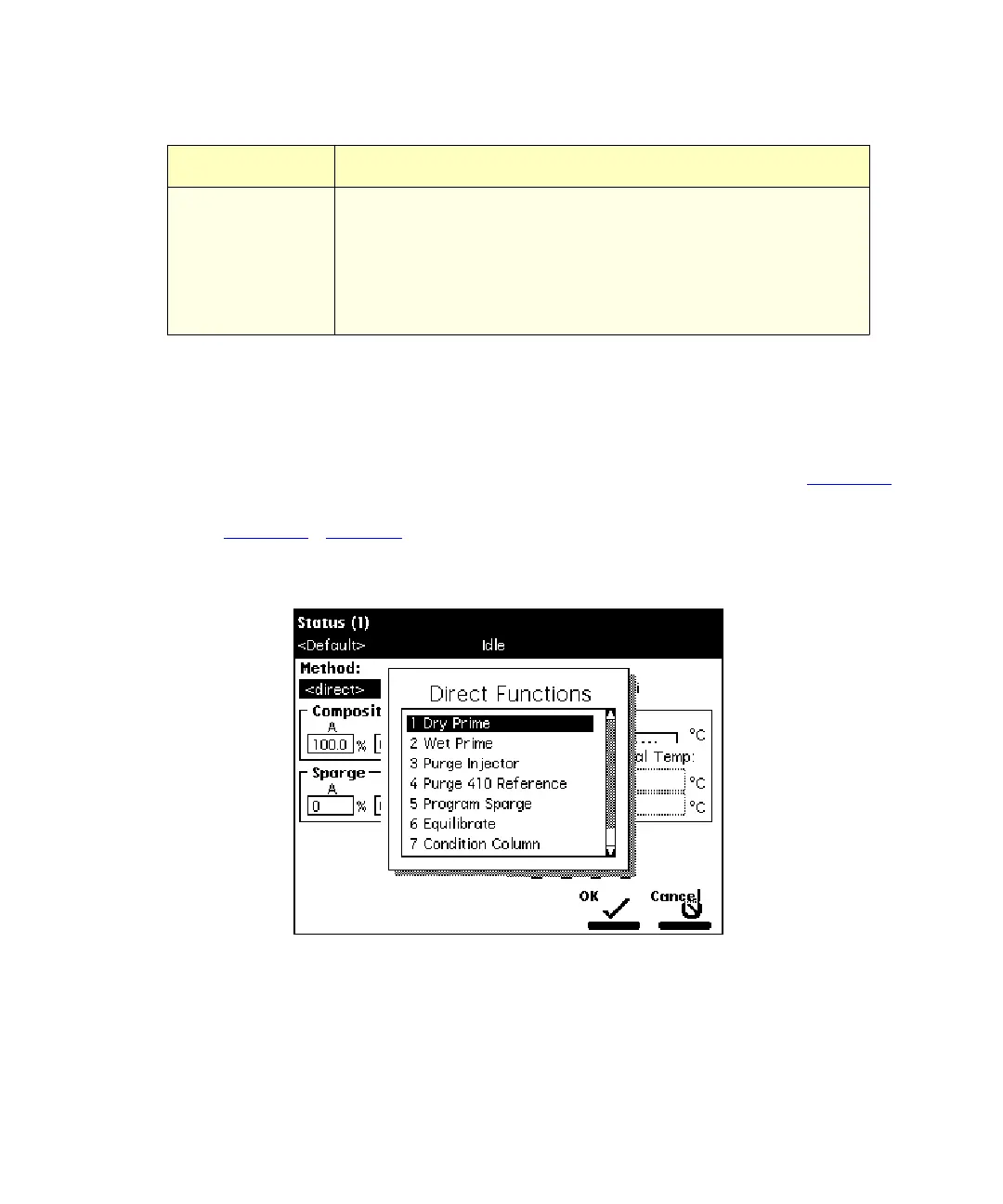
screen key. The Direct Functions menu appears
(Figure 3-4
). Table 3-2 describes each of the direct functions.
3. Select the function you want to specify (press the number beside the function, or
use the arrow keys), then press
Enter
. Follow the instructions for each function.
Figure 3-4 Direct Functions Menu
2410 and 410
•Cell
•Col 1
•Col 2
Indicates the current status of the following parameters for the
2410 or 410 detector (if installed):
• Cell Temperature
• External Temp 1
1
• External Temp 2
*
1
Enabled if the optional column heater module is configured with the Waters 2410 or
410 detector.
Table 3-1 Status Screen Parameters
(Continued)
Parameter Description



 To Next Page