18 Preparing the Separations Module for Operation
Note:
Do not run the degasser for extended periods of time without analytical solvent flow.
Doing so causes solvent vaporization that results in recondensation (once dissolved
gasses have been removed), possibly leading to a misdiagnosis of a vacuum chamber
leak.
Note:
For proper operation of the in-line vacuum degasser, you must fill each vacuum
chamber with solvent. Use the dry prime direct function to prime all solvent lines. See
Section 2.3.2, Priming the Solvent Management System
, for the procedure to dry prime
the solvent lines.
To control the operation of the in-line vacuum degasser from the Status screen:
1. Press the
Menu/Status
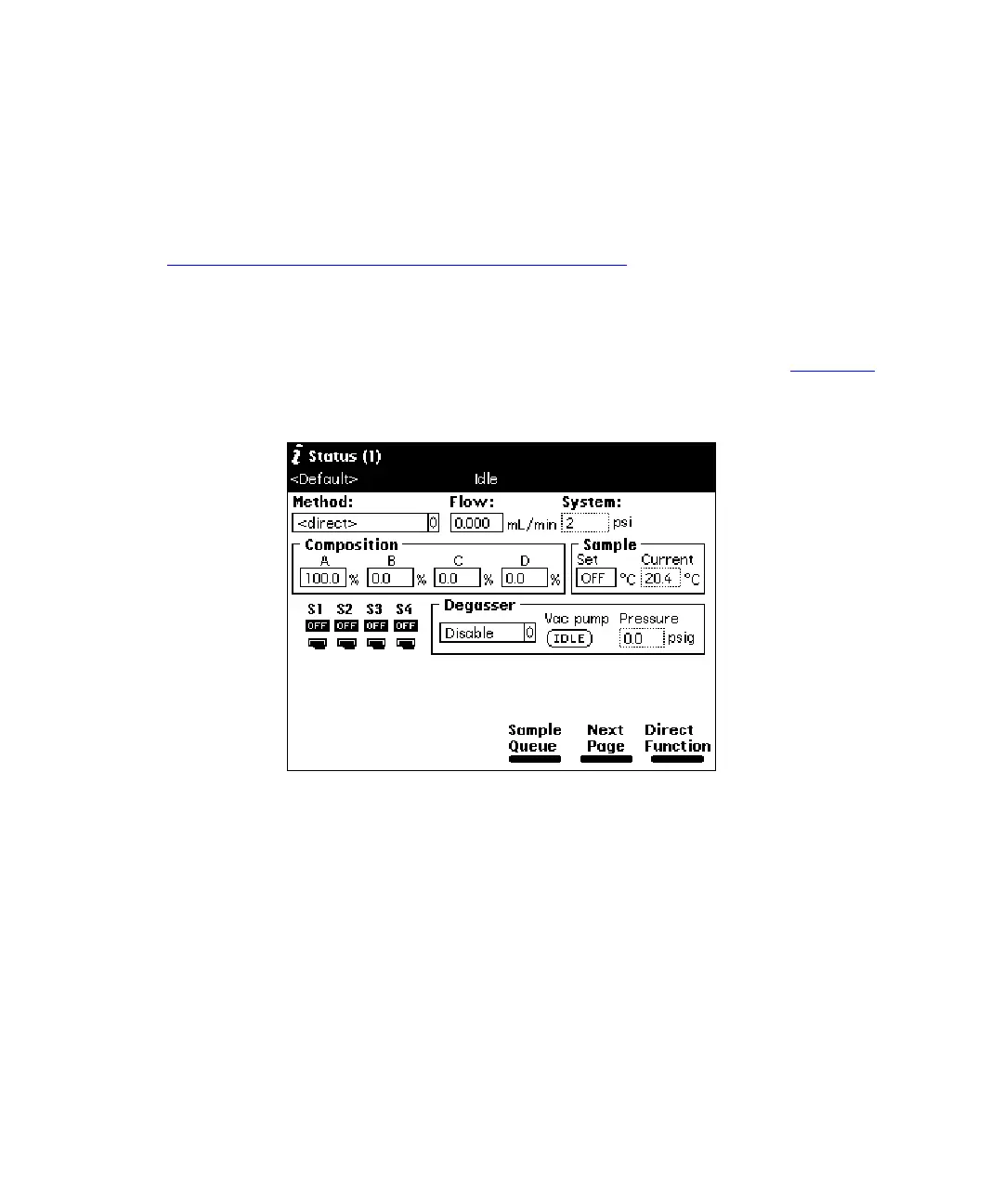
key. The Status screen appears, as shown in Figure 2-7
.
The content and layout of the Status screen varies with the options installed in the
Separations Module and with the mode of operation.
Figure 2-7 Status Screen
2. Press the
Next Page
screen key (if necessary) to display the Degasser fields.
3. Select the
Degasser
mode field, then press
Enter
to display a list of degasser
modes. The modes are:
•
Normal
– The degasser cycles on and off on a pressure-regulated cycle
•
Continuous
– The degasser is always on
•
Disable
– The degasser is always off
4. Select the desired operating mode, then press
Enter
.
The Vac pump field displays the current status of the vacuum degasser pump.
The Pressure field displays the current vacuum level in psig, bar, or kPa.



 To Next Page