Making Automatic Runs 39
•
Initial Conds
– Starts the solvent management system at the initial conditions
(specified in the first line of the sample set) and begins equilibrating the
temperature in the sample heater/cooler and/or column heater. When the
system is equilibrated, press the
Run
screen key.
•
Run
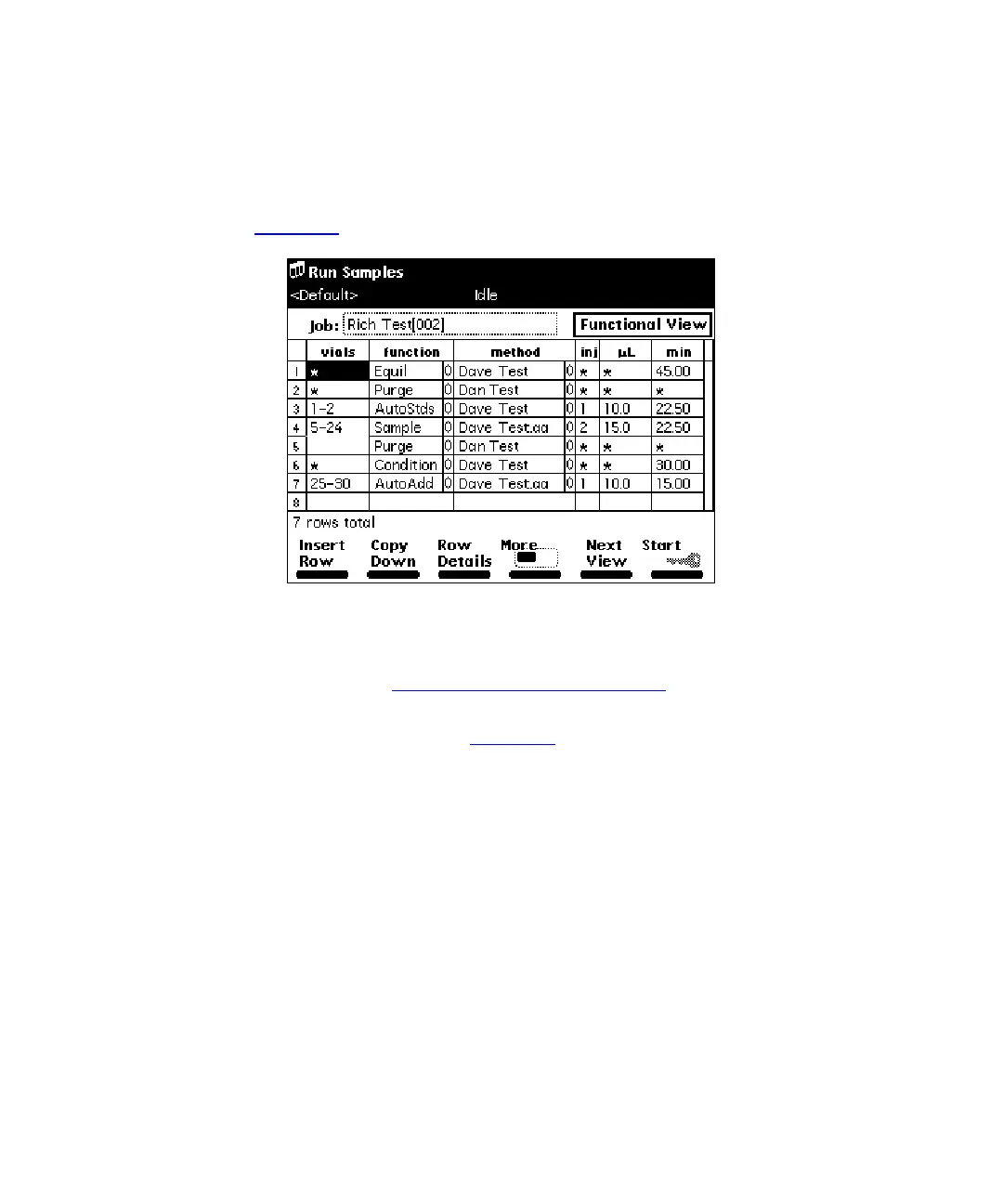
– Displays the selected sample set table (to view or edit), as shown in
Figure 4-3
. Use the screen keys to modify the table as necessary.
Figure 4-3 Sample Set Screen – Functional View
4. Load the sample vials into the carousel(s) according to the locations specified in
the sample set (see Section 2.4.4,
Loading Carousels).
5. Press the
Start
screen key. The Run Samples screen appears with a list of the
solvents required for the run (Figure 4-4
). Check that you have prepared the
Separations Module with the indicated solvent(s).



 To Next Page