November 16, 2016, 715004521 Rev. C
Page 106
C.2 Column configuration
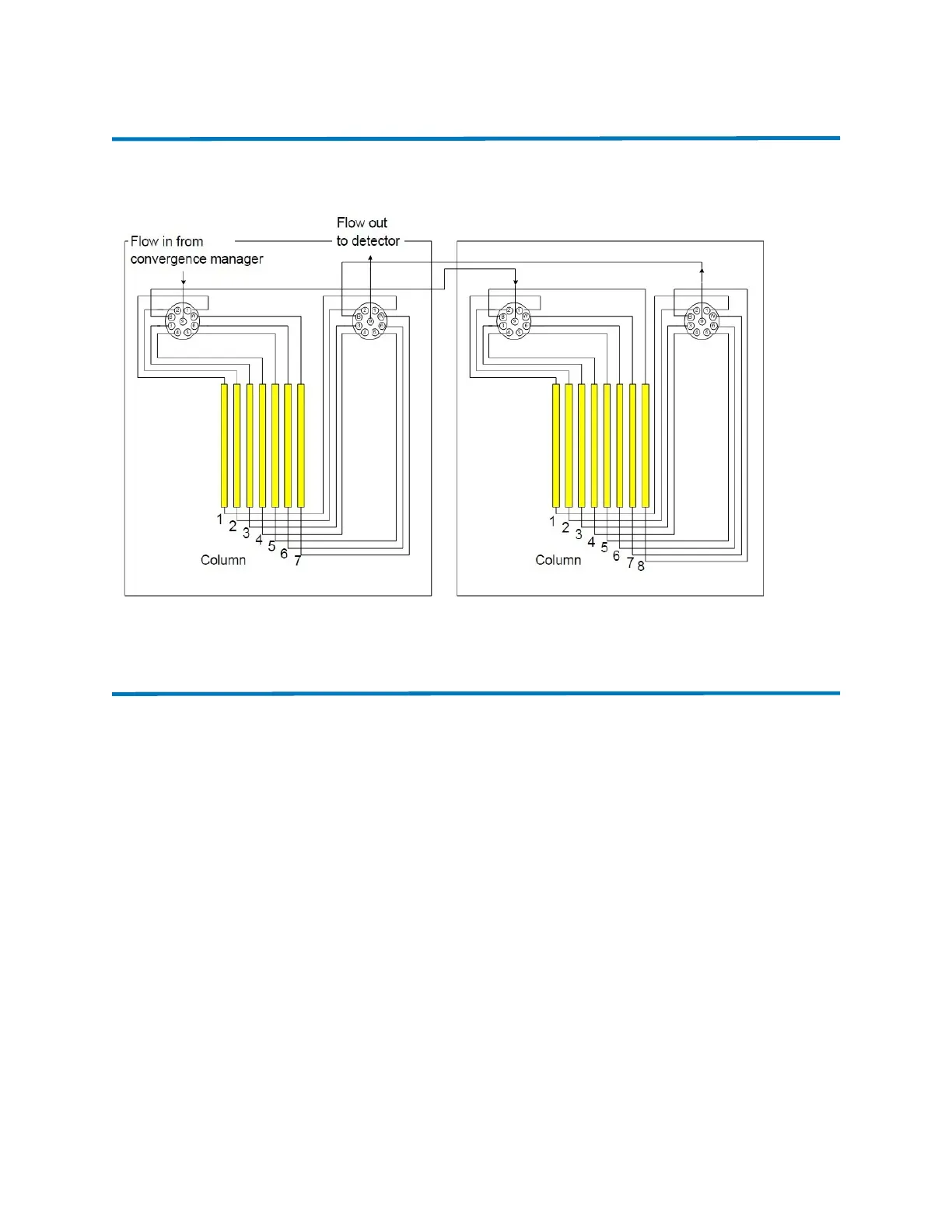
Figure C–2: Dual CM-30S supporting 15 columns with bypass and waste omitted
C.3 Configuring software for dual-column managers
Column manager software must be configured to define the path of the solvents and samples as
they flow through the inlet and outlet valves. The following procedure applies only to UPC
2
systems with two CM-30S modules running Empower software.
See also: To configure software for a system with one column manager, see the console online
Help.
Requirement: Use Empower 3, FR2 or later.
C.3.0.1 Setting up a primary and secondary column manager
The primary column manager serves as the inlet from the SM-FL. Samples and solvents flow
through the primary column manager valves, and then are routed to the secondary column
manager.
Requirement: When you power-on your system hardware, you must press the power button on
the secondary column manager first, followed by the button on the primary column manager
second.












 To Next Page