November 16, 2016, 715004521 Rev. C
Page 79
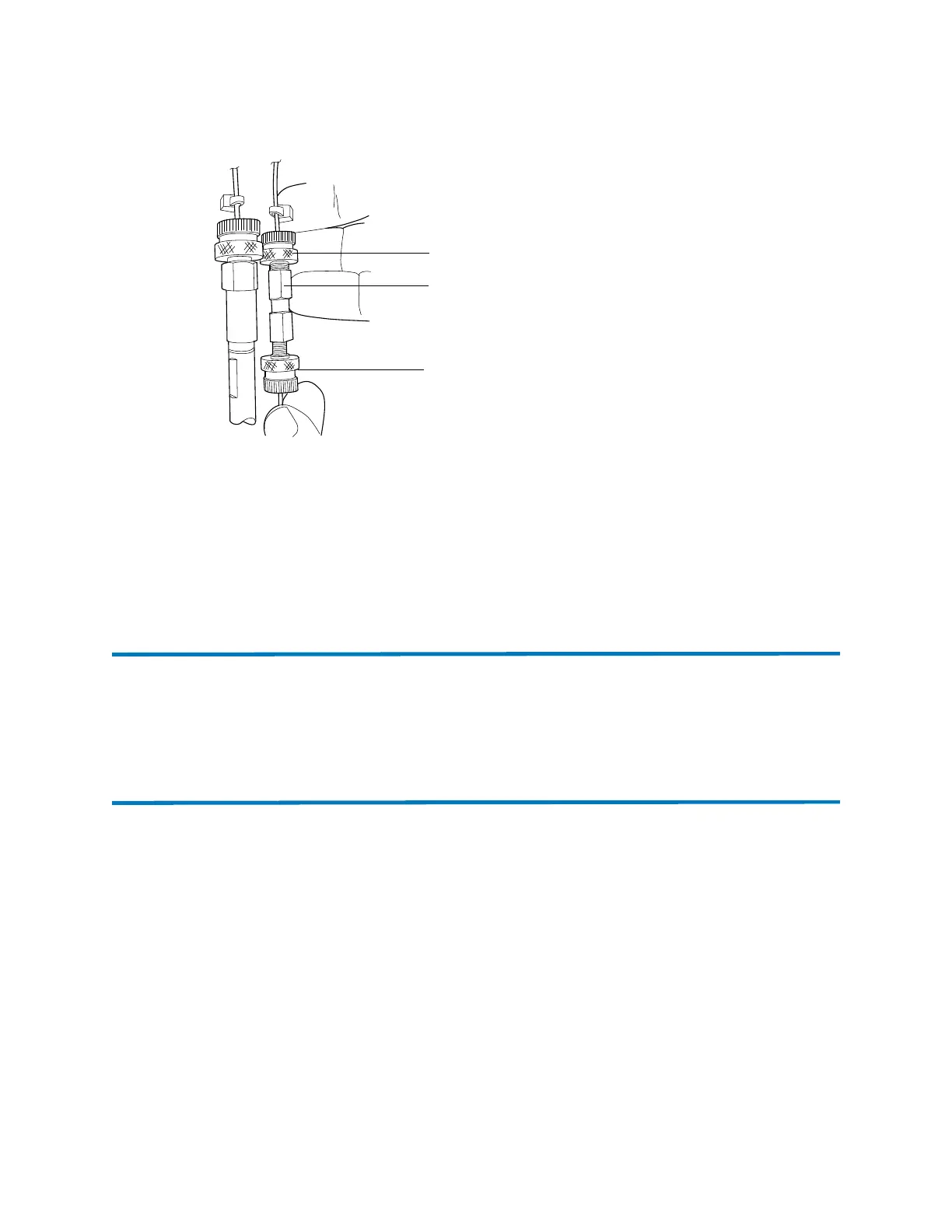
Figure 6–2: Attaching the union
4. Screw the union to the outlet.
5. Position the union parallel with the other columns, then close the drawer to the column
manager.
6. Run the ABPR test.
7. If needed, reconfigure the column manager operating mode to the Bypass position.
6.3 Spare parts
To ensure that your system operates as designed, use only Waters Quality Parts
®
. Visit
www.waters.com/wqp for information about Waters Quality Parts, including how to order them.
6.4 Troubleshooting with Connections INSIGHT
Connections INSIGHT is an “intelligent” device management (IDM) Web service that enables
Waters to provide proactive service and support for the ACQUITY UPLC system. To use
Connections INSIGHT, you must install its service agent software on your workstation. In a
client/server system, the service agent must also be installed on the computer from which you
control the system. The service agent software automatically and securely captures and sends
information about the support needs of your system directly to Waters.
If you encounter a performance issue when using the Instrument Console, you can manually
submit a Connections INSIGHT request to Waters customer support. Alternatively, you can use
Remote Desktop, a real-time collaboration option that controls the two-way connection with the
ACQUITY UPLC system by enabling the Connections INSIGHT iAssist service level.
Union
Column inlet
fitting
Column outlet
fitting












 To Next Page