11.1 Encryption - scrambling overview
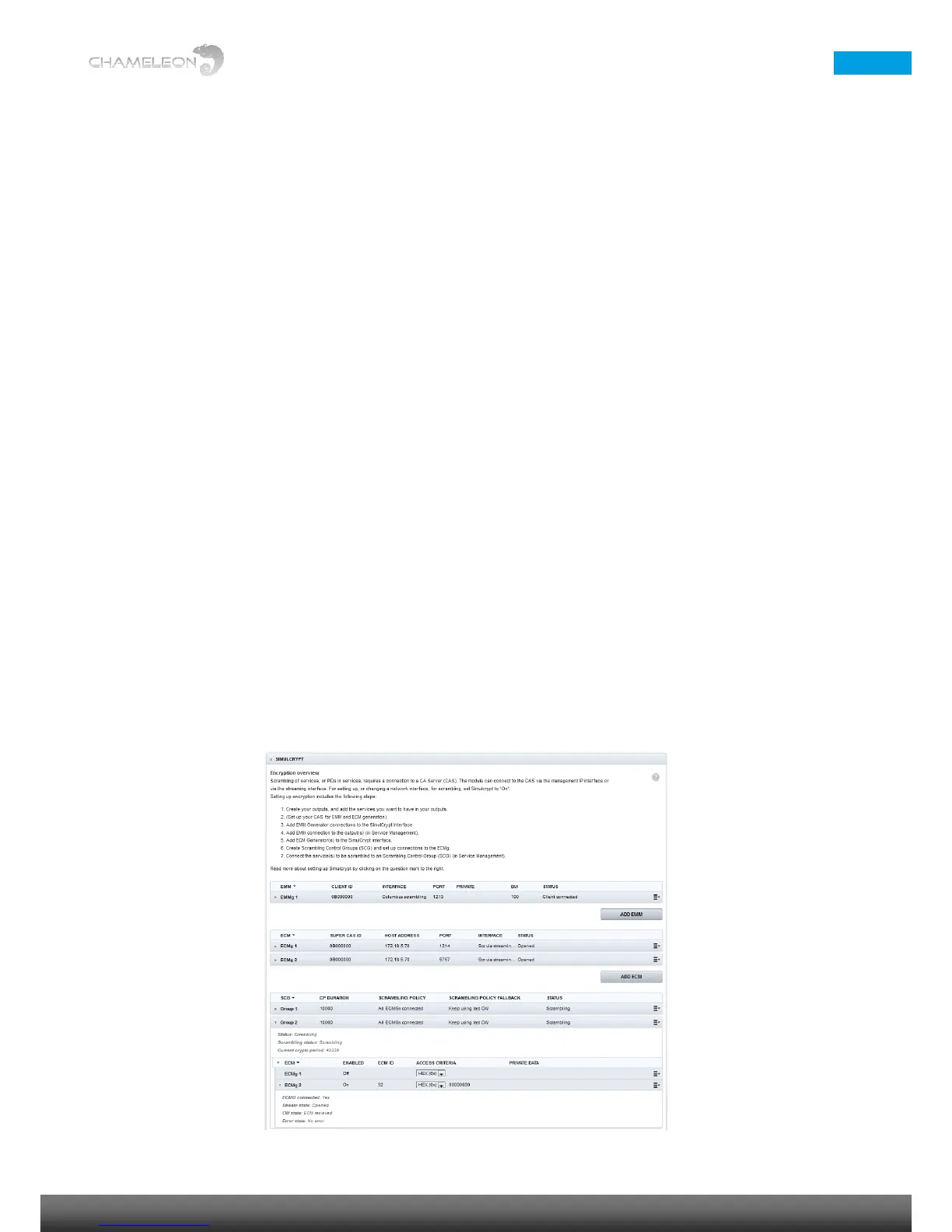
Encryption overview
Scrambling of services, or PIDs in services, requires a connection to a CA Server (CAS). Chameleon can connect to
the CAS via the management IP interface or via the streaming interface. For setting up, or changing a network
interface, for scrambling, set Simulcrypt to “On”. For details about network interfaces, please refer to §12.1.
Setting up encryption in Chameleon includes the following steps:
1. Create your outputs, and add the services you want to have in your outputs
2. (Set up your CAS for EMM and ECM generation)
3. Add EMM Generator connections to the Chameleon Simulcrypt interface
4. Add EMM connection to the output(s)
5. Add ECM Generator(s) to the Chameleon Simulcrypt interface
6. Create Scrambling Control Groups (SCG) and set up connections to the ECMg
7. Connect the service(s) to be scrambled to a Scrambling Control Group (SCG)
Notes
■ In software version 2.4.3, you can encrypt DVB-C, DVB-T, DTMB, J.83 Annex B, J.83 Annex B and ASI outputs.
■ The maximum number of PIDs that can be encrypted is 64 PIDs per output
■ The maximum number of encryption keys (SCG) is 64.
■ The maximum bit rate for a scrambled output is 55 Mbit/s.


 To Next Page
 Loading...