3-4
Chapter 3: Maintenance
Aug 2012
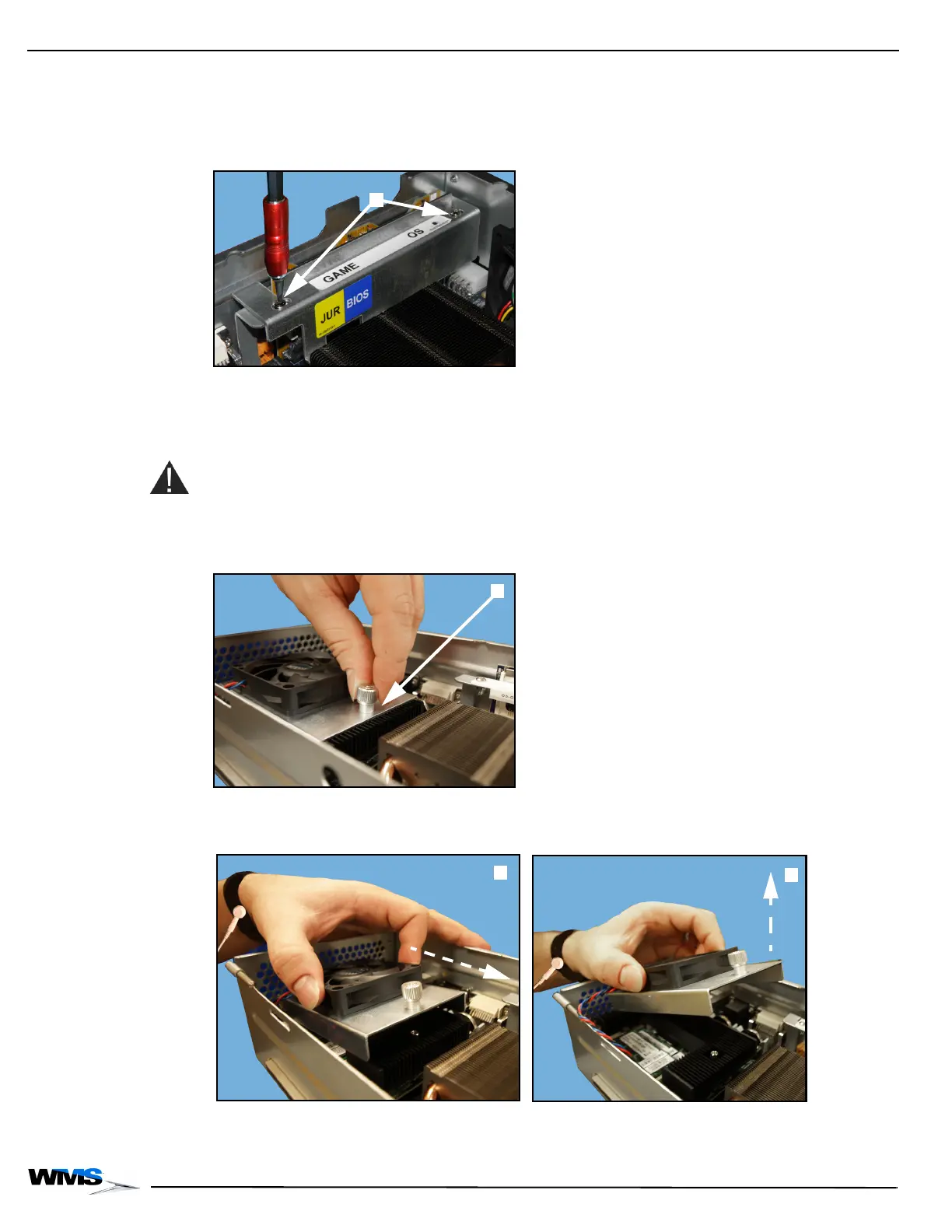
3 Secure the CPU-NXT 3.2 SSD Bracket to the CompactFlash Bracket by aligning the screw
holes on the CPU-NXT 3.2 SSD Bracket with the corresponding screw holes on the
CompactFlash Bracket, and, using a T10 Security Torx screwdriver, tighten the two security
screws, Figure 3-6 (A).
Figure 3-6 Tightening the security screws.
Replacing CPU Fan Complete the following steps to replace the CPU Fan in CPU-NXT 3.2:
Remove Existing CPU Fan
Complete the following steps to remove the existing CPU Fan:
CAUTION: Do not remove the CPU Heatsink for any reason. This could cause severe damage to
the thermal pad under the Heatsink.
1 Loosen the CPU Fan thumbscrew, Figure 3-7 (A).
Figure 3-7 Loosening CPU Fan thumbscrew.
2 Slide the CPU Fan Assembly slightly forward, Figure 3-8 (A), tilt up, Figure 3-8 (B), and lift off.
Figure 3-8 Sliding CPU Fan Assembly forward (left) and lifting off (right).



 To Next Page