2-2
Chapter 2: Installation and Setup
Aug 2012
Removing the
Protective Pull-Tabs
from the Backup
Battery
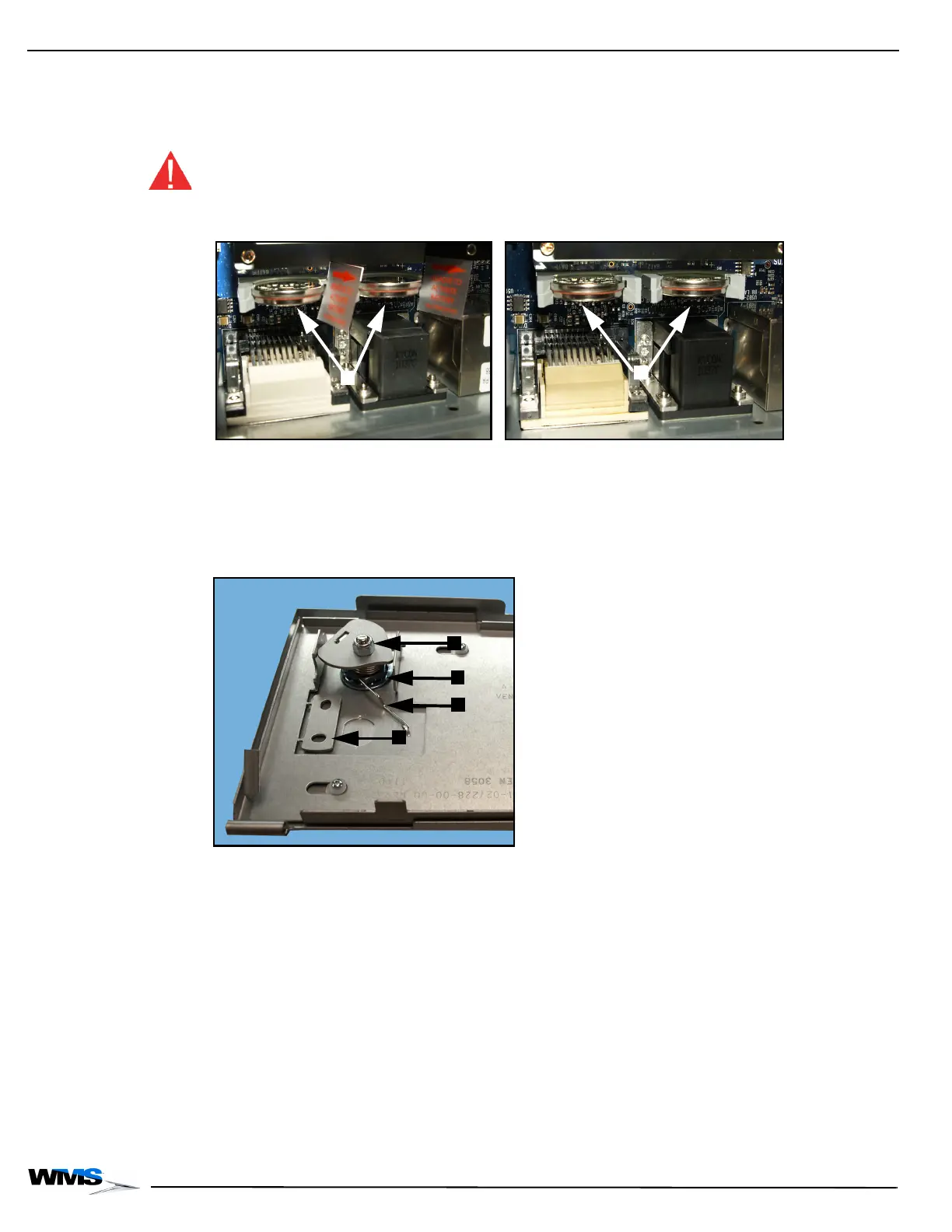
There may be protective pull-tabs, Figure 2-1 (A), on the two backup batteries on the CPU Board.
If there are battery pull-tabs installed, remove them, Figure 2-1 (B), to connect the backup
batteries to the CPU Board.
Once the batteries are enabled or if they are ever replaced, the time and date should be set up in
the OS.
WARNING: If the backup batteries are not working, the game may lose settings when the power is
turned off.
Figure 2-1 Backup batteries with tabs (left) and with tabs removed (right).
Changing the CPU
Shipping Locks
To ensure that the CPU Assembly Shipping Lock does not open during transport, a Torsion Spring
keeps the lock from slipping open, Figure 2-2 (A). The Torsion Spring must be removed when the
Shipping Lock is replaced.
Figure 2-2 Shipping Lock on the inside of the CPU Assembly Door.
1 Remove the CPU Enclosure Door from the game if applicable.
2 Release the Torsion Spring, Figure 2-2 (A).
3 Using a 7/16-inch Nut Driver, ratchet, remove the cam, Figure 2-2 (B).
4 Using a 7-8-inch Nut Driver, ratchet remove the Shipping Lock, Figure 2-2 (D).
5 When the Shipping Lock is removed, discard the Torsion Spring, Figure 2-2 (A).
6 Install the new lock according to casino protocol. Ensure that the cam removed in the previous
step is installed with the new lock.



 To Next Page