2-3Installation: CPU-NXT 3.2 into the BB2
16-1408348
Remove Cover Plate To Install Second Lock (if applicable)
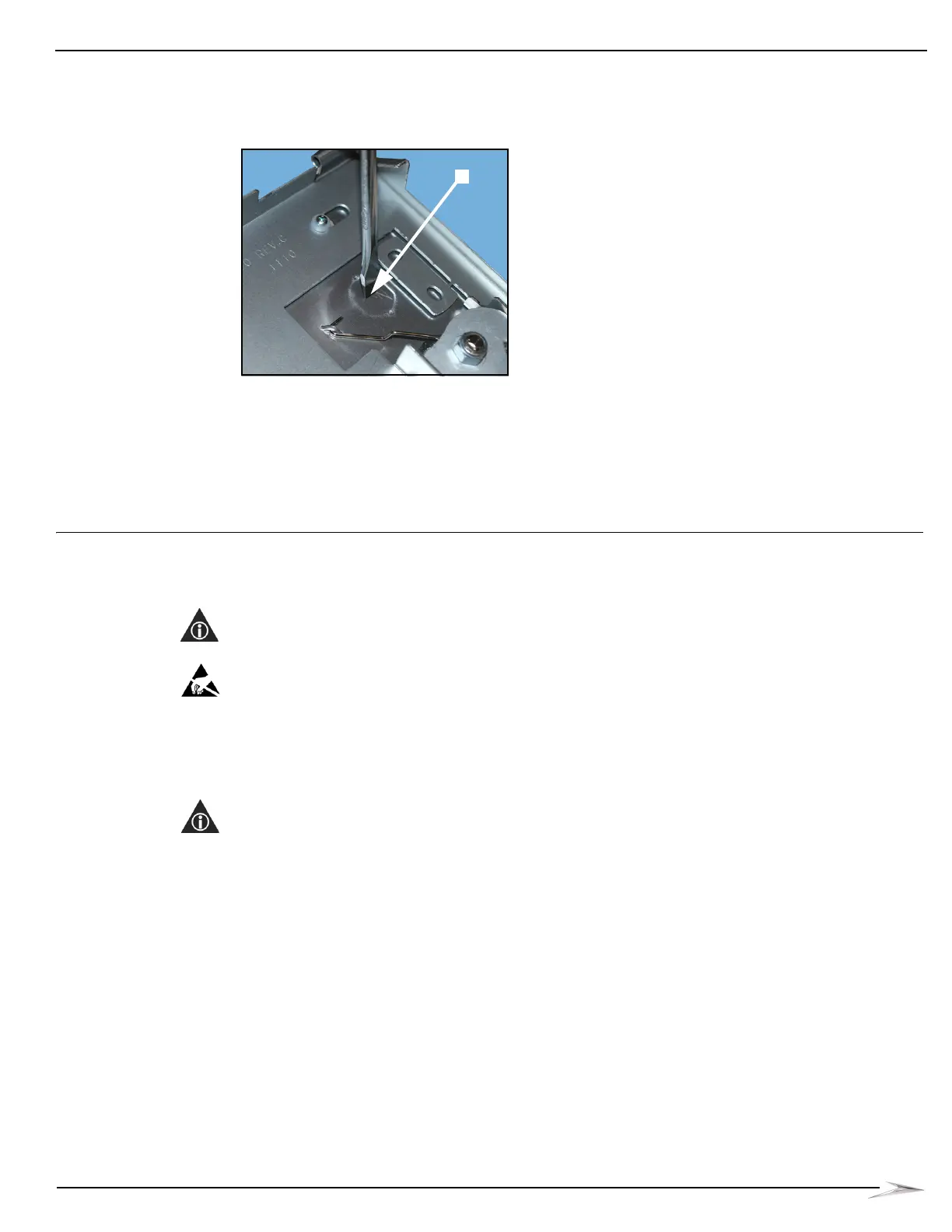
If a second lock is required in the place of the cover plate, Figure 2-3 (A), complete the following
steps to remove the cover plate.
Figure 2-3 Punching perforated cover plate out of CPU Assembly door.
1 Use a 3/16-inch or 1/4-inch Flathead screwdriver to punch the perforated cover plate out of the
CPU Assembly Door, Figure 2-3 (A).
2 Remove the cam for the new lock, Figure 2-2 (C), using a 3/16-inch or 1/4-inch Flathead
screwdriver to bend the cam until it breaks off.
3 Install the second lock according to casino protocol.
Installation:
CPU-NXT 3.2
into the BB2
This section contains the steps to install CPU-NXT 3.2 into the BB2. If you are installing the CPU
into a BBxD, see Installation: CPU-NXT 3.2 into the BBxD on page 2-14.
NOTE: All instructions for the BB2 are also valid for the BB2e.
ESD: When handling CPU-NXT 3.2 away from the game, observe the following ESD Precautions
listed in Preventing Injury and Damage on page 1-3:
Ensure that the game Line Cord is connected to the Power Entry Assembly to ground the
game.
Wear an ESD wrist strap that is secured to a ground on the game.
NOTE: Before upgrading a game from CPU-NXT2 or CPU-NXT3, ensure the replacement game
theme and OS are compatible with CPU-NXT 3.2.
Removing
CPU-NXT2
Assembly
Complete the following steps to remove the CPU-NXT2 Assembly from the BB2.
1 Unlock and open the Main Door.
2 Observe all appropriate safety and ESD precautions listed in Preventing Injury and Damage on
page 1-3.



 To Next Page