1-3Preventing Injury and Damage
16-1408348
Preventing
Injury and
Damage
Preventing Shock ALWAYS power equipment OFF at the Power Switch.
Regardless of the type of procedure, set all Power Switches to OFF when servicing the game,
Top Box, or other equipment.
Unplug equipment from the outlet if not handling ESD-sensitive components.
Exercise caution when working around electrical equipment. Preventing ESD
ALWAYS wear an ESD wrist strap.
Fasten a resistive type (1 or 10 Meg) ESD wrist strap on arm and ensure that it makes good skin
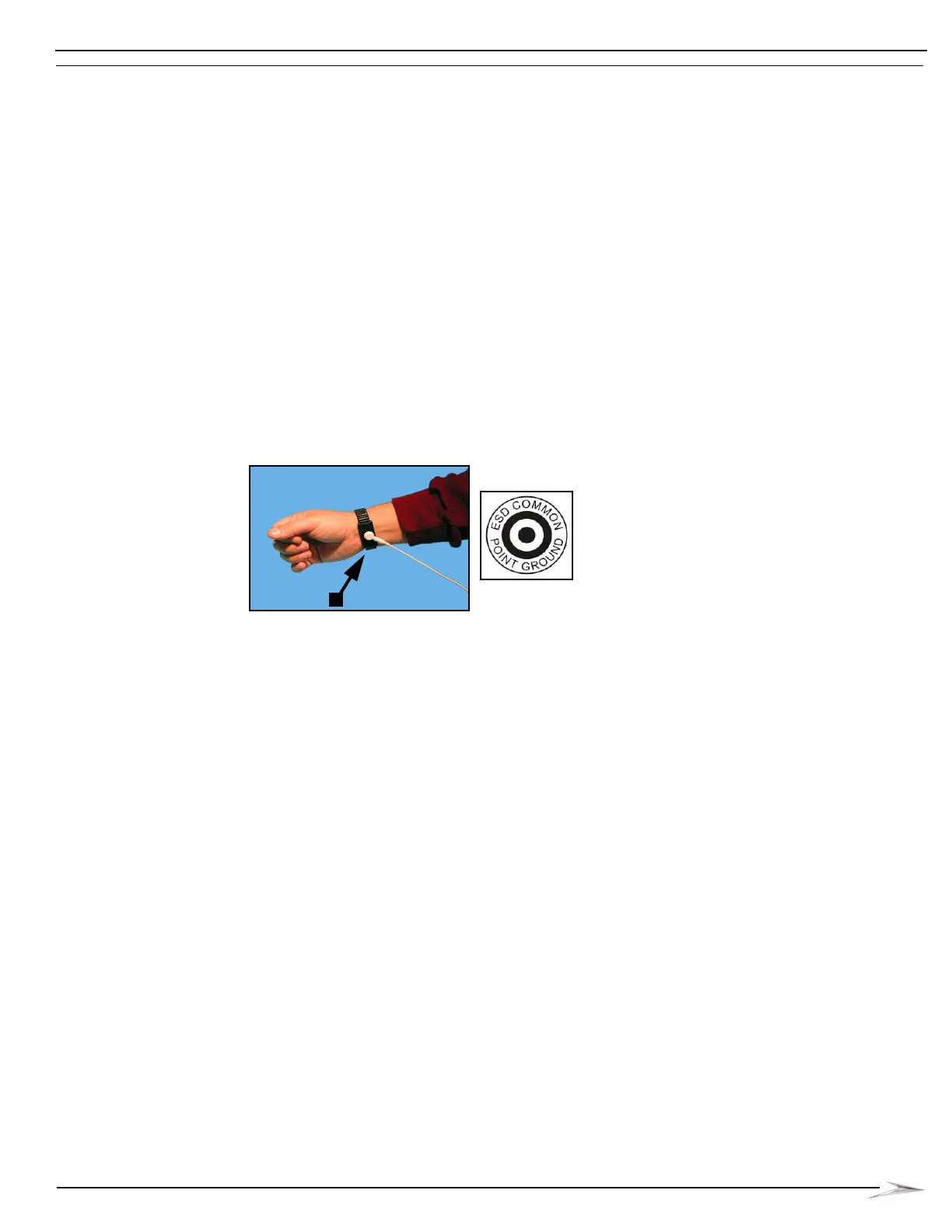
contact, Figure 1-3 (A). Secure the clip end of the wrist strap to a nearby ground point.
Suggested grounds points are:
An unpainted or bare exposed metal area of the game cabinet or equipment enclosure.
Any labeled ESD common ground point, Figure 1-3.
Figure 1-3 ESD wrist strap (left) and ESD common ground point symbol (right).
Ground equipment when handling ESD-sensitive components.
When accessing printed circuit boards (PCBs) or components in direct contact with PCBs,
including EPROMs, CompactFlash® Cards, and PCB connectors, connect the three-prong
equipment line cord to a properly grounded outlet. Then, secure the clip end of the ESD wrist
strap to an unpainted or bare exposed metal area of the game cabinet or equipment enclosure.
Replacing/Repairing
AC Line Cord
If the AC Line Cord is damaged, it must be replaced by the manufacturer (WMS), its service agent,
or similarly qualified persons in order to avoid a hazard.
Properly Secure and
Vent All Equipment
Before performing any service tasks, the game (and Top/Accessory Box, if applicable) must be
properly secured as described in the Service Manual. All WMS cabinets and associated equipment
(including Top/Accessory Box, controllers, etc.) must be properly installed. Upright games must be
mounted to a stand using four bolts, and all stands must be bolted to the floor, a wall, or secured
back to back. Slant games must be installed back to back, or back against a wall. WMS Upright
(BBU/BB2/BB2e) and Slant (BBS/BBS-W) cabinets require a minimum of 6 inches (15 cm)
clearance on both sides and at the rear to allow for proper ventilation. WMS BBxD cabinets may be
placed directly side by side, but require a minimum of 6 inches (15 cm) clearance at the rear to allow
for proper ventilation. Failure to fully secure and vent games may cause injury and equipment
damage.



 To Next Page