2-13Installation: CPU-NXT 3.2 into the BB2
16-1408348
Ethernet Cable
Routing (If
Applicable)
If applicable, complete the following steps to route the Ethernet cables.
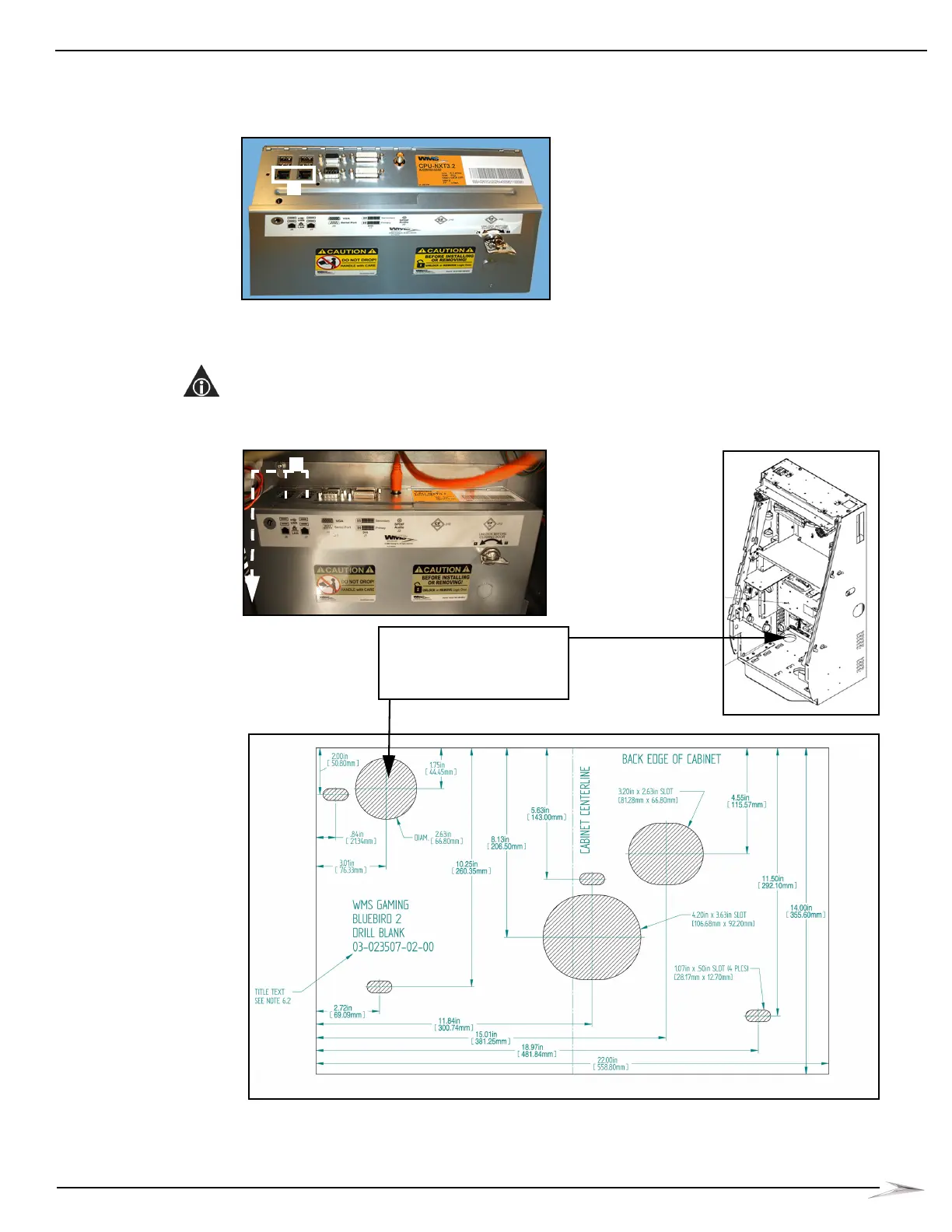
1 Connect the Ethernet cables to the Ethernet ports located on CPU-NXT 3.2, Figure 2-27 (A).
Figure 2-27 Connecting the Ethernet cables to CPU-NXT 3.2.
2 Route the Ethernet cables directly along the left side of the CPU Enclosure and the Bulkhead
Board, Figure 2-28 (A), and then out of the cable access hole located in the back left corner of
the cabinet, Figure 2-28 (B).
NOTE: Do NOT route the Ethernet cables in front of the CPU Enclosure or the Bulkhead Board. Do
NOT route the Ethernet cables through the same hole in which the AC Line Cord is routed.
Figure 2-28 Routing the Ethernet cables.
A
Route Ethernet cables
through cable access hole
B
B



 To Next Page