2-12
Chapter 2: Installation and Setup
Aug 2012
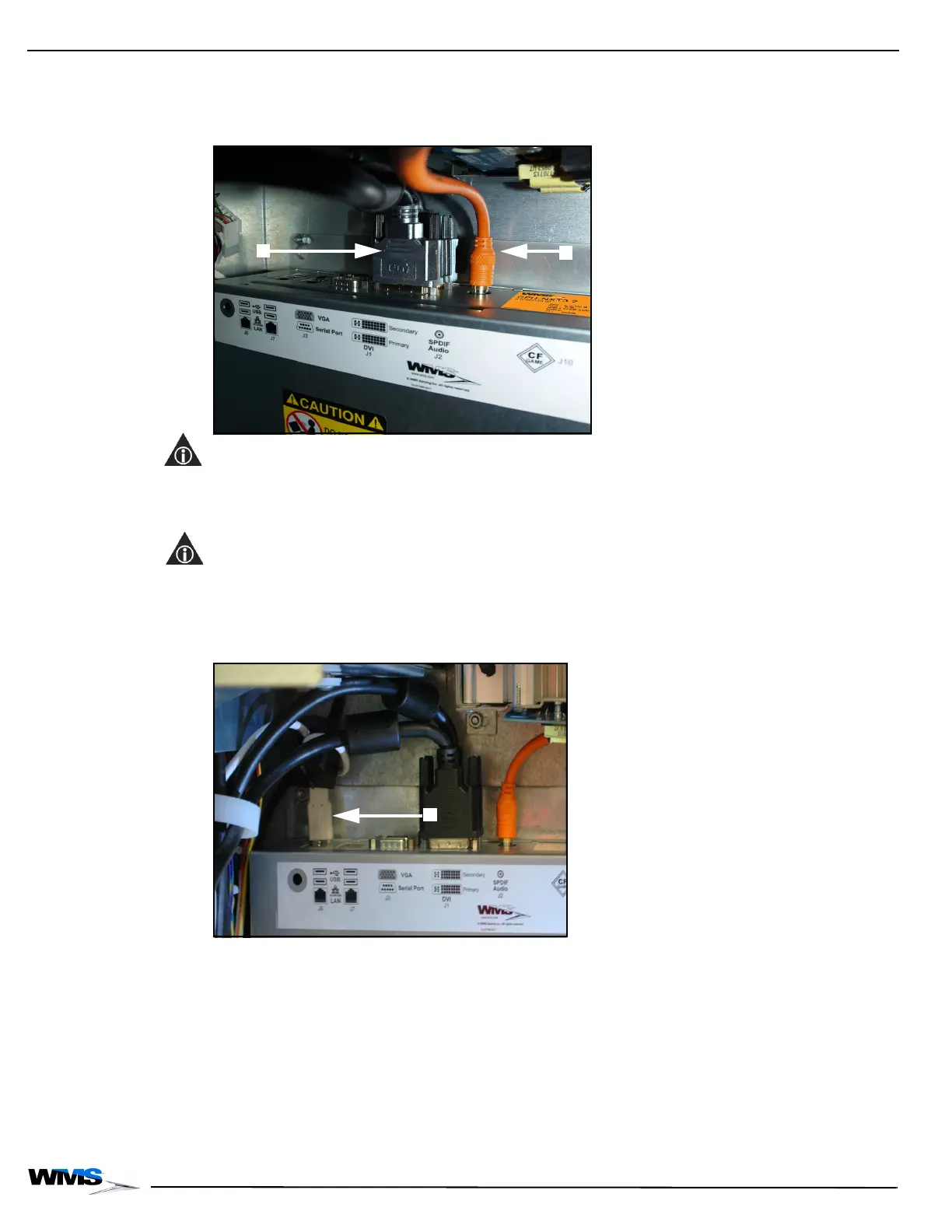
6 Connect the Top Box LCD Secondary Cable to the Secondary Port located on CPU-NXT 3.2,
Figure 2-25 (A). Tighten the thumbscrews at the end of the cable to ensure it is properly
secured.
Figure 2-25 Connecting the Top Box LCD Secondary Cable.
NOTE: Confirm the Top Box LCD Secondary Cable is connected to the correct port. The Secondary
Port is located behind the Primary Port.
7 Connect the LCD Primary Cable to the Primary Port located on CPU-NXT 3.2, Figure 2-25 (B).
Tighten the thumbscrews at the end of the cable to ensure it is properly secured.
NOTE: Confirm the LCD Primary Cable, Figure 2-25 (B), is connected to the correct port. The
Primary Port is located in front of the Secondary Port, Figure 2-25 (A).
8 Connect the USB Button Panel Cable to an available USB port located on CPU-NXT 3.2,
Figure 2-26 (A).
Figure 2-26 Connecting the USB Button Panel Cable.



 To Next Page