03/2016 – UM-MT-EN-01 87
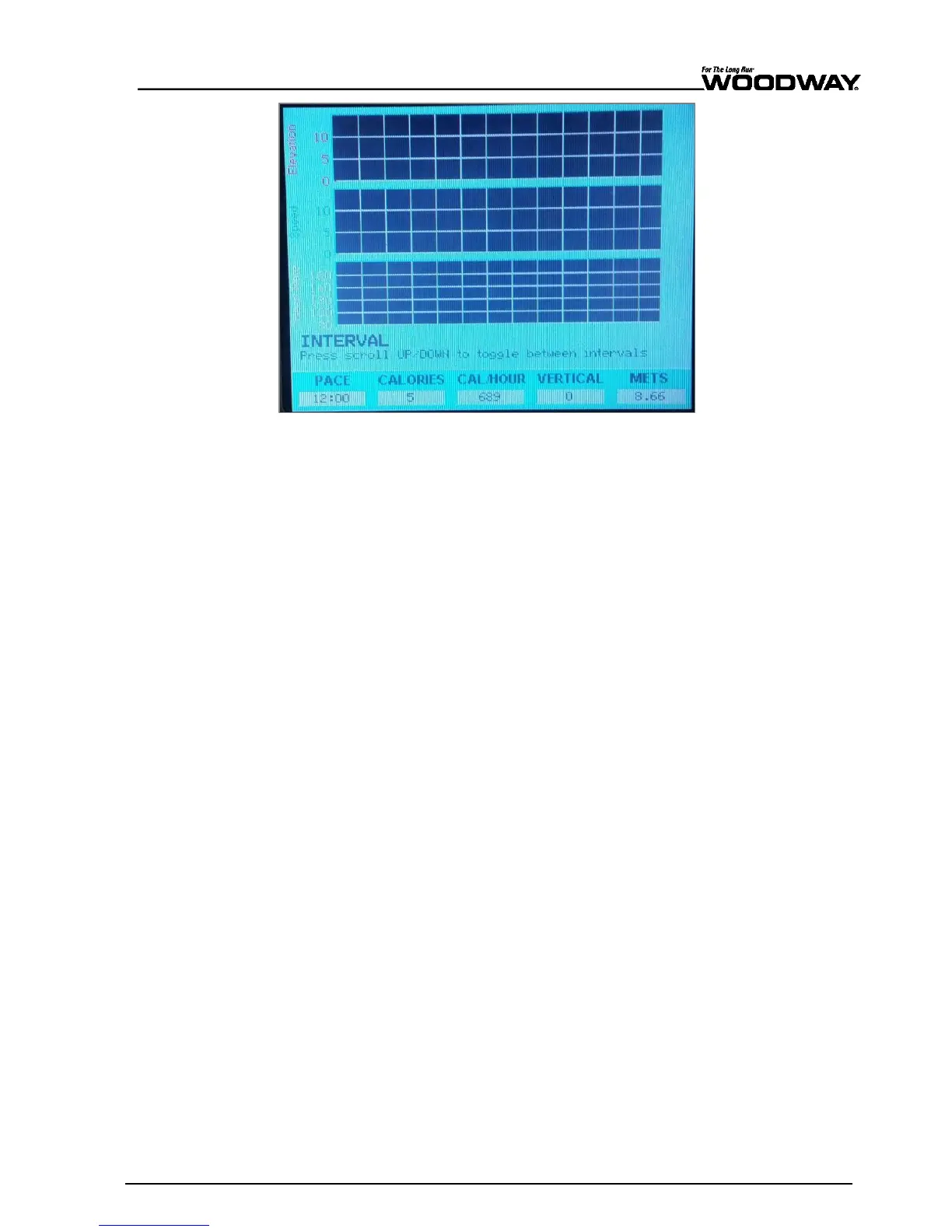
Fig. 82 Live data screen – Interval
During any specific interval, the SPEED and INCLINE may be adjusted manually. Regard-
less of the SPEED and INCLINE changes made by the user during an interval, the
SCROLL keys still revert to the opposite interval settings as normal.
The statistics are displayed at the bottom of the screen throughout training. Here infor-
mation such as PACE, CALORIES, CALORIES/HR, VERTICAL FEET, and METs can be
found. During an Interval Fitness Program, 3 diagrams will be shown: the INCLINE (red)
will be shown on top, the SPEED (green) is shown in the middle, and the user’s heart
rate (yellow) is shown at the bottom. Use the SCROLL keys to alternate between the two
interval settings established in step 2.
When the program is completed, the LCD will read "Program Complete" and the SPEED
is then reset to zero.
When the OFF key is pressed, speed and incline reset to zero and the display will then
switch off.
Displaying the
Statistics





 To Next Page