RJ-901C/RJ-900C Maintenance Manual 4 Parts Replacement
4-71
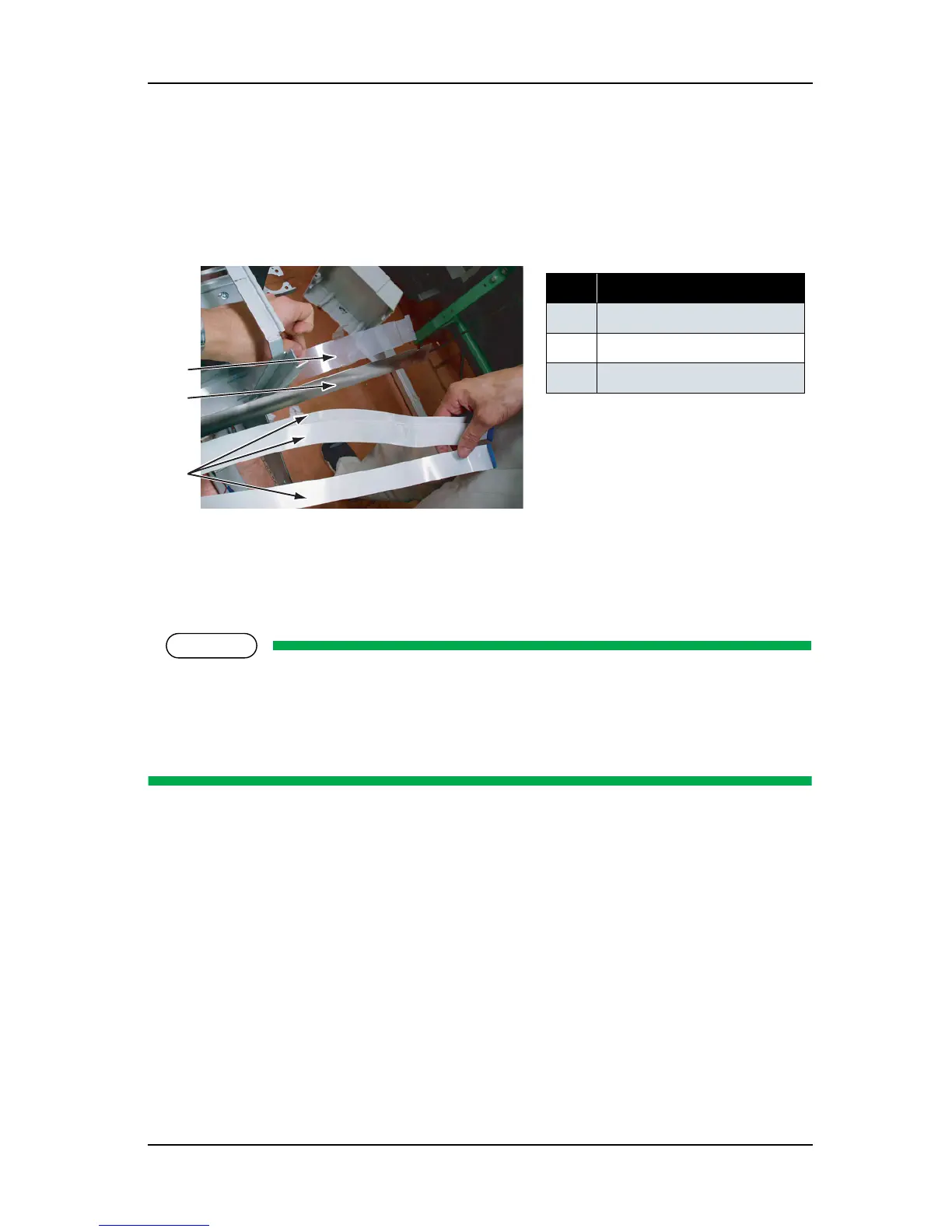
6. Remove the following parts from the I/H backing plate.
• Tube guide film
• Steel bearer assembly
• CR cable (3 cables)
7. Replace the CR cable.
8. To reassemble the unit, reverse the removal procedure.
When connecting the CR cable, note the following.
• The CR cable has three layers. Make sure to match the corresponding connector numbers.
• Remove or insert the CR cable terminal perpendicularly to the CR board connector. Pulling or
pushing the wire slantwise may damage/short/break the terminals in the connectors.
No. Part name
1 Tube guide film
2 Steel bearer
3 CR cable
1
2
3




 To Next Page