EasyManua.ls Logo

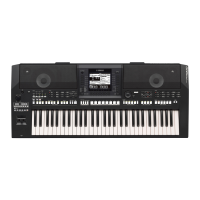
Yamaha PSR-A2000 - User Manual

Yamaha PSR-A2000
206 pages
Print Icon
To Next Page IconTo Next Page
Loading...
Thank you for purchasing this Yamaha Digital Workstation!
We recommend that you read this manual carefully so that you can fully take advantage of the advanced
and convenient functions of the instrument.
We also recommend that you keep this manual in a safe and handy place for future reference.
Before using the instrument, be sure to read “PRECAUTIONS” on pages 6-7.
Owner’s Manual
DIGITAL WORKSTATION
EN

Table of Contents

Questions and Answers

  • J
    James WrightSep 7, 2025
    Why do all simultaneously played notes not sound on my Yamaha Electronic Keyboard?
    • K
      Katelyn GraySep 7, 2025
      If not all simultaneously played notes sound on your Yamaha Electronic Keyboard, you are probably exceeding the maximum polyphony of the instrument.
  • T
    Timothy HowellAug 22, 2025
    What to do if the overall volume is too low on Yamaha Electronic Keyboard?
    • S
      Steve SotoAug 22, 2025
      If the overall volume is too low, or no sound is heard on your Yamaha Electronic Keyboard, there are several possible solutions: * Ensure that the master volume is set to an appropriate level using the [MASTER VOLUME] dial. * Use the PART ON/OFF [RIGHT 1]/ [RIGHT 2]/[LEFT] button to turn the part on. * Raise the volume in the BALANCE display. * Make sure the desired channel is set to ON. * Unplug the headphones. * Press the [FADE IN/OUT] button to turn the function off.
  • T
    Thomas JacksonSep 4, 2025
    What to do if a strange sound occurs on Yamaha PSR-A2000?
    • J
      johnfrazierSep 5, 2025
      If a strange “flanging” or “doubling” sound occurs on your Yamaha Electronic Keyboard, turn off the RIGHT 2 part or change the Voice of one of the parts.
  • K
    khawkinsSep 3, 2025
    What to do if some characters of the file/folder name are garbled on Yamaha PSR-A2000?
    • R
      Rachel DavisSep 3, 2025
      If some characters of the file/folder name are garbled on your Yamaha Electronic Keyboard, the language settings may have been changed. Set the appropriate language for the file/folder name.
  • R
    Raymond RossSep 2, 2025
    What to do if an existing file is not shown on Yamaha PSR-A2000?
    • A
      Amanda SmithSep 2, 2025
      If an existing file is not shown on your Yamaha Electronic Keyboard: * The file extension (.MID, etc.) may have been changed or deleted. Manually rename the file, adding the appropriate extension, on a computer. * Data files with names of more than 50 characters cannot be handled by the instrument. Rename the file, reducing the number of characters to 50 or less.
  • D
    Derek WilliamsonAug 31, 2025
    What to do if song playback stops before the song is finished on Yamaha PSR-A2000 Electronic Keyboard?
    • M
      Matthew HensonSep 1, 2025
      If Song playback stops before the Song is finished on your Yamaha Electronic Keyboard, the Guide function may be turned on. Press the [GUIDE] button to turn off the guide function.
  • D
    Diamond LongAug 30, 2025
    What to do if only the rhythm channel plays on my Yamaha PSR-A2000?
    • J
      John RiveraAug 30, 2025
      If only the rhythm channel plays on your Yamaha Electronic Keyboard: * Make sure the Auto Accompaniment function is turned on by pressing the [ACMP] button. * Make sure to play keys in the chord range of the keyboard.
  • S
    Sierra GonzalezAug 29, 2025
    What to do if the Main display does not appear on Yamaha Electronic Keyboard?
    • M
      mollyjohnsonAug 29, 2025
      If the Main display on your Yamaha Electronic Keyboard does not appear when turning the power on, this may occur if a USB storage device has been installed to the instrument. Turn the power on after disconnecting the device.
  • K
    kristencollinsAug 27, 2025
    What to do if noise is heard from Yamaha PSR-A2000 Electronic Keyboard speakers?
    • B
      Brian VegaAug 27, 2025
      If you hear noise from the speakers of your Yamaha Electronic Keyboard, turn off your mobile phone or move it further away from the instrument.
  • S
    sophia70Aug 27, 2025
    Why does Song playback not start on my Yamaha PSR-A2000?
    • L
      Lindsey SalinasAug 27, 2025
      Song playback on your Yamaha Electronic Keyboard might not start because: * The Song has been stopped at the end of the Song data. To resolve this, return to the beginning of the Song by pressing the SONG [?] (STOP) button. * In the case a Song to which write-protect has been applied, it cannot be played back unless the original file (showing “Prot.2 Orig” at the upper left of the Song name) is in the same folder. * In case of a Song to which write-protect has been applied, rename the file with the original file name (so that “Prot.2 Orig” is shown at the upper left of the Song name). * In case of a Song to which write-protect has been applied, Songs to which write-protect has been applied cannot be played back when the file icon of the original has been changed.

Summary

About the Manuals

Included Documents

Lists the printed manuals and instructional materials included with the PSR-A2000.

Online Materials

Refers to instructional materials available for download from the Yamaha Manual Library.

PRECAUTIONS

WARNING

Basic precautions to avoid serious injury or death from electrical shock, fire, or other hazards.

CAUTION

Basic precautions to avoid physical injury or damage to the instrument or property.

Starting Up

Powering Up and Initial Setup

Covers connecting power, turning on the instrument, and initial settings like volume, contrast, language, and headphones.

Navigating the Interface

Explains the use of display-based controls, messages, direct access, and main display configurations.

File Management and Data Backup

Details operations for managing files, entering characters, factory reset, and data backup procedures.

Basic Operations

Voices - Playing the Keyboard

Explains how to select, play, and expand the instrument's various voice sounds.

Styles - Playing Rhythm and Accompaniment

Details how to use Styles for automatic accompaniment and rhythm backing.

Songs - Playing, Practice and Recording Songs

Covers song playback, practice features like score display, and recording your own performances.

Mixing Console - Editing the Volume and Tonal Balance

Explains how to adjust volume, panning, and tonal balance for each part and channel.

Connections - Using Your Instrument with Other Devices

Provides instructions for connecting external audio devices, footswitches, and computers.

Advanced Features

Editing Voices (Voice Set)

Explains how to create custom voices by editing parameters of existing voices.

Creating;Editing Styles (Style Creator)

Details the process of creating new Styles or editing existing ones using various methods.

Creating;Editing Songs (Song Creator)

Explains advanced song creation and editing methods, including step recording and punch in/out.

Mixing Console - Editing EQ Parameters

Details advanced equalization settings for tone control and tailoring the overall sound.

Troubleshooting

General Issues

Addresses common problems related to sound quality, volume, display, and file/folder names.

Specific Component Issues

Troubleshoots problems related to USB Audio, Mixing Console, and Foot Pedals.

Yamaha PSR-A2000 Specifications

General IconGeneral
Number of Keys61
Touch ResponseYes
Featured VoicesYes
Preset StylesYes
Featured StylesYes
Style RecommenderYes
Music DatabaseYes
Number of Tracks16
Recording FunctionYes
Scale SettingYes
PIANO ButtonYes
Vocal HarmonyYes
Lesson/GuideYes
Performance Assistant Technology (PAT)Yes
Demo/HelpYes
Speakers12 cm x 2
Tone Generating TechnologyAWM Stereo Sampling
ArpeggiatorYes
Song RecorderYes
FingeringFingered
Style ControlStart/Stop, Intro, Main, Ending
One Touch Setting (OTS)4
Compatible Data FormatSMF
EffectsReverb, Chorus, DSP
Registration Memory8
ConnectivityUSB, MIDI
Power SupplyPA-300 or equivalent
DisplayLCD
CompatibilityXG, GM
Polyphony128-note
Styles400

Related product manuals