I/O devices and external head amps
Reference Manual
155
I/O DEVICE screen (AMP page)
1 Display switch buttons
Press one of these buttons to view the corresponding I/O device.
For more information about VIRTUAL/CONFLICT/DUPLICATE displayed below this
button, refer to
1 on page 149, “I/O device list.”
2 ID/Model name display
This shows the ID number, model name, and version of the I/O device.
3 DANTE SETUP button
Press this button to open the DANTE SETUP window, in which you can make settings
for the audio network.
Remotely controlling WIRELESS unit
This section explains how to remotely control a WIRELESS unit that’s connected to the Dante
connector.
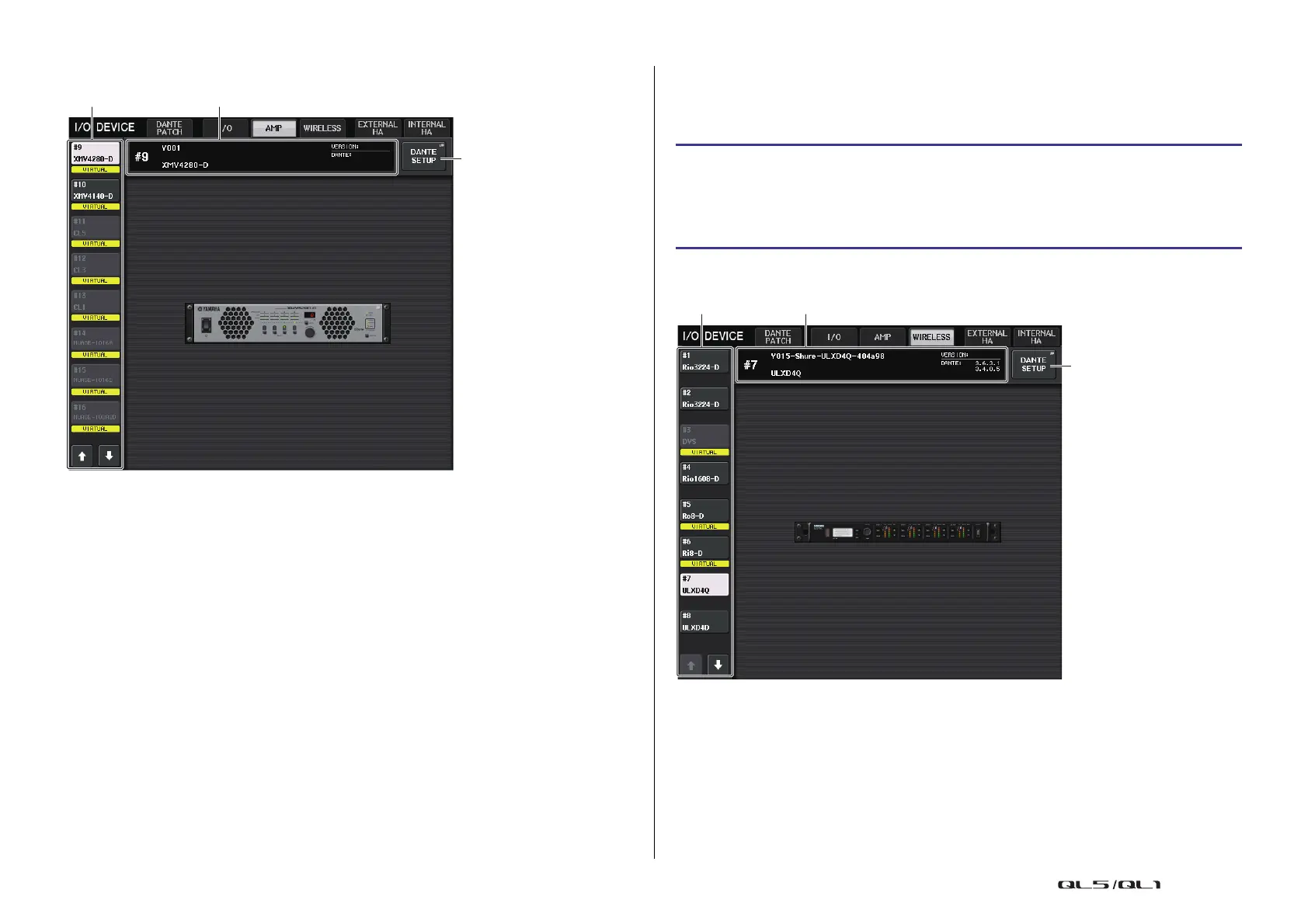
I/O DEVICE screen (WIRELESS page)
1 Display switch buttons
Press one of these buttons to view the corresponding I/O device.
For more information about VIRTUAL/CONFLICT/DUPLICATE displayed below this
button, refer to
1 on page 149, “I/O device list.”
2 ID/Model name display
This shows the ID number, model name, and version of the I/O device.
STEP
1. Press the WIRELESS tab in the upper part of the I/O DEVICE screen.
2. Press the I/O device displayed in the I/O DEVICE screen (WIRELESS page).
3. Set the output port on the OUTPUT PATCH window, as necessary.
Refer to step 7 in “I/O device patching” on page 149.


 To Next Page
 Loading...