Meters
Reference Manual
113
Meters
This chapter explains the METER screen that shows the input and output level meters for all
channels.
Operations in the METER screen
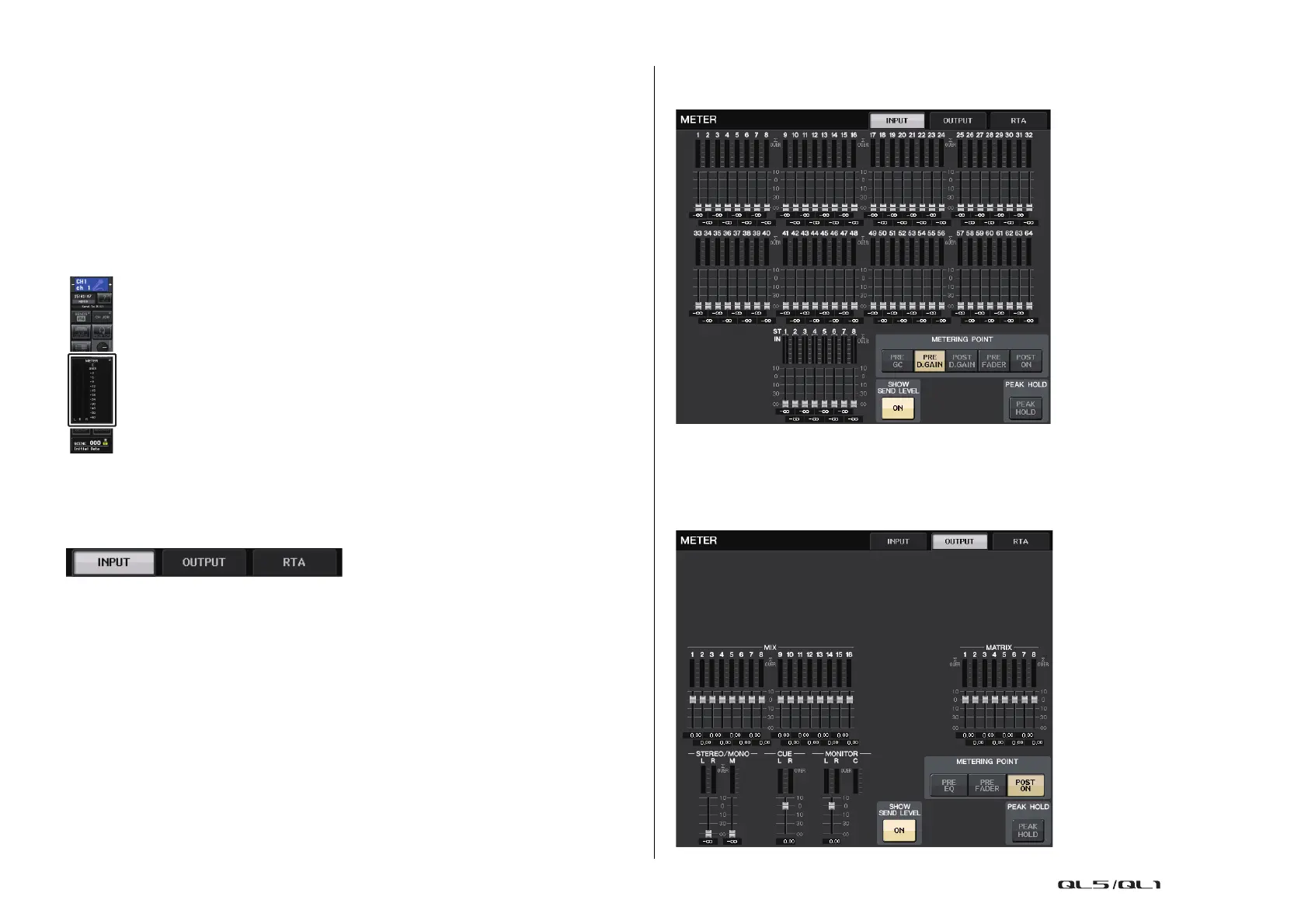
By accessing the METER screen, you can view the input and output levels of all channels on
the screen, and switch the level meter’s metering points (the points in the signal route at which
the level is detected). To access the METER screen, press the METER field of the Function
Access Area.
INPUT/OUTPUT/RTA tab
Use these tabs to switch between the INPUT METER screen, OUTPUT METER screen, and
RTA screen.
INPUT METER screen
This screen shows the meters and faders for all input channels.
NOTE
In the case of QL1, channels that do not exist on the model will not be shown.
OUTPUT METER screen
This screen shows the meters and faders for all output channels.


 To Next Page
 Loading...