EasyManua.ls Logo

YASKAWA FSDrive-MV1000 Series - User Manual

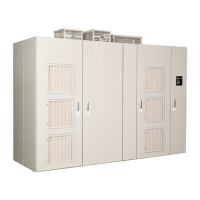
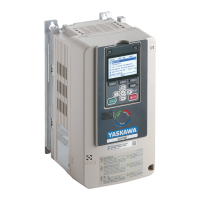
YASKAWA FSDrive-MV1000 Series
260 pages
Print Icon
To Next Page IconTo Next Page
Loading...
FSDrive-MV1000
Instructions
MANUAL NO. TOEP C710687 02B
To properly use the product, read this manual thoroughly and retain
for easy reference, inspection, and maintenance. Ensure the end user
receives this manual.
Class: 2 kV, 3 kV, 4 kV, 6 kV, and 11 kV
Receiving
Mechanical Installation
Electrical Installation
Troubleshooting
Options
Specifications
Standards Compliance
4
5
6
7
8
A
B
C
D
E
1
2
3
4
5
6
7
A
B
C
Start-Up Programming &
Operation
Periodic Inspection &
Maintenance
MEMOBUS/Modbus
Communications
Super Energy-Saving Medium-Voltage AC Drive

Table of Contents

Other manuals for YASKAWA FSDrive-MV1000 Series

Questions and Answers

  • G
    garciarobertAug 1, 2025
    What to do if YASKAWA FSDrive-MV1000 Controller drive does not allow rotational auto-tuning?
    • S
      Sean WardAug 1, 2025
      If the YASKAWA Controller drive does not allow selection of rotational Auto-Tuning, the desired Auto-Tuning mode might not be available for the selected control mode. Check that A1-02 (Control Method Selection) is set to 0 (V/f control) and select the correct control mode at A1-02.
  • J
    Jeremiah BellAug 5, 2025
    Why does the YASKAWA FSDrive-MV1000 drive frequency reference differ from the command?
    • E
      Emily WoodsAug 5, 2025
      If the drive frequency reference differs from the controller frequency reference command, the analog input gain and bias for the frequency reference input may be set to incorrect values. Check the gain and bias settings for the analog inputs used to set the frequency reference. Also, a frequency bias signal might be entered via analog input terminal L1, where the analog input setting (H3-02) is the sum of the individual input values. Finally, if PID control is enabled and unnecessary, disable it by setting b5-01 to 0.
  • M
    Mary HarveyAug 18, 2025
    How to fix YASKAWA FSDrive-MV1000 Controller motor rotating in opposite direction?
    • K
      Kimberly CarterAug 18, 2025
      If the YASKAWA Controller motor rotates in the opposite direction from the Run command, the phase wiring between the drive and motor might be incorrect. Check the motor wiring and switch two motor cables (U, V, and W) to reverse the motor direction. Alternatively, the connection between the drive control circuit terminals (forward/reverse) and the forward/reverse signals of the control panel could be incorrect, so check the wiring of the control circuit and correct it. Also, verify that the forward direction for the motor is set up correctly by ensuring the drive’s output terminals (U, V, and W) and motor terminals (U, V, and W) are properly connected.
  • D
    Daniel RussellAug 22, 2025
    Why does YASKAWA Controller motor rotate in one direction only?
    • C
      colerobertAug 22, 2025
      If the YASKAWA Controller motor rotates in one direction only, the drive might be prohibiting reverse rotation. To resolve this, set b1-04 to allow the motor to rotate in reverse.
  • L
    Lindsay RogersAug 27, 2025
    Why YASKAWA FSDrive-MV1000 Controller motor has excessive oscillation?
    • T
      Todd VargasAug 27, 2025
      If you observe excessive motor oscillation and erratic rotation in your YASKAWA Controller, it may be due to poor balance between motor phases. Check the drive input power voltage to ensure it provides stable power. Additionally, the hunting prevention function might be disabled. Enable Hunting Prevention (n1-01 = 1) and increase the AFR gain (n2-01) or the AFR time constant (n2-02).
  • B
    Belinda LucasNov 8, 2025
    What to do if YASKAWA Controller motor stalls during acceleration?
    • F
      fbanksNov 9, 2025
      If the YASKAWA Controller motor stalls during acceleration, or with large loads, or if the acceleration time is too long, it could be due to several reasons. The torque limit might have been reached, or current suppression might be preventing acceleration. Reduce the load or increase motor capacity to resolve this. The load might be too heavy, so reduce it to keep the output current within the motor's rated current. Check the torque limit setting. The frequency reference might be too low, so check the maximum output frequency (E1-04) and increase it if necessary. Check if the acceleration time parameters (C1-01, C1-03, C1-05, C1-07) have been set too long. If using vector motor control, perform Auto-Tuning. Check the analog input terminal settings for incorrect frequency reference settings...
  • D
    Dennis HarrisonNov 13, 2025
    Why is my YASKAWA FSDrive-MV1000 motor too hot?
    • W
      wesleyericksonNov 13, 2025
      If the YASKAWA Controller motor is too hot, it could be due to several reasons. The load might be too heavy, so reduce the load, increase acceleration and deceleration times, check the motor protection values (L1-01, L1-02) and the motor rated current (E2-01), and consider increasing motor capacity. The air around the motor might be too hot, so check the ambient temperature and cool the area if needed. If operating in vector control mode, perform Auto-Tuning, calculate the motor value and reset the motor parameters, or change the motor control method to V/f Control (A1-02 = 0). Check the motor fan to make sure it hasn't stopped or become clogged. Note that when a motor is connected to the drive output terminals (U, V, W), a surge voltage is generated between the motor coils and drive switc...

Summary

Preface and General Safety

General Safety

Provides essential safety information, conventions, and precautions for handling the drive.

Mechanical Installation

Mechanical Installation

Specifications and environmental requirements for proper mechanical installation.

Electrical Installation

Standard Connection Diagram

Illustrates standard wiring diagrams for connecting the drive and peripheral devices.

Main Circuit Wiring

Describes functions, specifications, and procedures for wiring the main circuit.

Control Circuit Wiring

Details for wiring control circuit terminals, including analog and contact inputs/outputs.

Start-Up Programming & Operation

Using the Digital Operator

Guide to operating the drive using the digital operator's keys and displays.

The Drive and Programming Modes

Explanation of Drive Mode and Programming Mode for motor operation and parameter settings.

Powering Up the Drive

Procedure for powering up the drive and checking its status display.

Auto-Tuning

Details on selecting and performing Auto-Tuning for induction motors.

Troubleshooting

Motor Performance Fine-Tuning

Information for counteracting oscillation, hunting, or other problems during trial runs.

Types of Faults, Alarms, and Errors

Descriptions of faults, alarms, errors, and related displays for problem identification.

Fault Detection

Detailed displays, causes, and possible solutions for drive faults.

Diagnosing and Resetting Faults

Instructions for removing fault causes and restarting the drive.

Troubleshooting without Fault Display

Addresses common problems that do not trigger an alarm or fault.

Periodic Inspection & Maintenance

Section Safety

Safety precautions for performing periodic inspection and maintenance tasks.

Inspection

Guidelines for performing preventive maintenance and periodic inspections.

Periodic Maintenance

Recommends periodic inspections and consumable part replacements based on service life.

Options

Section Safety

Safety precautions when handling options or working with the drive.

Appendix: A Specifications

Appendix: C MEMOBUS;Modbus Communications

YASKAWA FSDrive-MV1000 Series Specifications

General IconGeneral
BrandYASKAWA
ModelFSDrive-MV1000 Series
CategoryController
LanguageEnglish

Related product manuals