Service Kit Installation Procedures
906-0731-04-01 Rev. C ZOLL Ventilator Service Manual 4–101
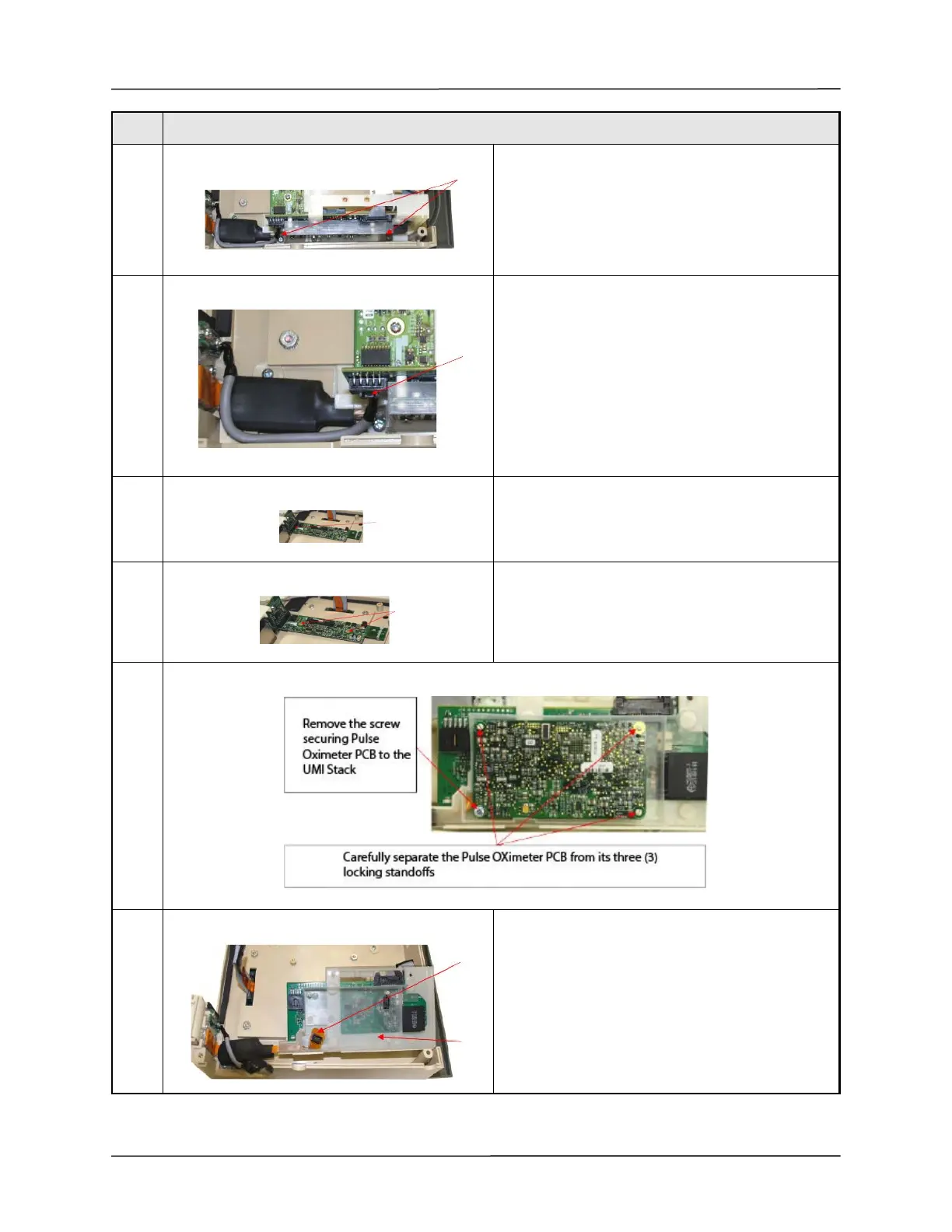
5 Remove two (2) 6-32 x
¼" Philips Pan Head screws securing the UIM Stack to
the Front Case.
6 Release cable from USB connector at the CPU PCB.
Press tab to unlock then slide cable out.
7 Remove the UIM Stack from the UIM Adapter PCB
(pull to separate).
8 Remove two (2) 4-40 x
¼" Philips Pan Head screws securing the UIM PCB to
the Front Case.
9
10 Carefully disconnect the Pulse Oximeter ribbon cable
from Pulse Oximeter PCB.
Separate the UIM Bracket from the Pulse Oximeter
plastic housing.
Step Procedure



 To Next Page