Service Kit Installation Procedures
906-0731-04-01 Rev. C ZOLL Ventilator Service Manual 4–103
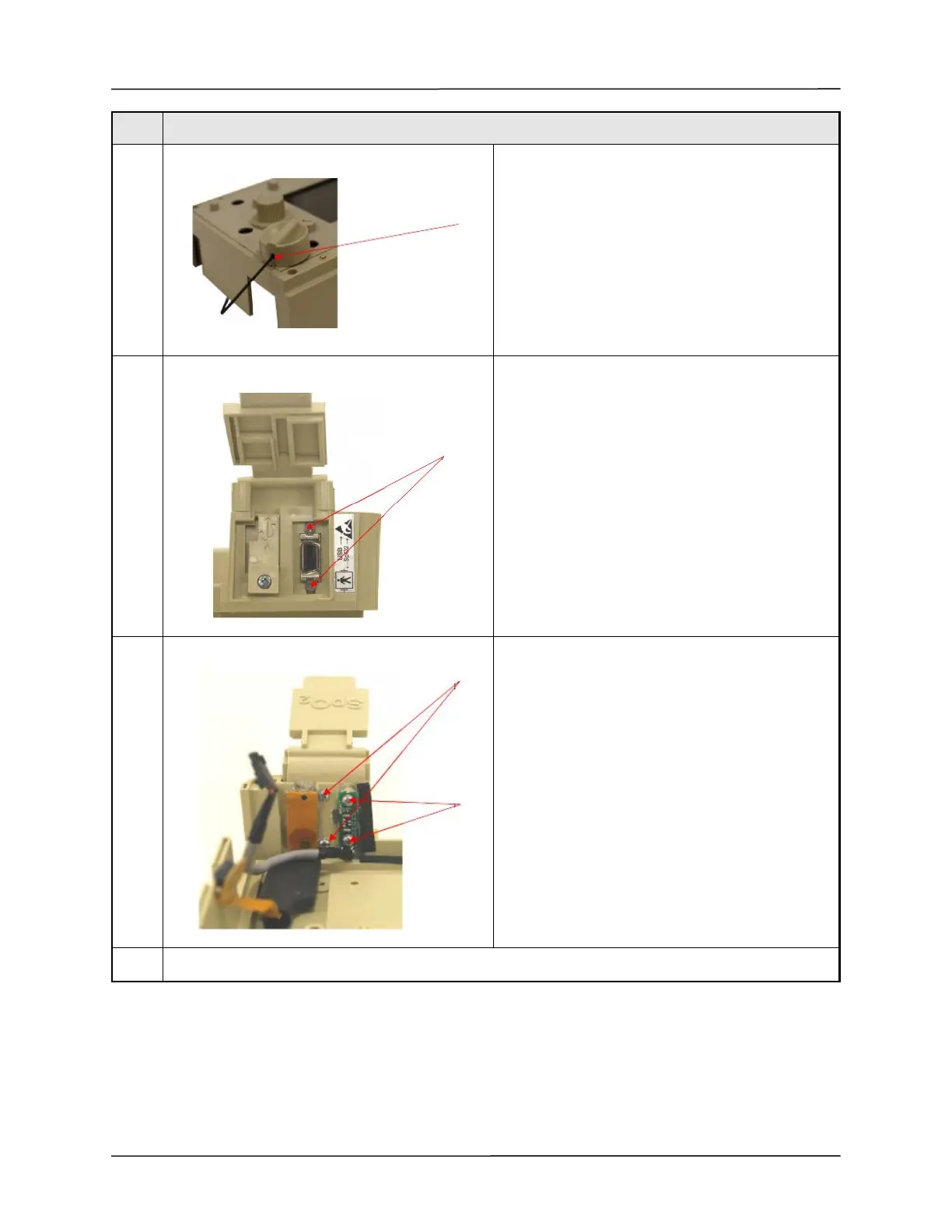
14 If present loosen the set screw in the Power Switch
knob then remove the knob using the 1/16" Ball Hex
Driver. Discard the set screw - It is no longer
necessary.
15
Remove the two (2) metric M2.5 Phillips Flat Head
screws that secure the Pulse Oximeter connector to
the USB Connector Plate Assembly.
16 Remove the two (2) 4-40 x 5/16" Philips Pan Head
screws that attach the USB Connector Plate
Assembly to the Front Case.
Remove the two (2) 4-40 x 3/16" Philips Pan Head
screws that attach the USB Adapter PCB to the USB
Connector Plate Assembly and remove the cable.
Remove the USB Connector Plate from the Front
Case.
Reassembly
Step Procedure



 To Next Page