Service Kit Installation Procedures
4–108 www.zoll.com 906-0731-04-01 Rev. C
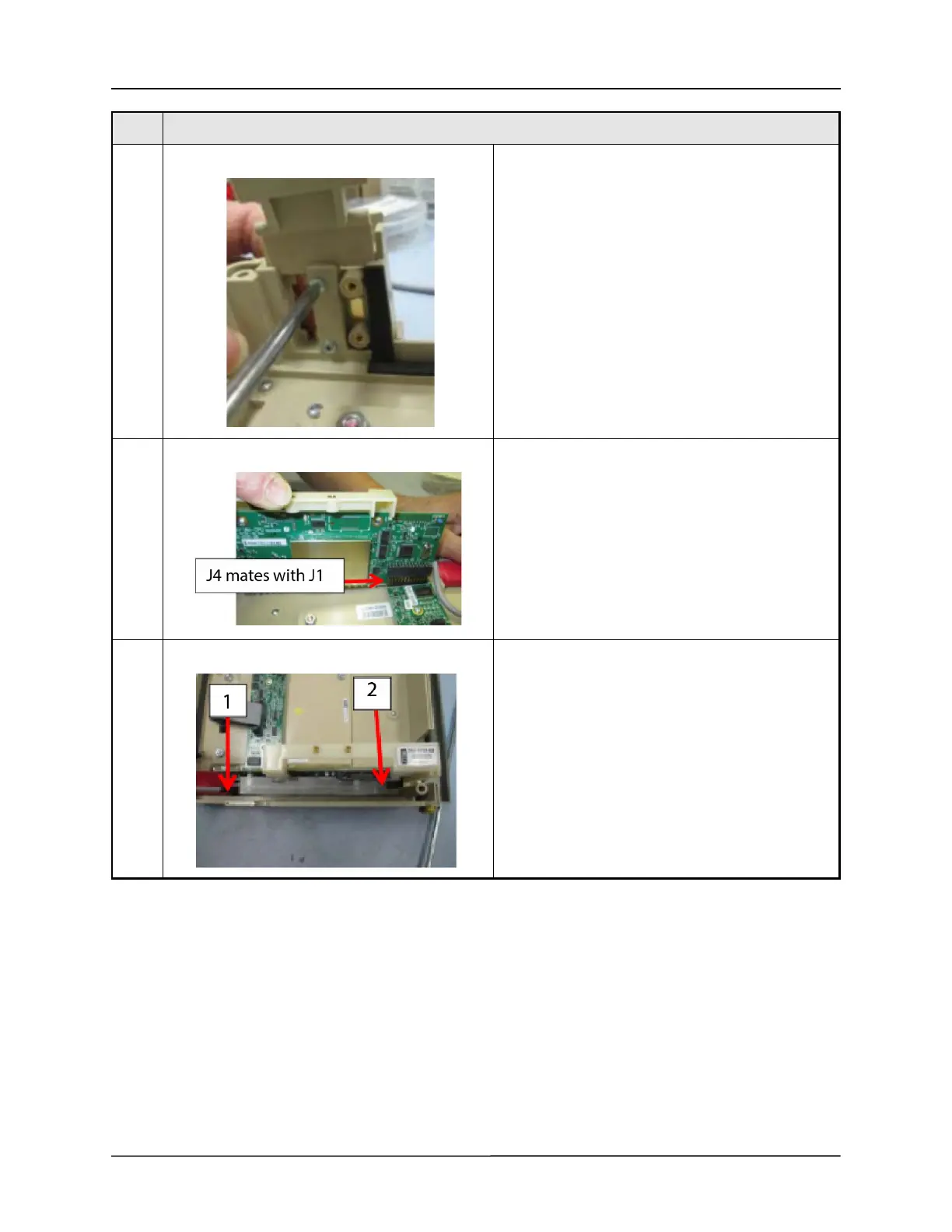
30 Fasten assembly to front case using quantity (2) 4-40
x 5/16" Phillips pan head screws
31 Ensure proper mating connector alignment (J4
connector of UIM/CPU board mates with J1
connector of UIM Adapter), install UIM Stack into
Front Case.
32 Fasten UIM Stack to Front Case using quantity (2) 6-
32 x 5/16" Philips pan head screws.
Step Procedure



 To Next Page