Service Kit Installation Procedures
906-0731-04-01 Rev. C ZOLL Ventilator Service Manual 4–21
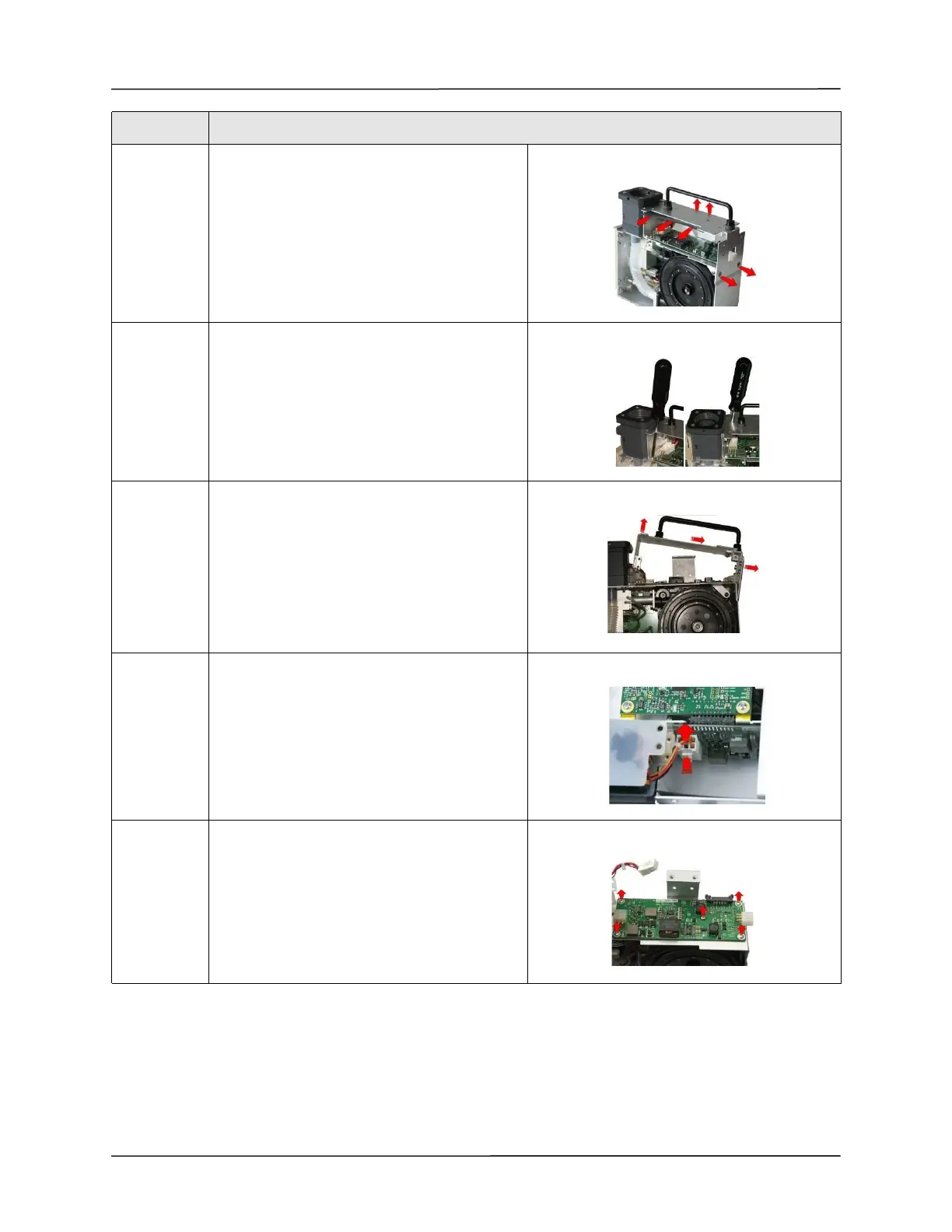
9 Loosen and remove the two 6-32 x 1/4 screws
holding the chassis to the dovetail mounting
bracket and remove the SpO
2
insulator.
Loosen and remove the two 8-32 x 1/4 screws
holding the chassis to the ventilator module.
10 Insert screwdriver through the holes on the
chassis to loosen and remove the
two 6-32 x 5/16 screws holding the chassis to the
ventilator module.
11 Lift the chassis from the ventilator module.
12 Disconnect the Power Input cable from the PIM
board by pressing on the locking latch and
pulling the cable straight up from the connector.
13 Remove the PIM board by loosening the
five 4-40 x 1/4 screws.
Step Action



 To Next Page