116 PCS100 UPS-I User Manual
12.2.1 Connecting the Network Connection.
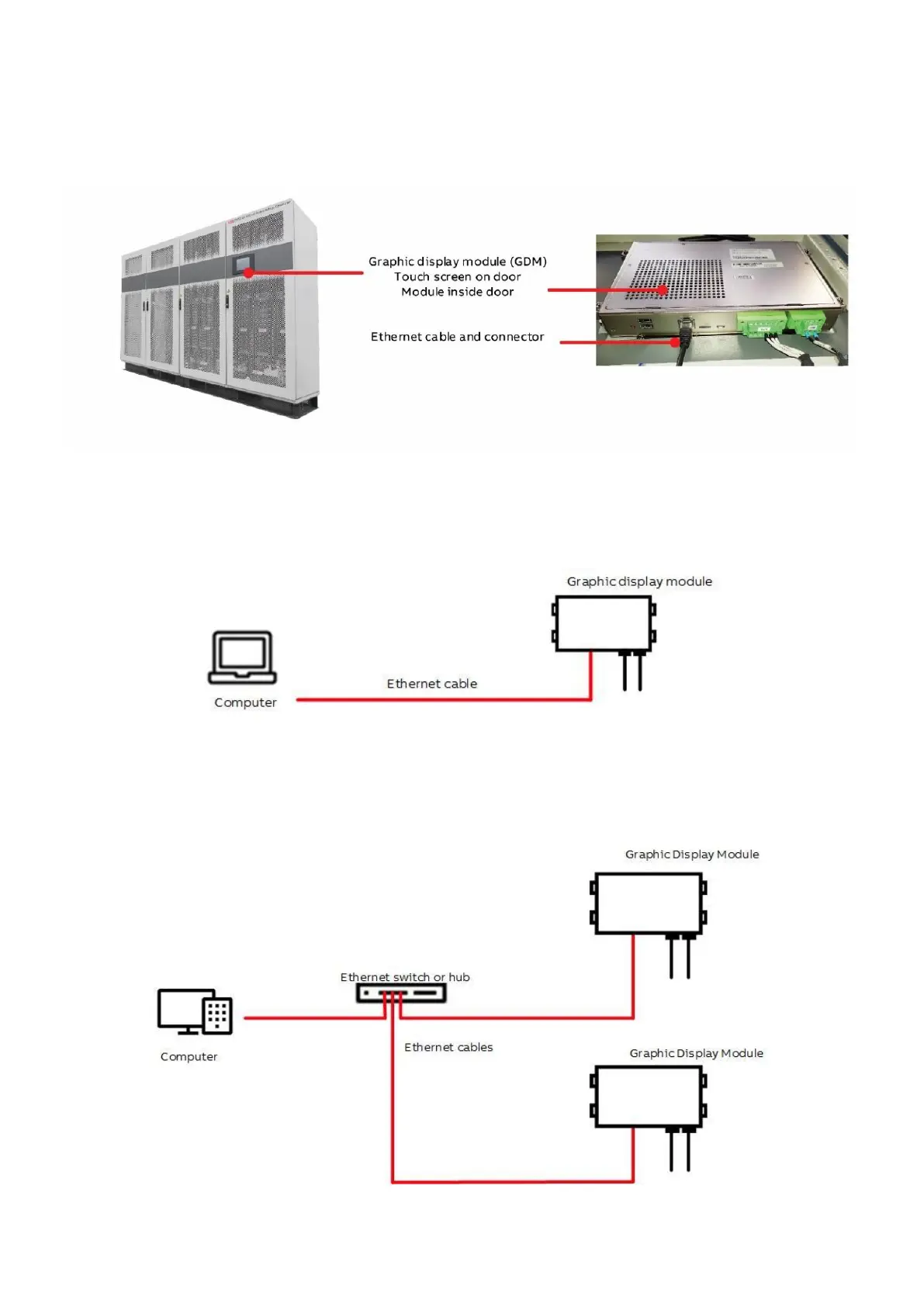
To access the web pages, connect your PC to the Ethernet port on the bottom of the GDM using an Ethernet
cable.
Figure 12-3: GDM Ethernet connector
Connecting a GDM directly to a computer using an Ethernet cable.
Figure 12-4: GDM Ethernet connection
You can connect one or more PCS100 UPS-I GDMs to a network using a Ethernet switch or hub and ethernet
cables.
Figure 12-5: Multiple GDM connections


 To Next Page