PCS100 UPS-I User Manual 57
7.1.4 Event Log Page
The PCS100 UPS-I incorporates an event log that stores a chronological list of events. This is useful for
diagnosing PCS100 UPS-I operation and system power quality events.
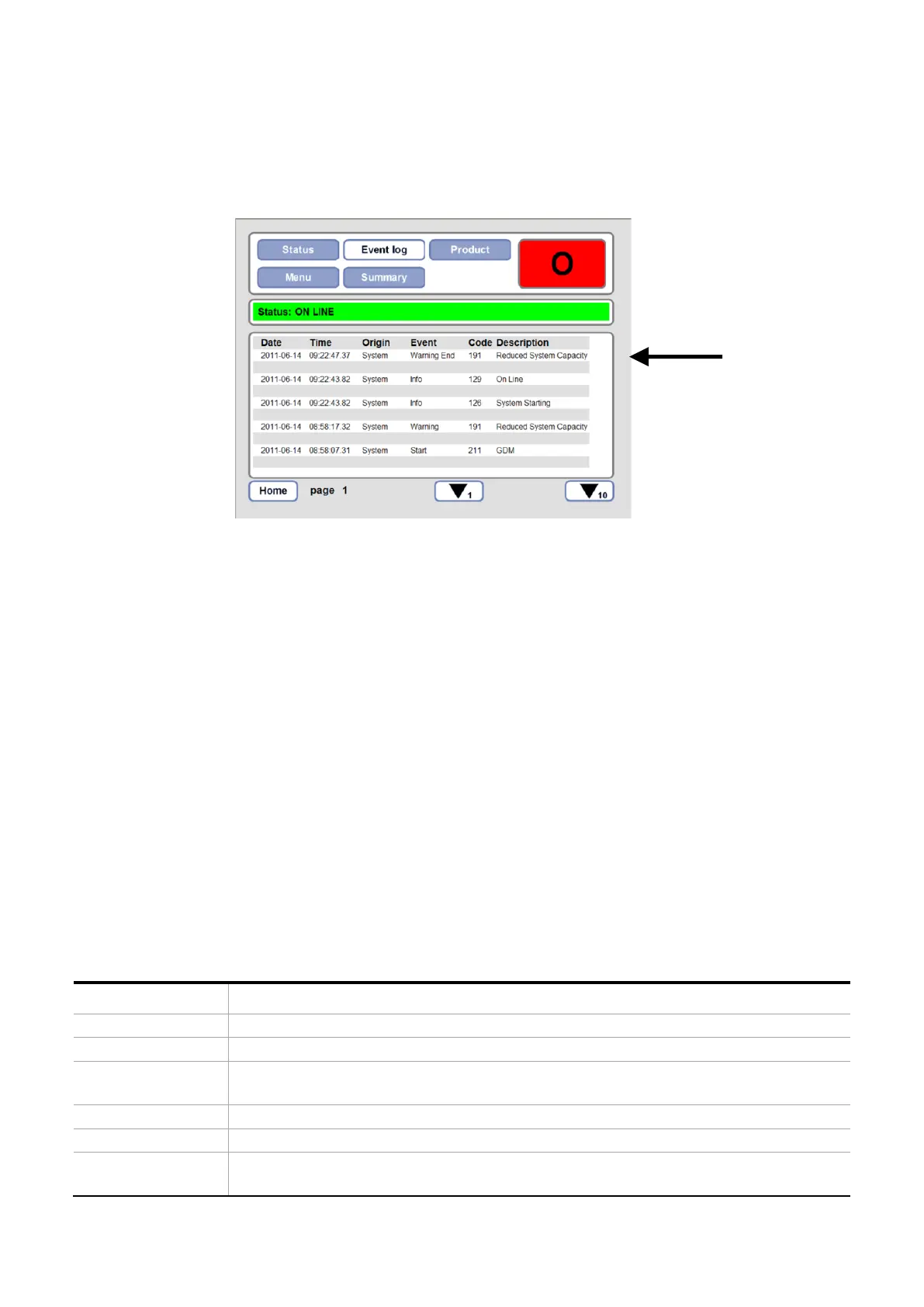
Figure 7-7: GDM Event Log Page
Accessing the event log page uploads the most recent event records with the most recent events at the top. Each
page shows five event records referenced by the date and time.
The event log records can be scrolled through using the up 1, down 1, up 10 and down 10 arrow keys at the bottom
of the page. The page number is shown at the bottom of the screen. Pressing the home button will return to page
1 and upload the most recent event records in the system.
A maximum of 10,000 events can be recorded. When more than 10,000 events occur the new events replace the
oldest events.
The event log cannot be cleared.
7.1.4.1 Interpreting the Event Log
Figure 7-7 shows a typical event log page.
The events recorded are divided into 2 categories:
1. System events, i.e. PCS100 UPS-I faults, warnings etc.
2. Power Quality events, i.e. voltage sags and voltage surges.
System Events
Each System Event is displayed on a single line which displays the following information:
Fault, Warning and Auto Bypass events may be originated from the Master or
Inverter modules. See Table 7-7
For a system event this column shows the description of any Fault or Warning. See
Section 11 for a full list of event descriptions.


 To Next Page