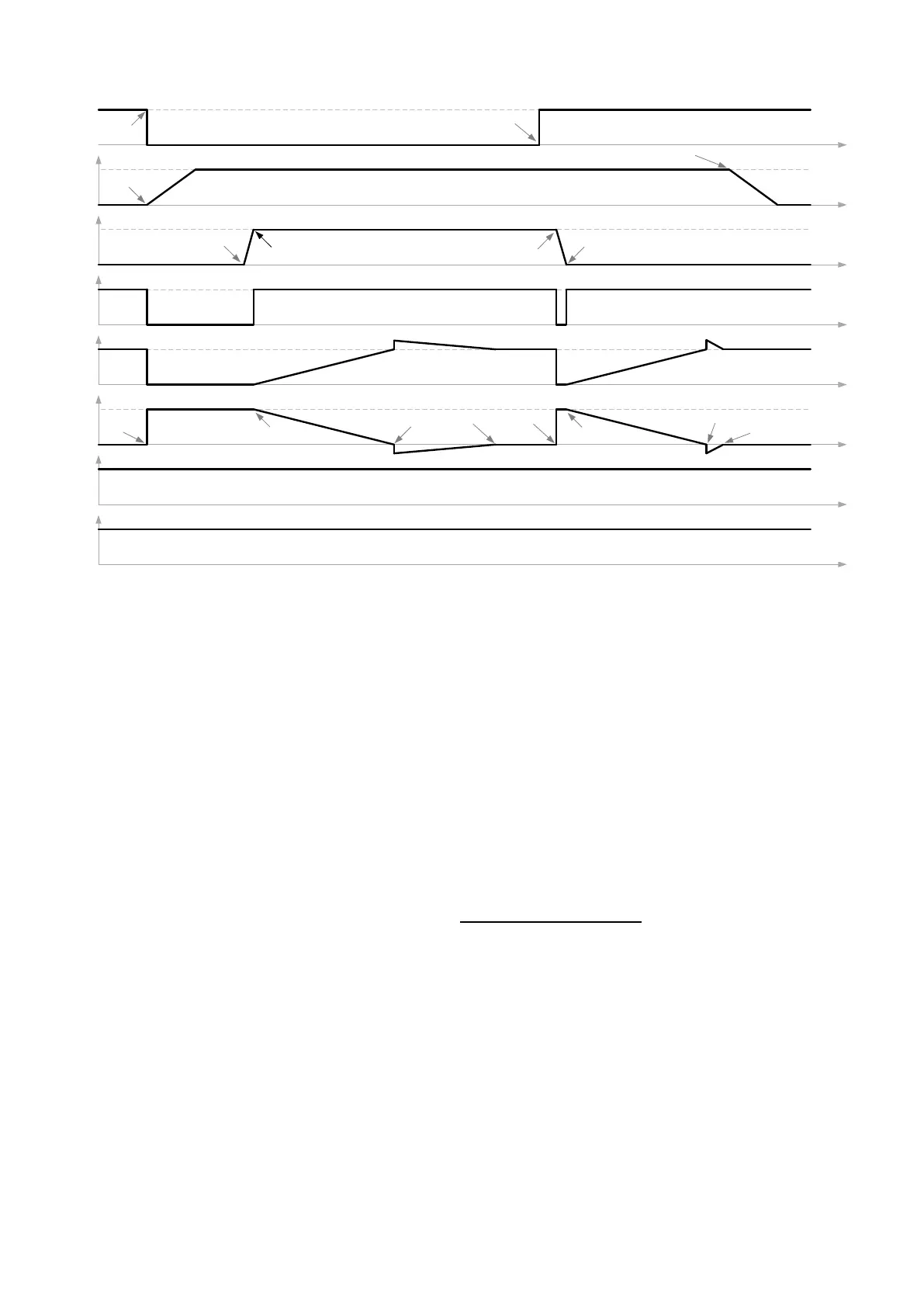
Figure 9-3: PCS100 UPS-I Generator Walk-in functionality timing diagram
9.6 Fan Control Service
To extend the life of the PCS100 UPS-I Inverter module cooling fans they do not run continuously. The
temperature of the inverter electronics is monitored and triggers a fan operation to circulate cooling air. All
module temperatures are monitored and the worst case is used to trigger the fans.
The temperature is sensed in the control electronics area of the PSC100 Inverter modules and temperature
greater than a threshold value will trigger the PCS100 Inverter fan to run for 6 minutes on, then 14 minutes off by
default. The fan off time is required to ensure that the sensor is measuring the module temperature, not the
ambient temperature. Furthermore, the ratio between the fan on time and fan off time determines the duty cycle
therefore the fan off time needs to be at least twice as long as the fan on time to ensure the fans last their stated
15 years life time.
While the fan on and off times can be adjusted in menu D40 Fan Control Service, It is recommended that these
be left at the default values.
ABB recommends setting the parameters as follows.
The above parameters can be entered using ‘tech’ access.
The ‘D404 Off Time’ is recommended to be at least twice as long as the ‘D403 Fan On Time’ to ensure the module
fans comply with their 15 year lifetime. The setting above will turn on the module fans for 6 minutes followed by
14 minutes of off time. At the end of this period, the module temperature will be checked and the fan will be
turned on if any of the module fans report temperature greater than ‘D405 Temperature Threshold.’


 To Next Page