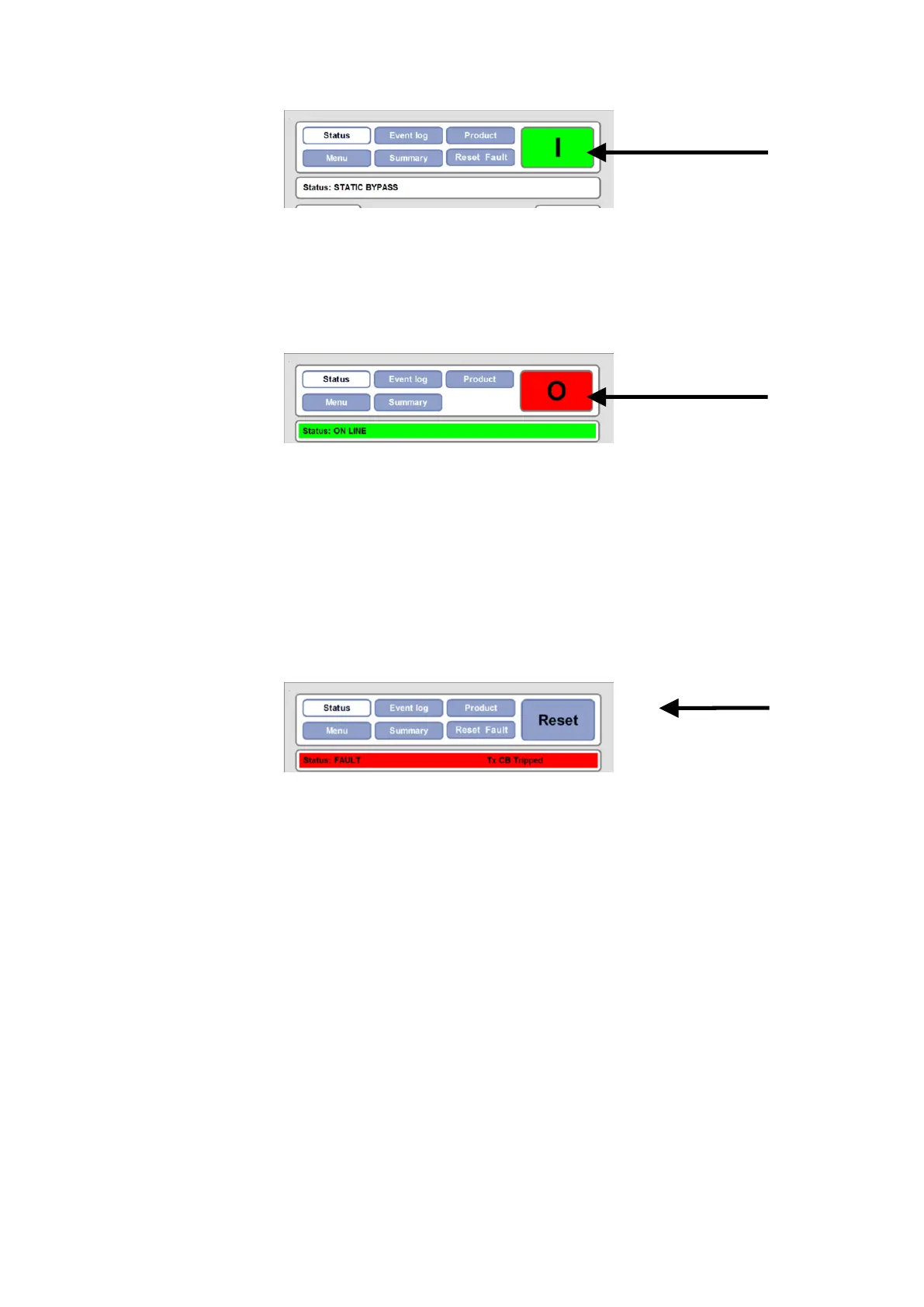
Figure 8-2: Start button
The Start button is visible when the PCS100 UPS-I status is Static
Bypass (Off).
Press the Start button and press “Yes” at the confirmation screen.
The PCS100 UPS-I will transition to RUN operation in approx. 1sec.
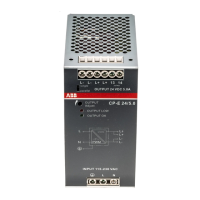
Figure 8-3: Stop button
The Stop button is visible when the PCS100 UPS-I status is Run.
Press the Stop button and press “Yes” at the confirmation screen. The
PCS100 UPS-I will transition to Static Bypass (Off) in approx. 1sec.
On systems fitted with an FSB the closing of the FSB can be heard.
Note: When the stop button is pressed the Utility Disconnect will
remain closed. Therefore the load will not be dropped, however the
UPS-I will not back up the load in the event of a utility failure.
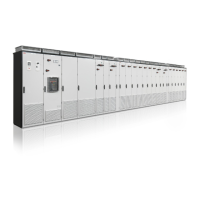
Figure 8-4: Reset button
The Reset button is visible when the PCS100 UPS-I status is Fault.
Press the Reset button and “Yes” at the confirmation screen to reset
a fault.


 To Next Page