11-17
Questions? Refer to Page 11-22 For Technical Support Instructions.
Symptom/Error Message Explanation How To Respond
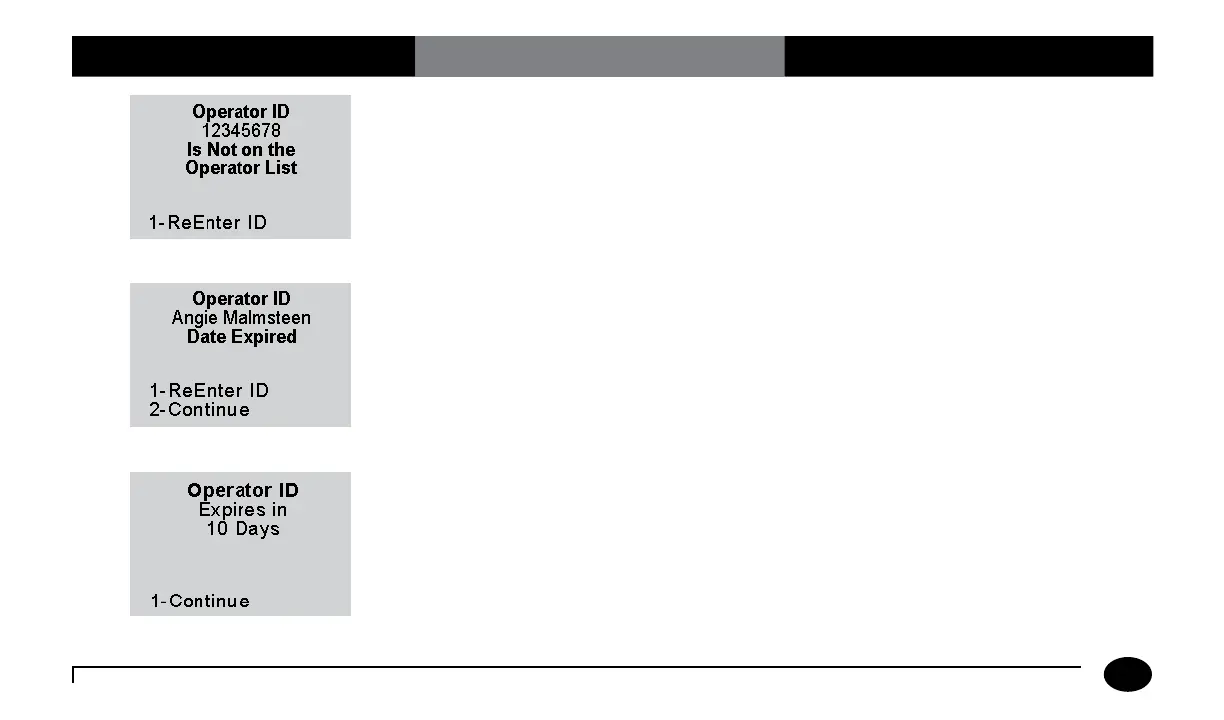
The Operator ID entered is not on the list
of acceptable Operator IDs defined for this
meter.
1. Press 1 to ReEnter the Operator ID.
2. If the problem persists, contact the
system administrator for further
information on operator certification.
The Operator ID entered has expired.
(The menu items 1 - ReEnter ID and
2 - Continue appear only if this option is
set to warn.)
1. Press 1 to ReEnter the ID using the
barcode scanner or keypad.
Or,
Press 2 to Continue testing.
2. If the problem persists, notify the
system administrator.
The Operator ID is due to expire. At this
time, testing is still allowed.
1. Press 1 to Continue with testing.
2. Contact your manager or the system
administrator for further information
about operator certification.
Chapter 11: Troubleshooting












 To Next Page