Step 4: Building Your Storage Space ● 54
7 If you have no other available disk drives, skip to Step 9.
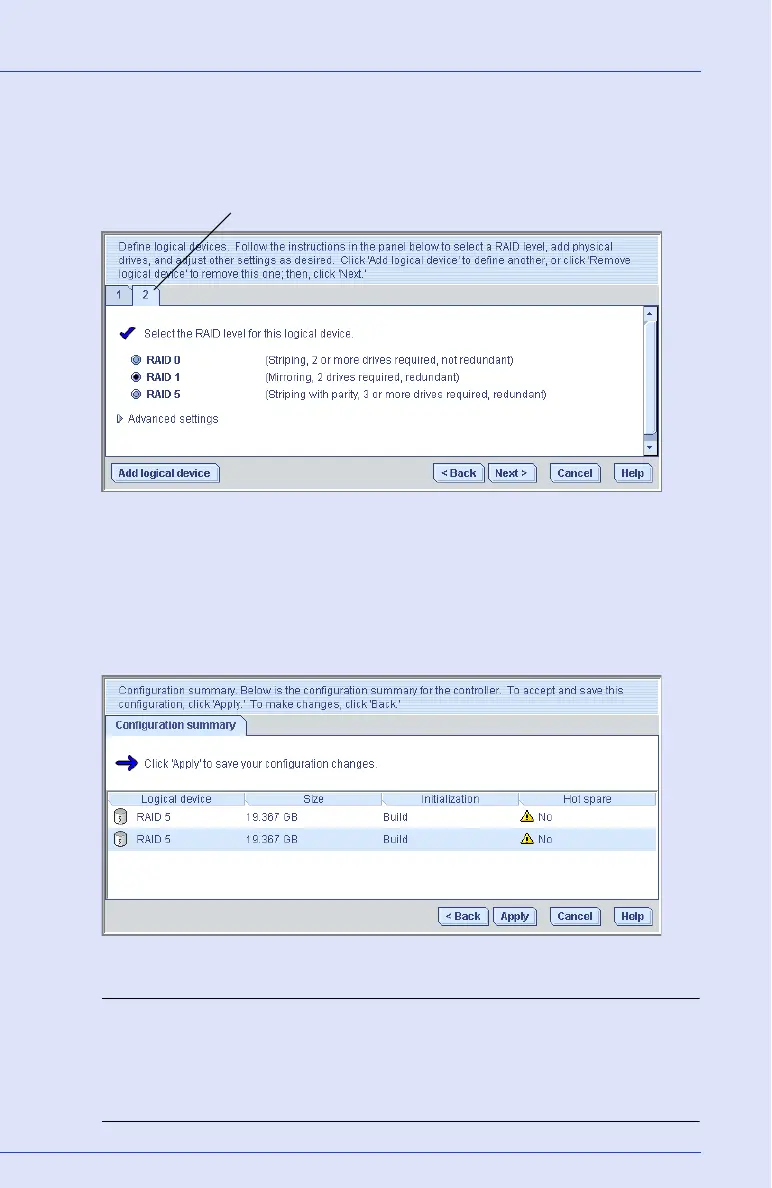
If you have available disk drives and want to create additional logical
drives, click Add logical device to open a new tab in the wizard.
8 Repeat Steps 4 to 7 for each logical drive that you want to create on
the controller.
9 Click Next, then review the logical drive settings.
The example below shows two logical drives with RAID 5 are ready
to be created.
To make changes, click Back.
Note: Some operating systems have size limitations for logical
drives. Before continuing, verify that the size of the logical drive is
appropriate for your operating system. For more information, refer
to your operating system documentation.
Tab for second logical drive



 To Next Page