Chapter 9: Managing Logical Drives and Hot Spares ● 85
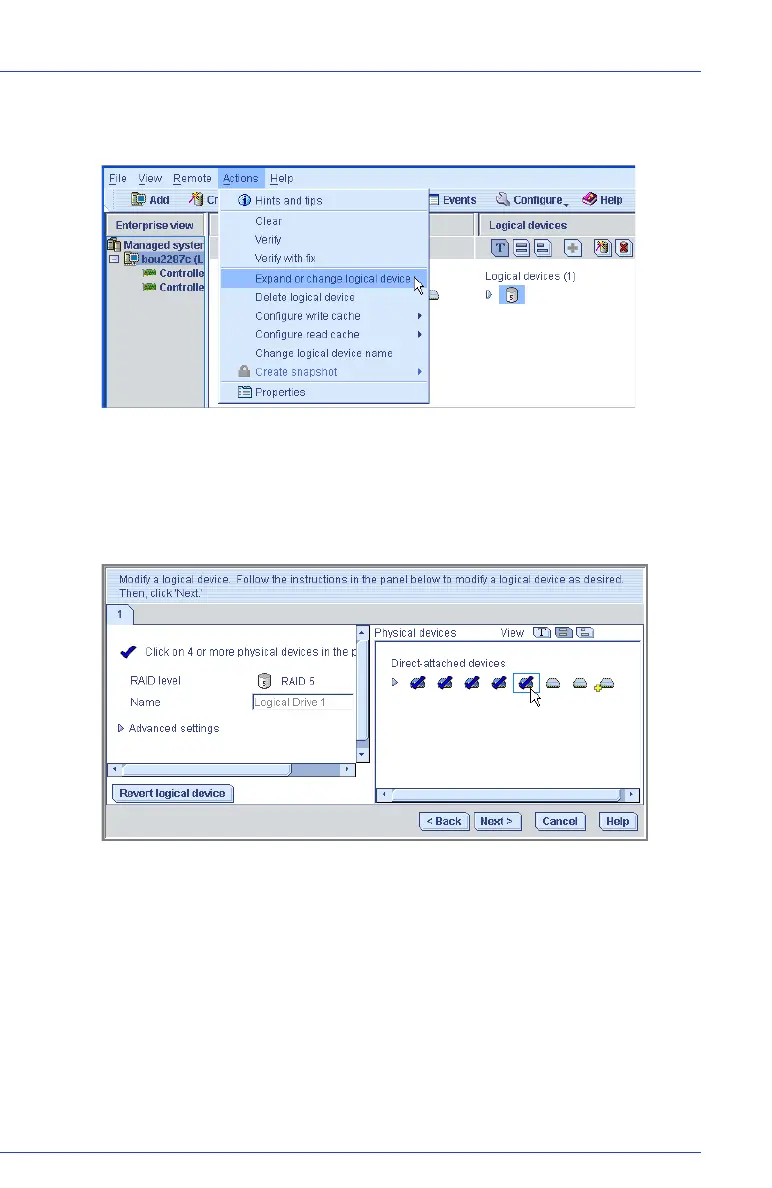
3 In the menu bar, select Actions, then click Expand or change logical
device.
A wizard opens to help you modify the logical drive.
4 Click Next.
5 Click on the disk drive(s) or disk drive segments you want to add to
the logical drive.
If you want to remove a specific disk drive or segment and replace it
with another one (for instance, replace a smaller disk drive with a
larger one), click on the disk drive you want to remove.



 To Next Page