37
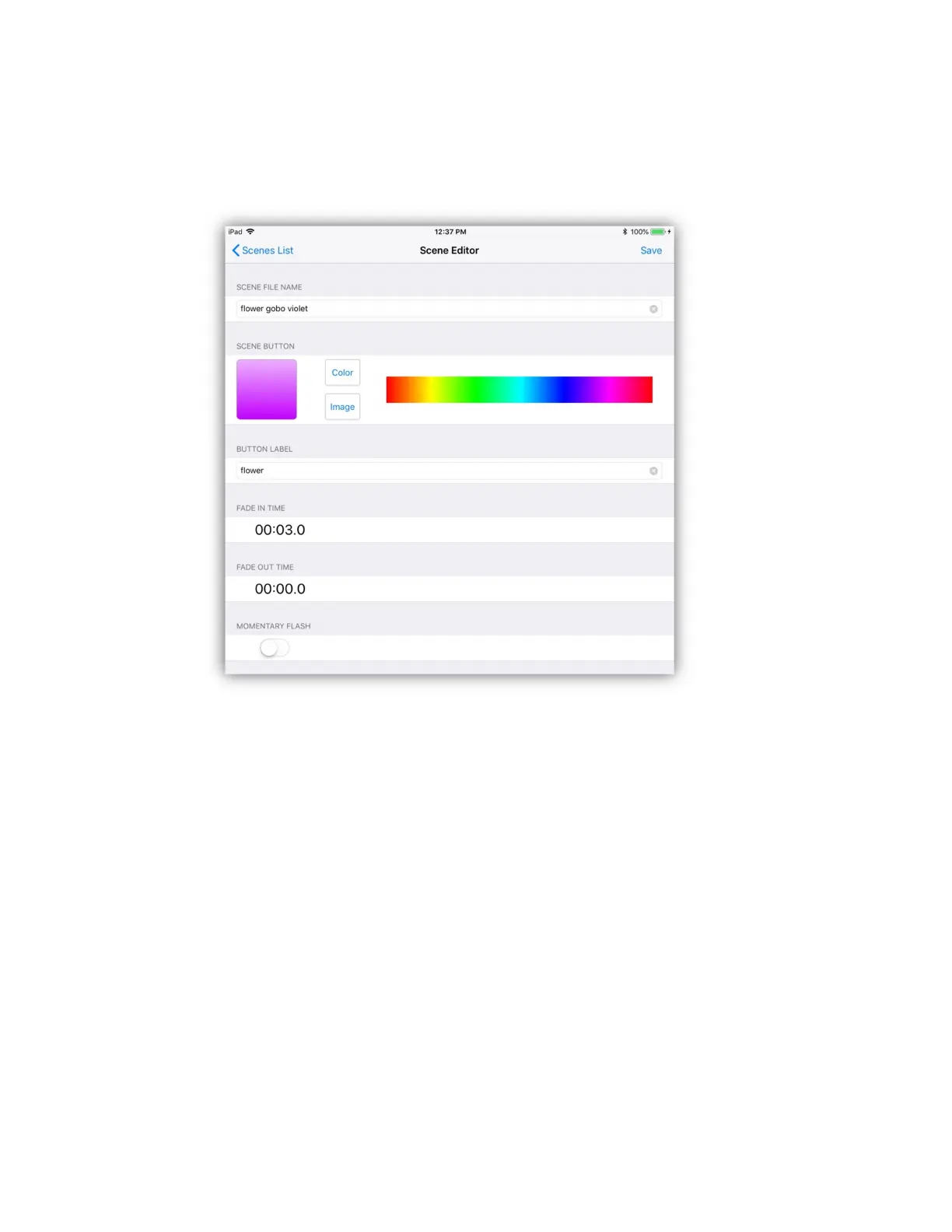
After selecting a row in the list the scene button editor will appear as shown in the
following example. Each section of the scene button editor is explained in the
following paragraphs.
Scene File Name: You can enter a new file name or use the default name.
Typically a long descriptive name should be entered here.
Button Appearance: Scene buttons can be a solid color or you can use an image
from your photos library. Tap or drag over the color picker to the right of the
button image to change color. Tap the “image” button to show the photo picker to
select an image from your photo library. You can switch between image or color
at any time by tapping either button.
Button Label: A button label can be entered here, preferably a name that will fit
neatly under a scene button on the screen page. This can be a shortened version
of the file name or anything you like or left blank if you prefer.
Fade Times: Tap the fade-in time to present a keypad pop-up where you can
enter the fade-in time for the scene. The time is entered in minutes and seconds
or fractions of a second.



 To Next Page