Chapter 3. Configuration
61200290L1-1 MX2800 User Manual 3-3
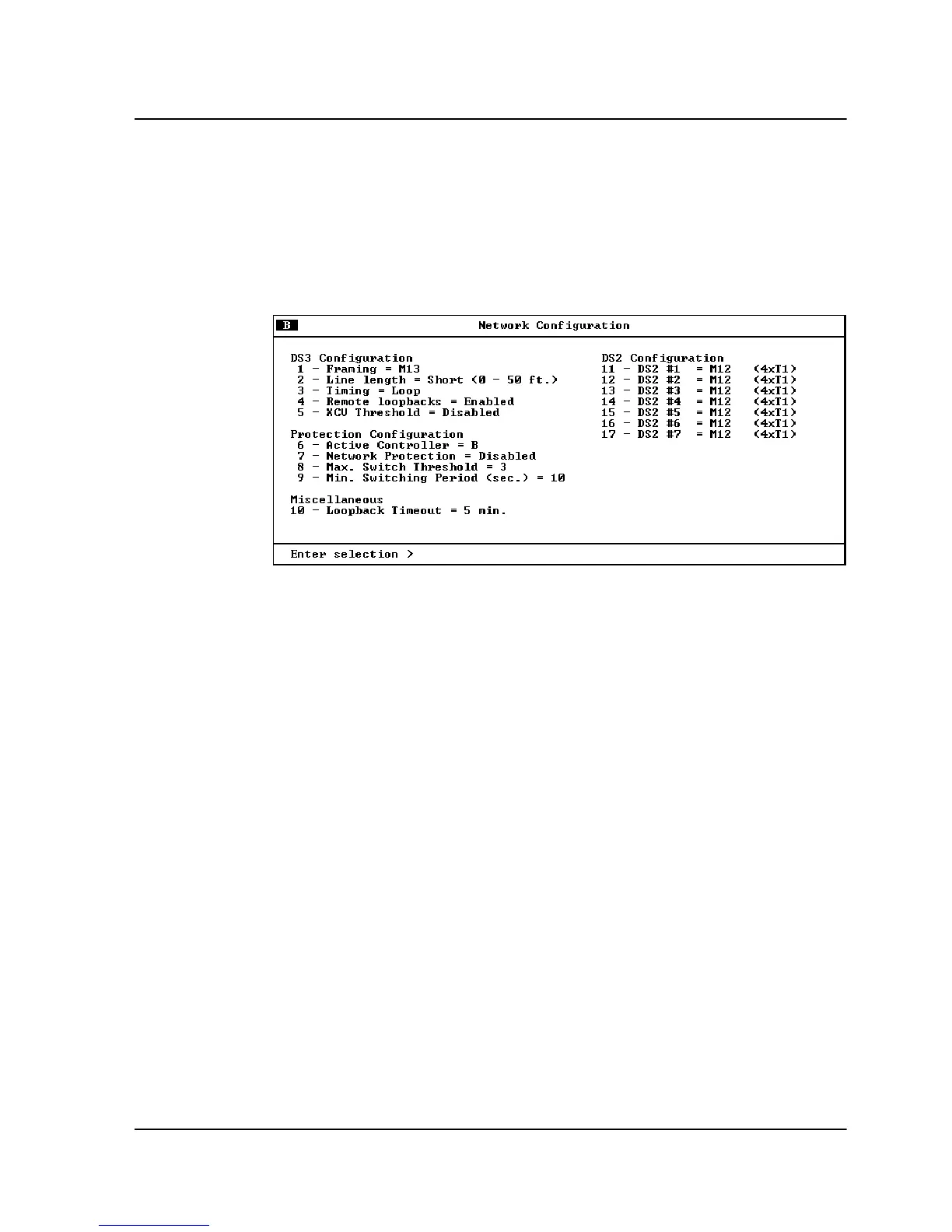
NETWORK INTERFACE
Select
N
ETWORK
I
NTERFACE
to access the network configuration
parameters (see Figure 3-3). Configure the MX2800 network
settings to match the DS3 signal received from the service provider.
Figure 3-3. Network Configuration Menu
DS3 Configuration
Use the
DS3 C
ONFIGURATION
selections to configure the DS3
network settings to match your application. Descriptions of these
settings follow:
Framing
Set the framing format to match the format of the receive signal at
the network interface. The MX2800 supports
C-
BIT
and
M13
framing formats.
Line Length
Set the line length to reflect the physical length of the DS3 network
line. Set to
L
ONG
if the cabling distance exceeds 50 feet; set to
S
HORT
if the distance is less than 50 feet.



 To Next Page