Chapter 5. Statistics
5-4 MX2800 User Manual 61200290L1-1
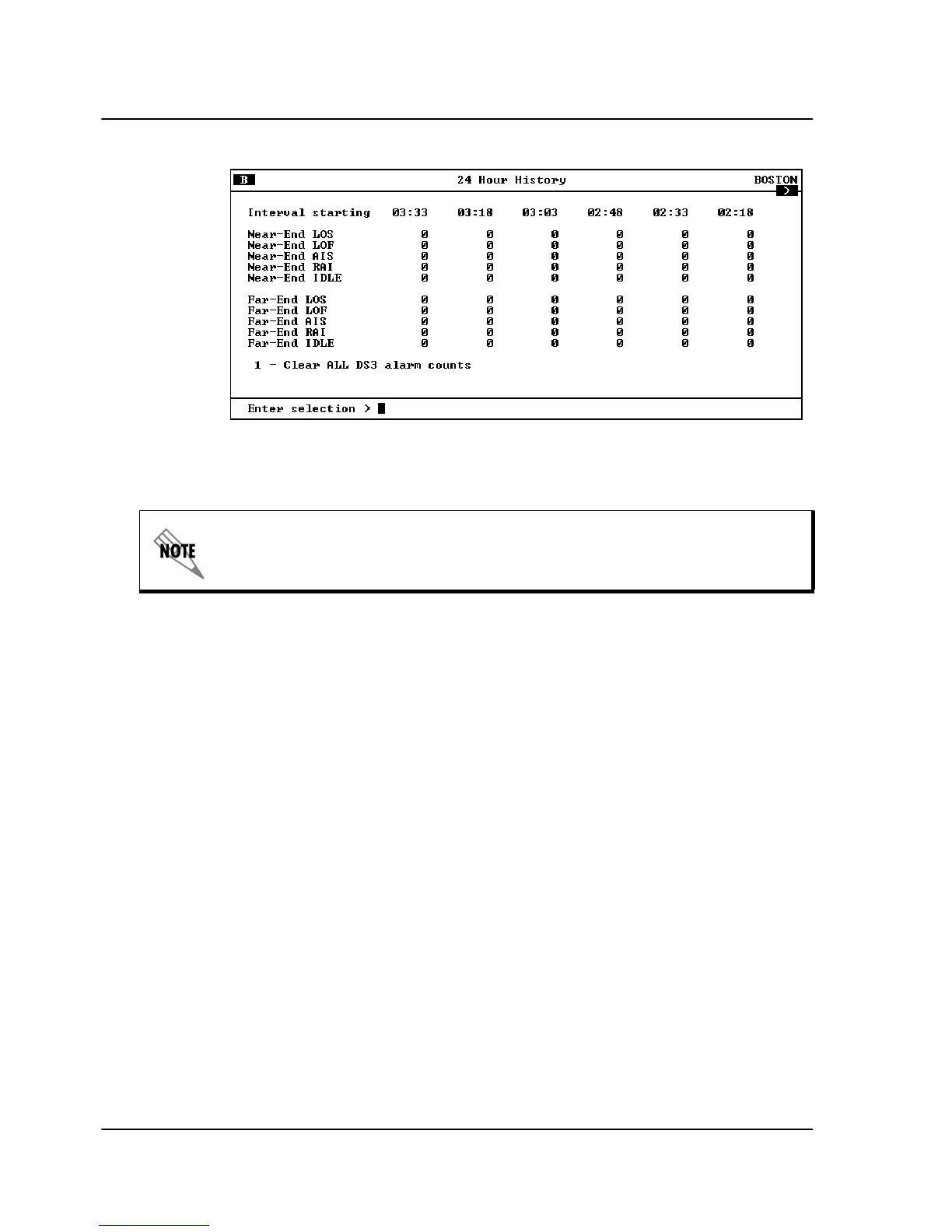
Figure 5-4. DS3 24-Hour Alarm History Screen
Performance Parameters
View performance parameter information for the network in one of
the three time period selections. Information in these fields is for
the given time period since the last reset. When viewing the
24-hour history statistics screen, use the left and right arrow keys to
scroll through all 96 15-minute intervals. See Figure 5-5, Figure 5-6,
and Figure 5-7 for examples of the performance parameter screens.
Descriptions of each field of these screens follow:
Interval starting at:
Time that the 15-minute interval began. This field is only displayed
in the 24-hour history screen, which gives information for the
previous 24 hours divided into 15-minute intervals (shown in
Figure 5-6 on page 5-6).
Unavailable Seconds (UAS)
Time in seconds that the network port is unavailable for data
delivery. This means that the T3 link is down or in test, or that the
signaling state is down.
When a > or < symbol appears in an upper corner of the screen, you can
use the arrow keys on your keyboard to scroll right or left to view addi-
tional information. See the upper right-hand corner of Figure 5-4.



 To Next Page