Chapter 6. Diagnostics
6-6 MX2800 User Manual 61200290L1-1
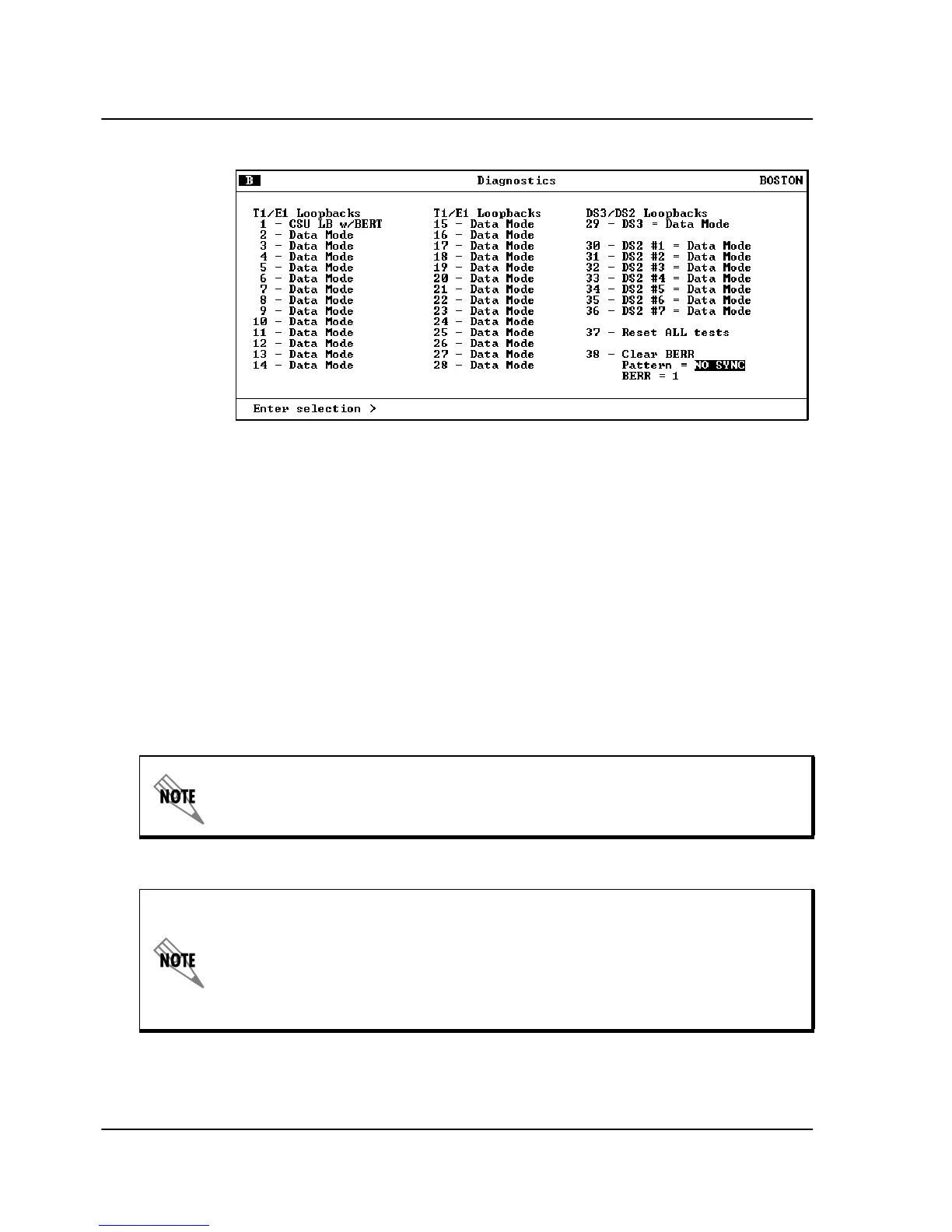
Figure 6-7. Diagnostics Menu with BERT Selected
Line BERT
A Line
B
ERT
enables the MX2800 to perform a “head-to-head”
B
ERT
test towards the CSU. Selecting Line
B
ERT
will replace all
incoming network traffic for the selected T1 with an unframed 511
pattern towards the CSU. When Line
B
ERT
is selected, additional
menu items will appear to show the state of pattern
synchronization, cumulative error count, and a clear error count
option. Selecting
D
ATA
M
ODE
will cease 511 pattern generation and
substitution of the incoming data stream.
When in LINE BERT mode, only the DATA MODE option for the T1
under test may be selected. Selecting any other option will result in an er-
ror message being displayed.
Only one T1 port may engage a CSU LOOPBACK, CSU LOOPBACK
w/BERT, or a LINE BERT. If a CSU LOOPBACK, CSU LOOP-
BACK w/BERT, or a LINE BERT is already active at the time a new
CSU LOOPBACK, CSU LOOPBACK w/BERT, or LINE BERT is se-
lected, the former test will be terminated and the latter test will be en-
gaged.



 To Next Page