L801LabelPrinter
Setting Up the Printer 11
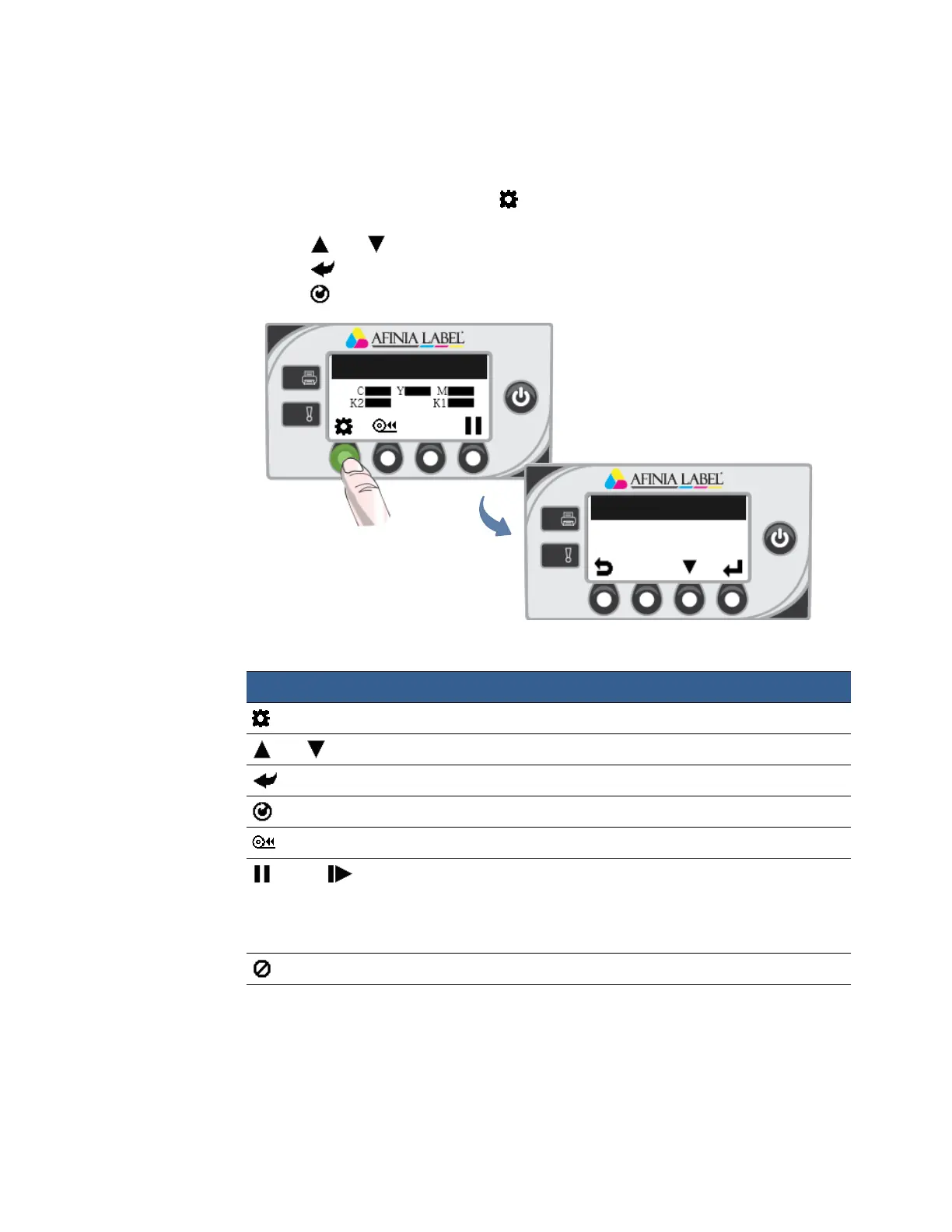
UsingtheControlPanel
Theiconsabovetheprinterbuttonsindicatetheirfunctions(Table2).
•Whentheprin
terisonline,press (
Config
)toaccesstheconfigurationmenus.The
optionsar
edescribedinConfigOptionsontheControlPanelonpage82.
•Press
and toscrollthroughthemenus.
•Press
(
Select
)toselectanoptionorsetting.
•Press
(
Return
)toreturntothepreviousmenu.
Printer Online
CONFIGURATION
1. Setup
Table2PrinterButtons
Config AccesstheConfigurationmenus.
Up, Down Movethroughthemenuoptions.
Select Selectamenuoptionorconfirmasetting.
Return Returntopreviousmenu.
UnloadMedia Unloadthelabels.
Pause, Resume Pauseorresumeprinting.
Ifprin
tingrolltoroll,theprinterpausesfor10seconds,
thenprintsthenextpageandpausesagain.Itwill
continuetoprintandpause.
Cancel Cancelprinting.
Function Description



 To Next Page