12 Setting Up the Printer
Afinia
SelectingtheSecurityLevel
Bydefault,theprinterpowersupinsecurityLevel0(operator),whichdoesnotallowchangesto
someprintersettings.FortheinitialPrinterSetup,itisrecommendedthatyouchangethe
SecurityLevelto2(Administrator)bef orechangingthosesettings.
Printer Online
CONFIGURATION
1. SETUP
SETUP
2. SECURITY
SECURITY
2. Level 2
(Config)
(Select)
ENTER PASSWORD
Enterthefirstpassworddigitusing
the
+or
‐
button,thenpress
Select.Repeatfornexttwodigits.
Authenticatedmessagewill
appearwiththerightpassword
NOTE: DuringinitialSetup,SecuritymayalreadybepresettoLevel2.Thedisplaywill
immediatelygototheLanguagesettingifitis.
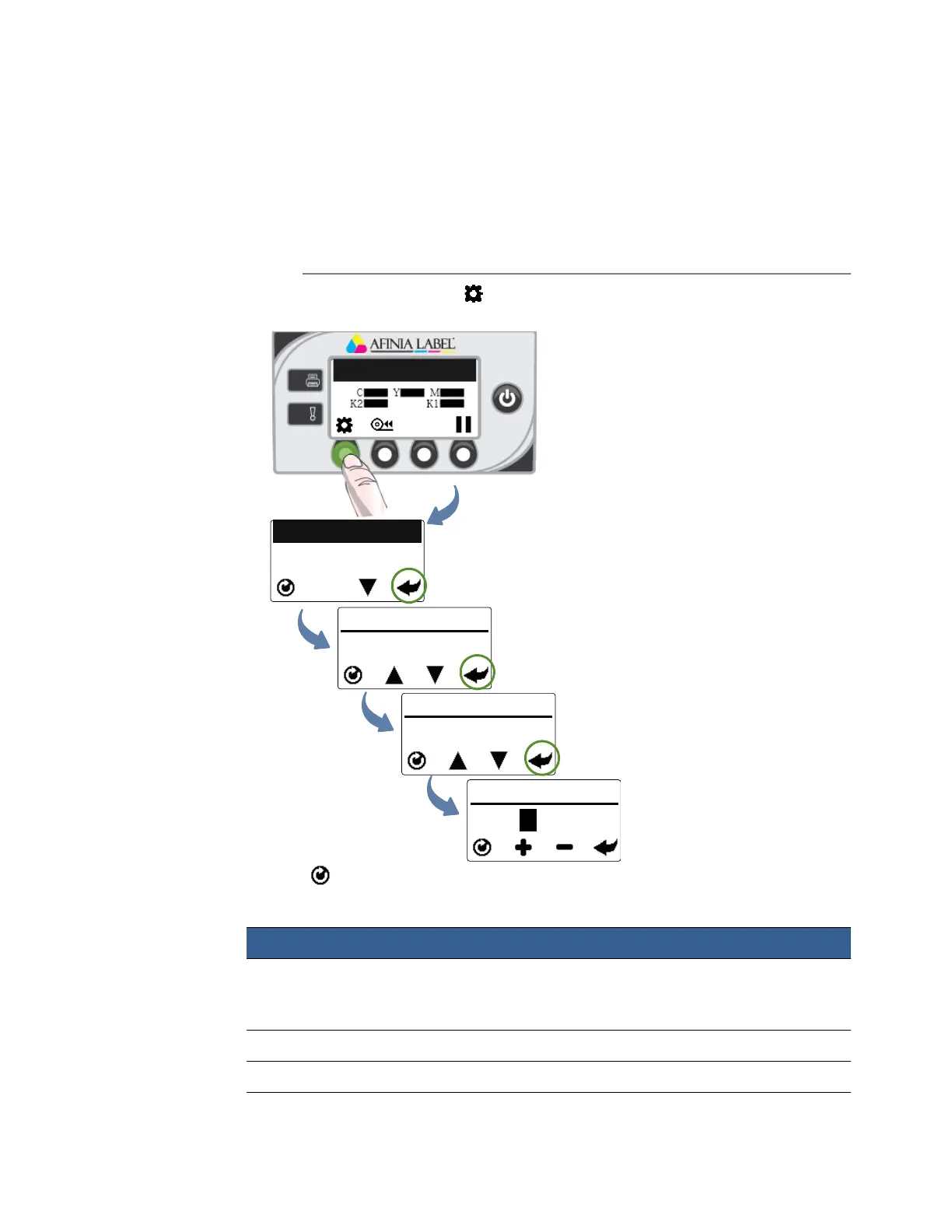
1. Onthecontrolpanel,select(
Config
)>
Setup
>
Security
>
Level2
.
2. Enterthe3‐digitpassword(defaultis123).
3. Presstoreturntothemainmenu.
Table3SecurityRestrictions
SecurityLevel RestrictedSettings
Operator(Level0) Language,Reset,LCDContrast,LCDBrightness,
Date/Time,Unit,ServiceStation,Sensor,ExtSignal
Print,AdjustOffset,DHCPSetting,IPSettings
Supervisor(Level1) Reset,Day/Time,DHCPSetting,IPSettings
Administrator(Level2) Norestrictions
Itemsinboldindicatenoaccesstoanentiremenu;othersarespecificfunctions.



 To Next Page