L801LabelPrinter
Using the Printer 35
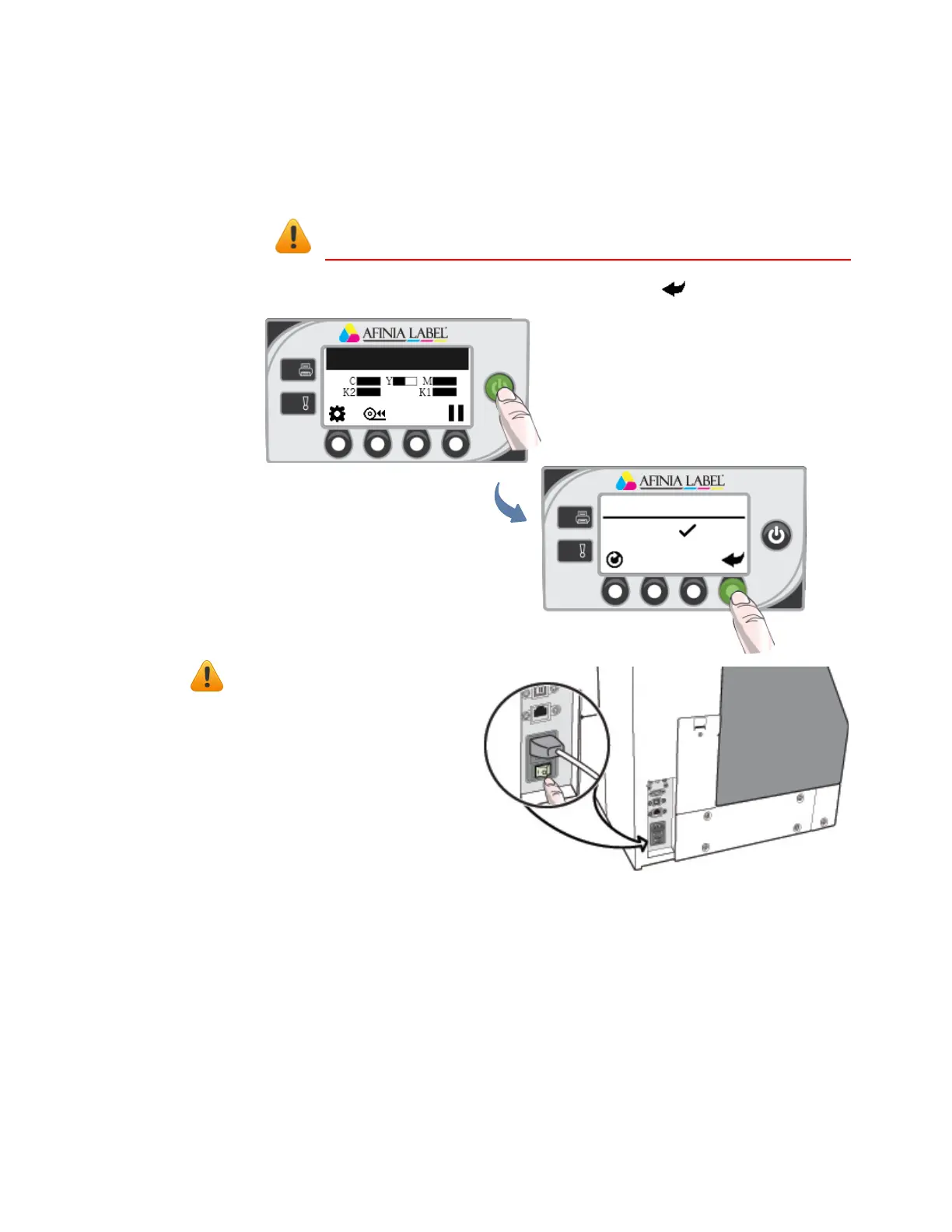
TurningOffthePrinter
AlwaysusethePowerbuttontoturnofftheprinter.
Printer Online
SWITCH OFF
1. Confirm
CAUTION:Removingpowertotheprinterinanyothermannermay
damagetheprinter.
1. PressthePowerbuttononthecontrolpanel,thenpress(
Select
)toconfirm.
2. WaitfortheLCDdisplay
onthecontrolpanelto
turnoff,thenturnoffthe
Powerswitchattheback
oftheprinter.
Duringano
rmal
shutdown,theprinterwill
servicetheprintheadand
savedatatothememory
befor eturningoff.
IfthePrinterWillNotSwitchOff
IftheprinterdoesnotrespondwhenyoupressthePowerbutton,pressandholdthe
powerbuttonfor5seconds.Theprintershouldswitchoff.However,itwillnotbeable
toperformthenormalshutdownprocesses.Donotusethisoptionunlessitis
absolutelynecessary.



 To Next Page