24 Using the Printer
Afinia
ChoosingLabelMedia
Ensurethatthelabelmediameetstherequirementsfortheprinter(Table1).
Table1
Mediaspecifications
Mediatype Gloss,semi‐gloss,andmatte.
Labelwidth 2.0”to8.5”(50.8mmto2
15.9mm)
Labelle
ngth Continuous/Roll‐to‐Roll: Maximum40”(1.016m)
RolltoCut/Prin
tandPresent:Maximum8"(203.2mm)
Labelthickne
ss Maximum0.01”(0.3mm,includingliner)
Minimum0.005
”(0.13mm)
Coresiz
e Requires3”(76.2mm)
Rolldiamet
er Maximum8”(203.2mm)
Printmode
Detection
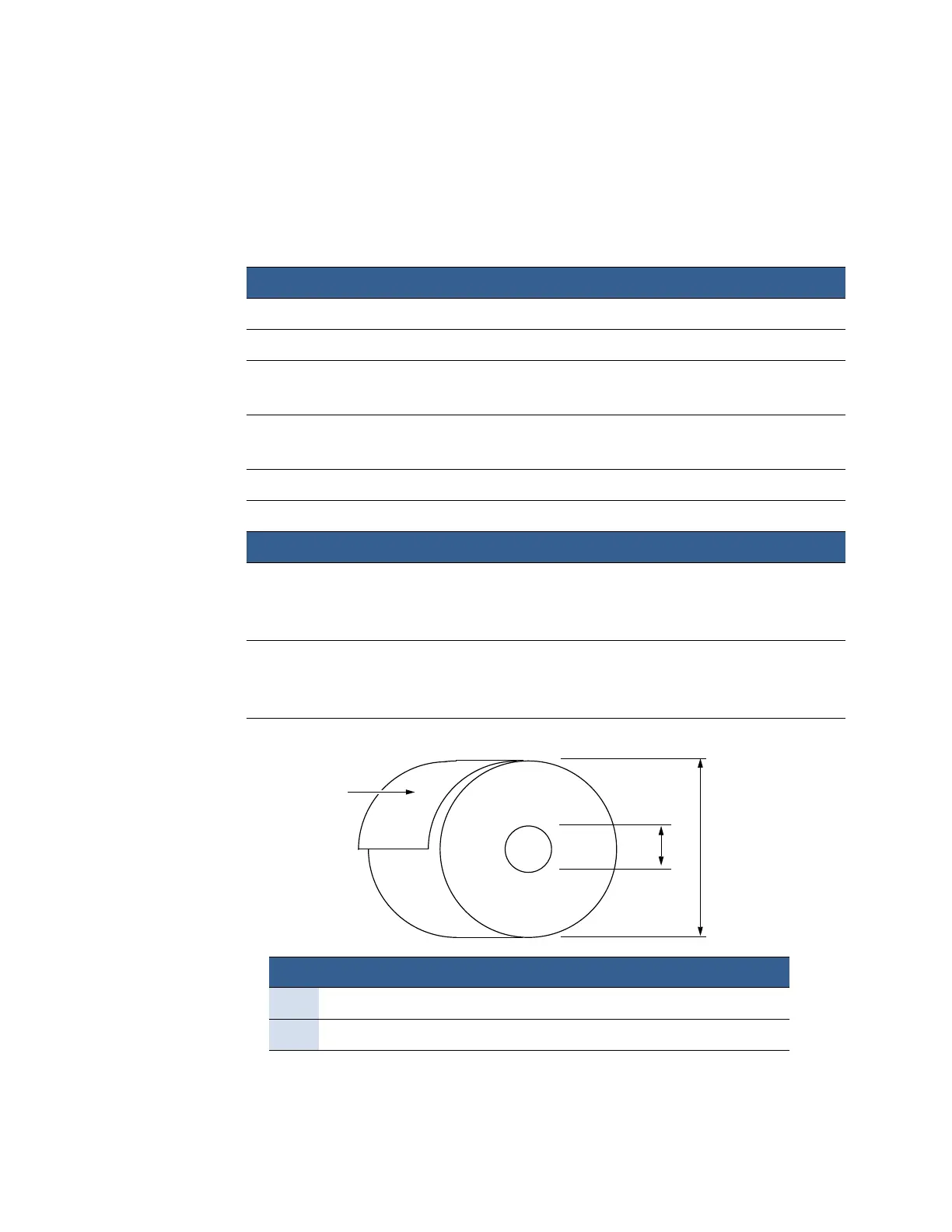
Figure1
MediaRoll
MediaTy
peandDimensions
MediaHand
ling
•Rolltocut
•P
rintandpresent(non‐peel)
•Rolltoroll
•Gap
•
Continuous
•Blackmark(3mmwide,25.4mmlongonleft)
Coatingon
J
I
Minimum Maximum
I3.0”(76.0mm)cardboardcore 3.0”(76.0mm)cardboardcore
JN/A Upto8.0”(203.0mm)
theoutside



 To Next Page