20 Setting Up the Printer
Afinia
IForwardtoejectI
TroubleshootingPrinterSetup
IfMechError2orMechError3appearsonthecontrolpanelduringinstallation,check
thefollowing.
Services
tationisjammed. Ensurethatthecardboardisremovedfrominsidethe
printer.
Servicestationwastilted
duringshipment.
PossibleCause Solution
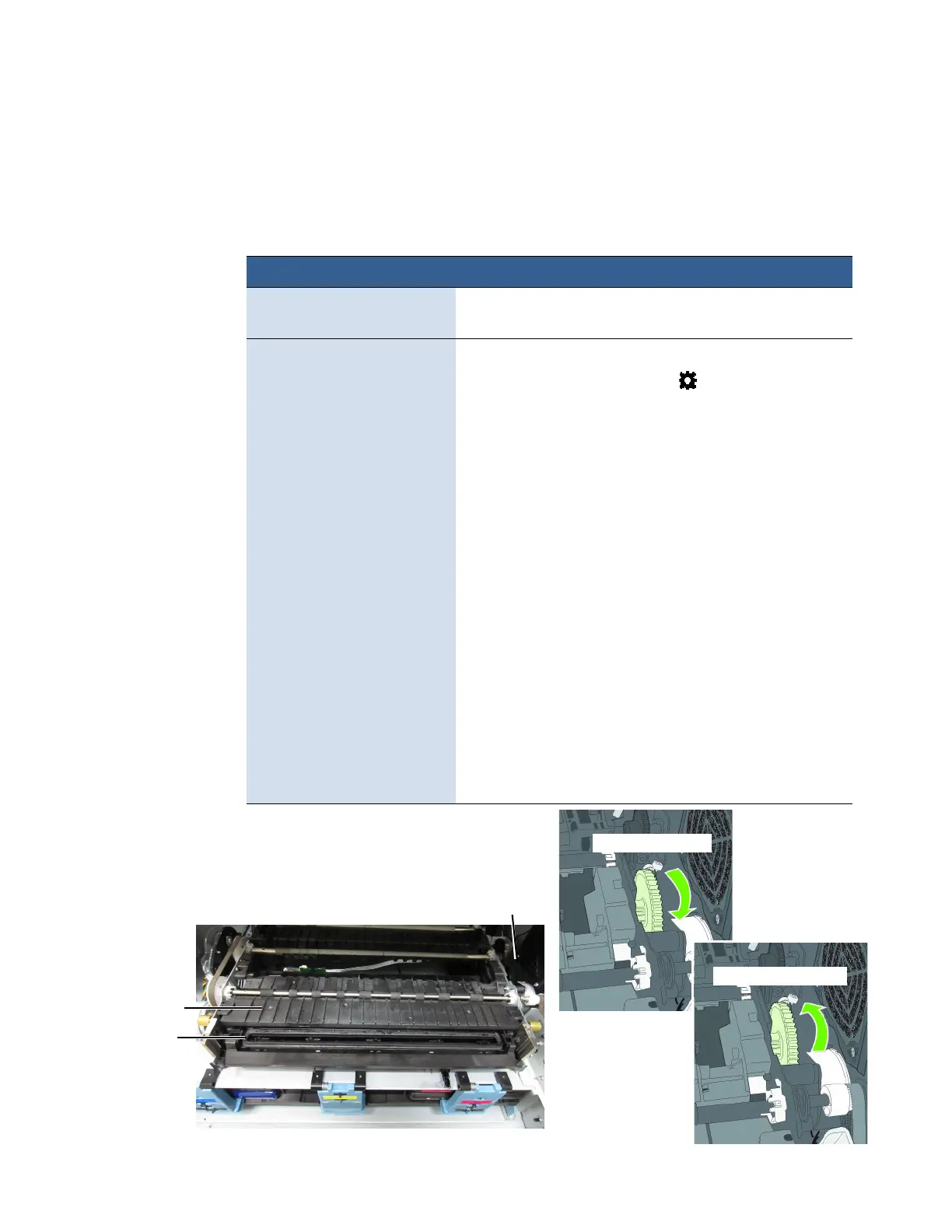
1. Manuallyopentheclamshelltoitshighestposition.
2. Onthecontrolpanel,select (
Config
) >
Service
Station
>
Eject
. Waitfortheprintertoejecttheservice
station.
3. Turnofftheprinter,beginningwiththepower
buttononthecontrolpanel.Whenthedisplayturns
off,turnoffthepowerswitchonthebackofthe
printer.
4. VerifythattheServiceStationisfreeandcanbe
manuallypulledforwardtothefr
ontbracket.Ifyes,
proceedtoStep5.Ifnot,contactTechnicalSupport.
5. Aligntheservicestationwiththeguiderailsand
slideitbackintotheprinter.
6. Checkthealignment:thecapontheservicestation
mustbeparalleltotheedgeoftheplaten.
7. Continuepushingtheservicestationwhi
leyou
manuallyrotatethepositioninggearbackwardsto
movethestationallthewayintotheprintengine.
8. Closetheclamshell.
9. Turnontheprinter.
PositioningGear
Platen
Cap
IBackwardtoinstallI



 To Next Page