L801LabelPrinter
Troubleshooting 77
AdjustingSensorSensitivity
Adjustthesensorsensitivityifyouencounterthefollowingproblems:
•Theprin
terkeepsfeedingmediaanddoesnotprint.Thismaybebecausetheprinter
isunabletodetectthegaporblackmarkbetweenlabelsandthesensorsensitivity
needstobeincreased.
•Theprin
terdoesnotpositionthemediacorrectlyforprintingbecauseitdetectsa
“false”gapormark.Inthiscasethesensorsensitivityneedstobedecreased.
Generallysen
sorsensitivitymayneedto beincreasedwhenthelineris thickerand
decreasedwhenthelineristhinner.
Thesen
sorsettingsrequiresecurityLevel2(administrator).Selectthesecuritylevel
befor eyouproceed(seeSelectingtheSe
curityLevelonpage12).
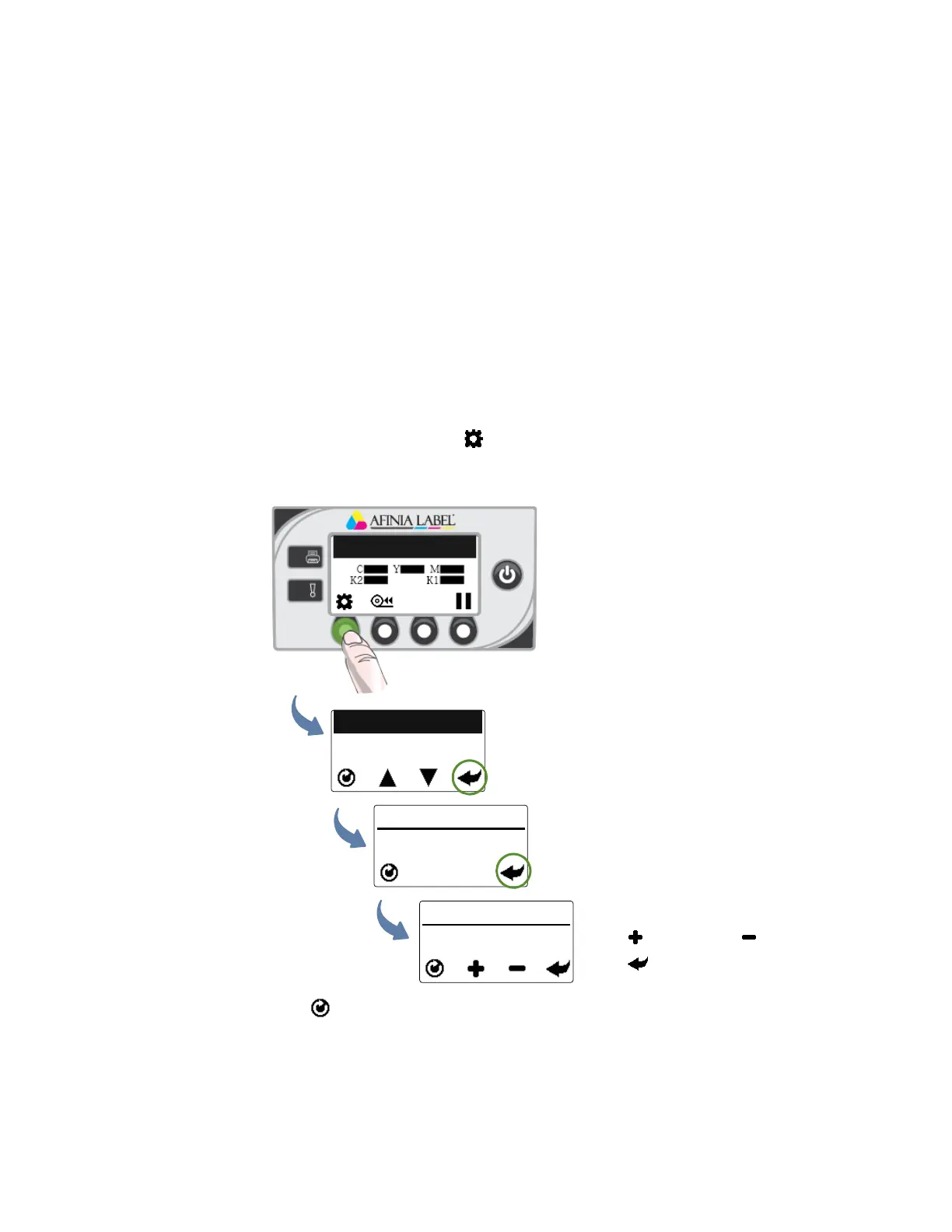
1. Onthecont
rolpanel,select(
Config
)>
SENSOR
>
TRANSMISSIVE
(forinter‐labelgap)
or
REFLECTIVE
(forblackmark).
2. Setthesensitivitylevel.
3. Presstoret
urntothemainmenu.
Tryprin
tingagain.Iftheproblempersistsafterrepeatedadjustments,themediaisnot
compatiblewiththeprinter.
Printer Online
CONFIGURATION
4. SENSOR
SENSOR
1. TRANSMISSIVE
TRANSMISSIVE
(Config)
(Select)
(Select)
Presstoincreaseortodecrease.
Presstoselect.



 To Next Page