52 Printer Maintenance
Afinia
CleaningthePrinthead
Theprinterprovidesthreeautomatedcleaningcyclesfortheprinthead:
Normal
,
Extended
,and
Extreme
.Alwaysstartwiththe
Normal
cleaningcycleandproceedtothe
nextlevelonlyifprintqualitydoesnotimprove.
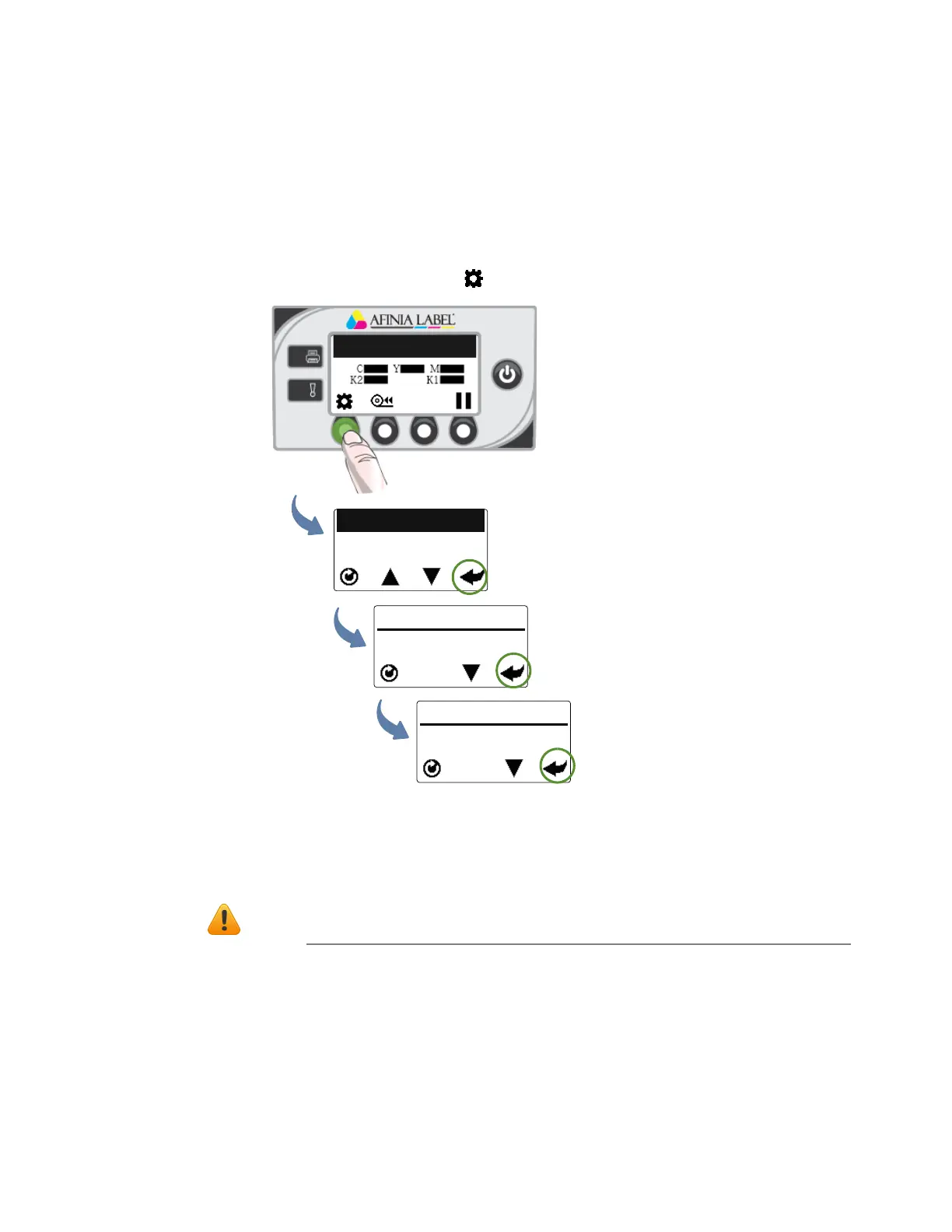
1. Onthecont
rolpanel,select(
Config
)>
Printhead
>
Clean
>
Normal
.
2. Afterthecleaningiscompleted,tryprintingagain.
3. Ifissuespersist,performagainselectingtheExtendedcleaningcycle.Aftercleaning
iscomplete,tryprintingagain.
4. Ifissuesstillpersist,performanExtremecleaning.
NOTE: Extremecleaningshouldnotbeperformedunlessabsolutelynecessary,asit
mayshortenthelifeoftheprinthead.
5. Ifissuesstillpersist,theprintheadshouldbereplaced.
Printer Online
CONFIGURATION
3. PRINTHEAD
PRINTHEAD
1. CLEAN
CLEAN
1. Normal
(Config)
(Select)
(Select)
(Select)



 To Next Page