58 Printer Maintenance
Afinia
CleaningtheSensors
Alwayskeepthemediapathcleanasaccumulateddustcanaffectprinting.
1. Op
entheclamshelltoitshighestposition.
2. Turnoffpowertotheprinter.SeeTurningOffthePrinteronpage35.
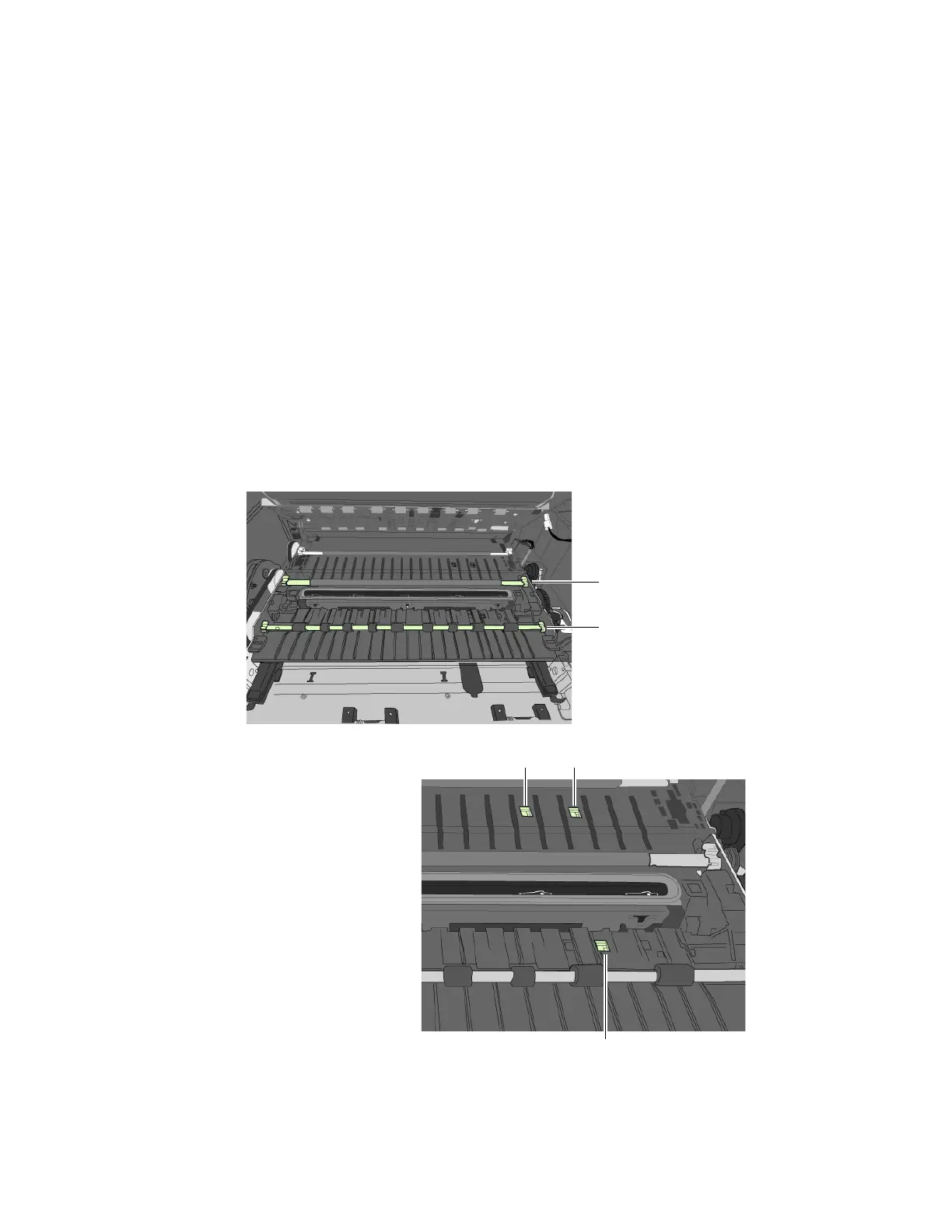
3. Va cuumanydustordebrisfromthesensors.
Usether
ollerstohelpyoulocatethesensorsasshowninFigure5.
4. Cleaninkfr
omtheTOFsensorifthesensorappearsdull
aFoldalint‐freeclothtoformatipandlightlymoistenwithde‐ionizedwater.
InsertitintheopeningtocleantheTOFsensor.
bRepeatwithacleanpartoftheclothifnecessary.
cLetthesensordrybeforecontinuing.
5.
Va cuumanypaperdustordebrisfromtheprintzone.
Figure5Locationofsensors
6. Cl
osetheClamshell.
TOFsensorbehindthefirstroller
Transmissiveandreflectivesensors
behindthesecondroller
firstroller
secondroller



 To Next Page