Setting Up the Printer 15
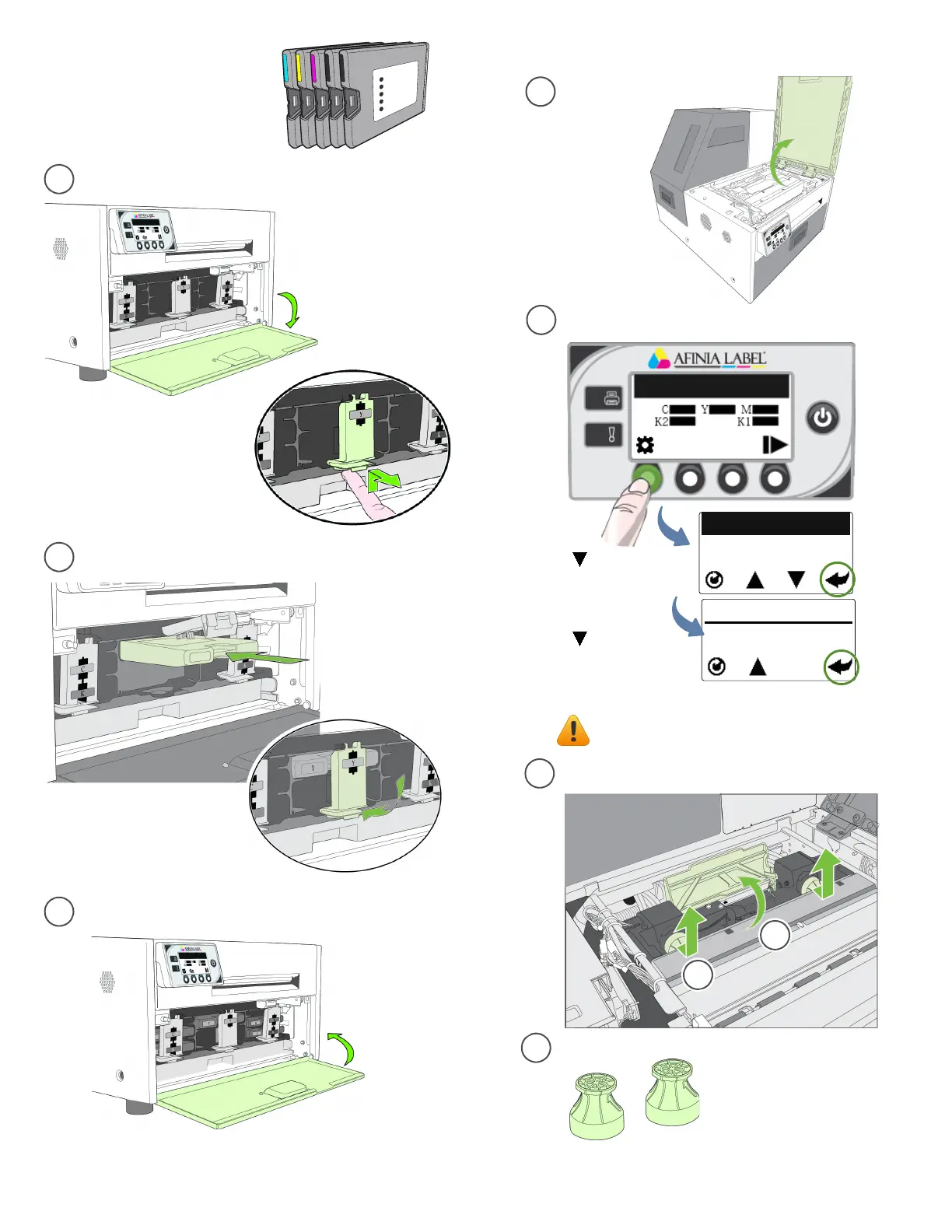
Installinkcartridges Installprinthead
a
b
c
3
Missing Printhead
CONFIGURATION
3. PRINTHEAD
PRINTHEAD
2. REPLACE
Waitforprintheadlatchtobereleased.
(Select)
(Select)
Removenozzlecaps.
a
b
c
Openprintheadlatchfully.
d
d
c
4
Donotdiscardthecaps!
Theyshouldbereplaced
iftheprintheadisremoved
fromtheprinter.
Openfrontofprinterandreleasecartridgelatch
Insertinkcartridgeandclosecartridgelatch
Closefrontofprinter
PresstheConfigbutton
Press
untildisplayreads
Printhead,thenpress
Select
Pressuntildisplay
readsReplace,then
pressSelect
OpenTopCover
Donotopenlatchbeforeitisreleased!



 To Next Page