18 Setting Up the Printer
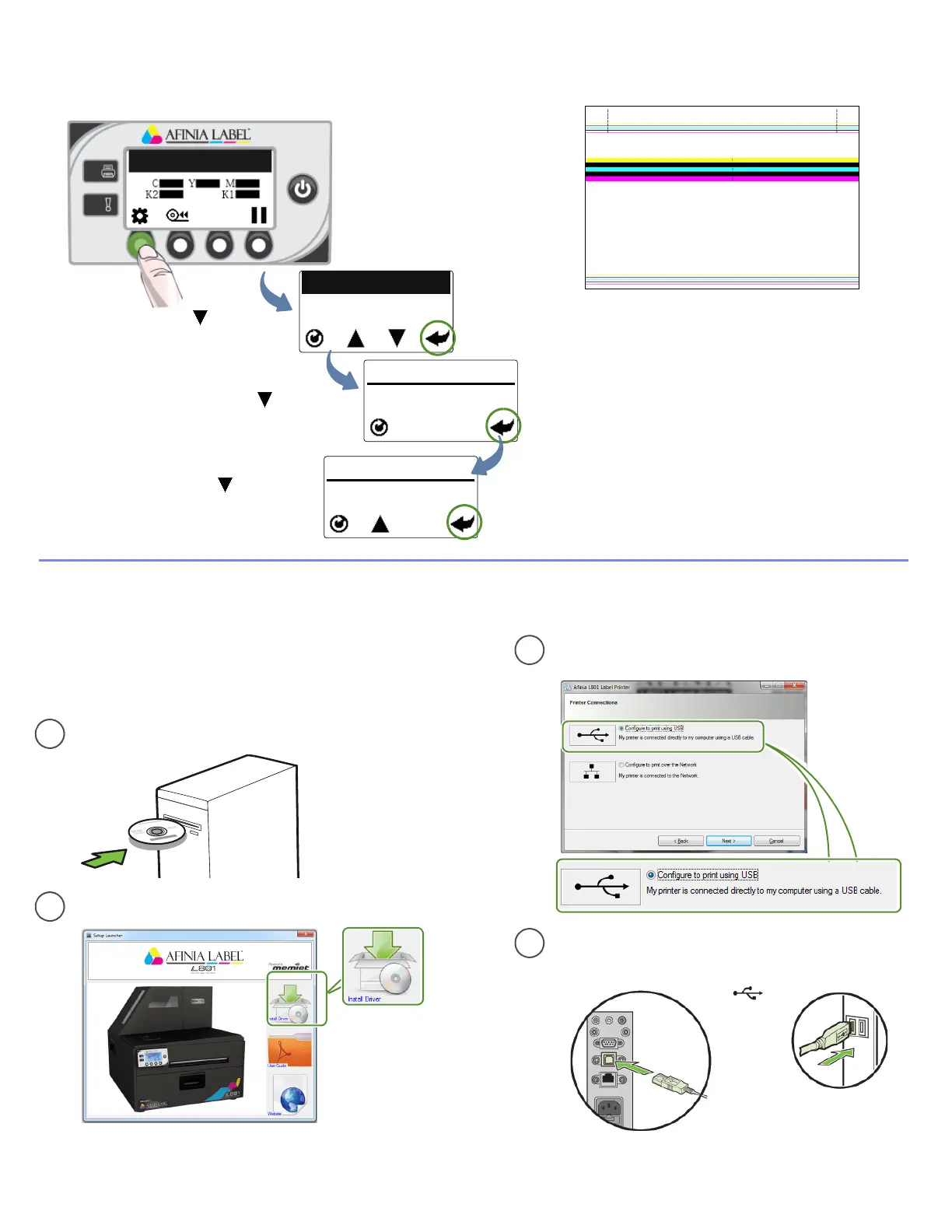
Printtestlabel
6
Printer Online
(Config)
SamplePQPlot6x4
Requiresinter‐labelgaporcontinuousmedia.
Pressuntildisplay
readsMaintenance,
thenpressSelect
Pressuntildisplay
readsPQPlot,then
pressSelect
Pressuntildisplay
readsPrintTestPage,
thenpressSelect
CONFIGURATION
2. MAINTENANCE
MAINTENANCE
1. PRINT TEST PAGE
PRINT TEST PAGE
2. PQ PLOT
(Select)
Printer Computer
c
d
USB
ConnectUSBcablewhenprompted.
SelectConfiguretoprintusingUSB
andclickNext
Installprinterdriver
7
Beforeinstallingprinterdriver,ensurethatcomputer
meetsminimumsystemrequirements(seeSystem
Requirementsonpage80).
ToconnectprintertocomputerusingUSB
b
a
InsertInstallationdiscintocomputer
SelectInstallDriverfromtheInstallationwindow
TopSection:
•Linesaredefinedwithnomissingnozzles
•Linesareprintedinorder:Yellow,Black,Cyan,Black,
Magenta
•Verticaldashedlinesarestraight
MiddleSection:
•Allyellow,black,cyan,black,magentalinesareprinted
•Nocolormixingonthecolorbars
•Numbers1,3,5arevisible
BottomSection:
•Linesaredefinedwithnomissingnozzles
•Linesareprintedinorder:Yellow,Black,Cyan,Black,
Magenta
Overall:
•Nostreakingorsmearing



 To Next Page