36 Using the Printer
Afinia
SoftwareTools
• EmbeddedWebServer(EWS)
• EWSSecu
ritySetup
• SupportTo
ols
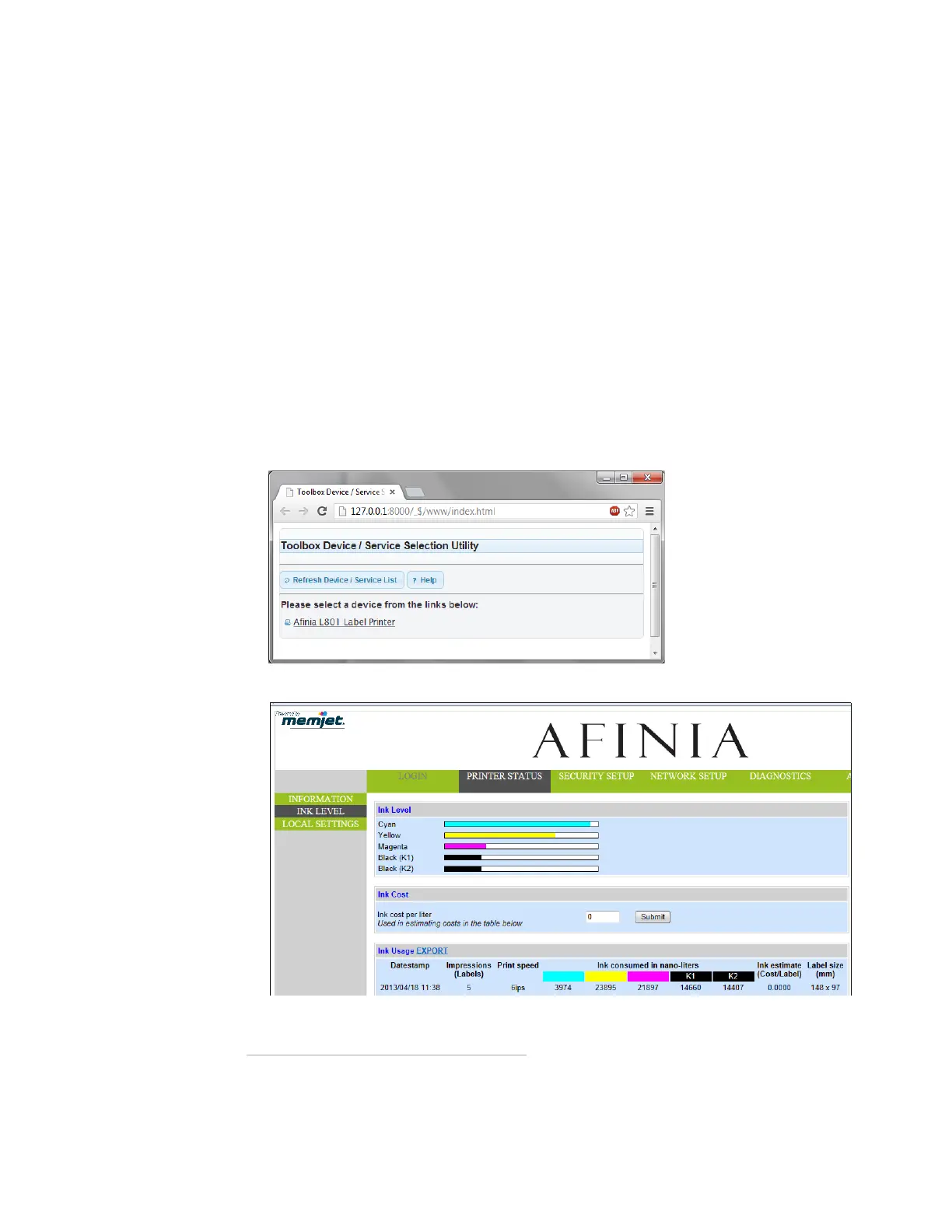
EmbeddedWebServer(EWS)
TheEmbeddedWebServer(EWS)*providesremoteaccesstotheprintertomonitor
theprinterstatusandcheckusagemetricsviaaninternetbrowser.Theadministrator
canalsologintoviewadditionalinformationandchangevarioussettings.
1. OntheWindowsStartmenu,selectAfinia>AfiniaL801LabelPrinter>Toolboxor
Afinia>AfiniaL801PlusLabelPrinter>Toolbox.Iftheprinterisinstalledonthe
network,entertheIPaddressinawebbrowser*onanyPConthenetworkandskip
step2.
2. ClickAfiniaL801/L801Plu
sLabelPrintertoopentheEWS*.
TheEWSdispla
ysprinterinformationandusagemetricsonthePrinterStatuspage.
ClickLogintologinforfullaccesstoalltheEWSpages(describedinTable2).
* Recommended:InternetExplorer8/Fire fox15orlater,at1280x700orhigherresolution.
RequiresJavaplug‐inenabledinbrowser.



 To Next Page