56 Printer Maintenance
Afinia
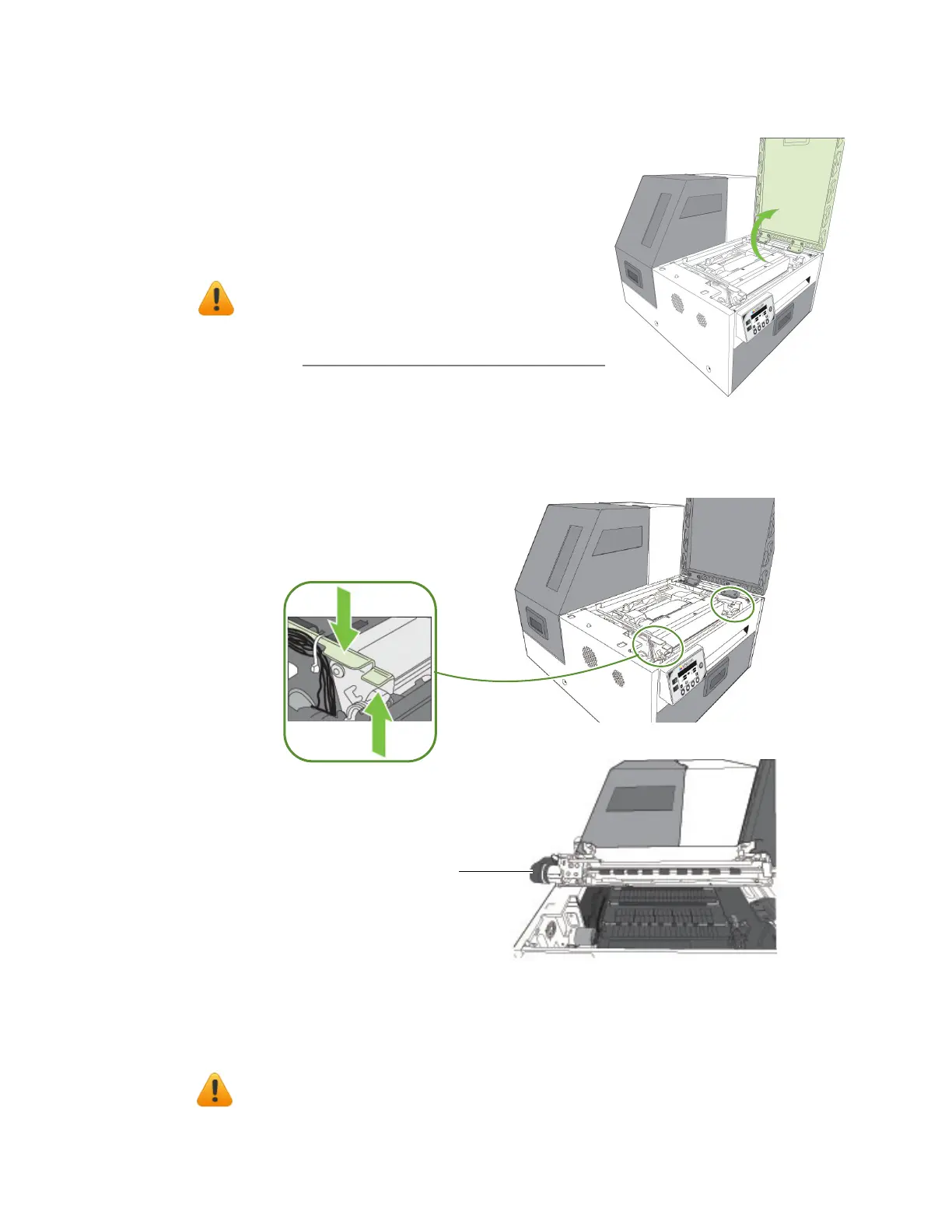
Opening/ClosingtheClamshell
Inthefollowingproceduresyoumayneedtoopen
theclamshellinordertoaccesstheareasinsidethe
printer.
NOTE: Ifyouwillhavetheclamshellopenformore
than5‐10minutes,removetheprintheadto
ensuretheprintheadremainshealthy.See
ReplacingthePrintheadonpage53.
OpeningtheClamshell
1. Openthetopcover.
2. Squeezethela
tchesoneithersideoftheclamshellandopentheclamshelltoits
highestposition.
ClosingtheClamshell
Squeezeandholdtheclamshelllatcheswhileyougentlylowertheclamshellbackinto
place.
Donotallowtheclamshelltodr
opwhenclosingit.
squeezeclamshelllatches
Clamshellopen



 To Next Page