64 Printer Maintenance
Afinia
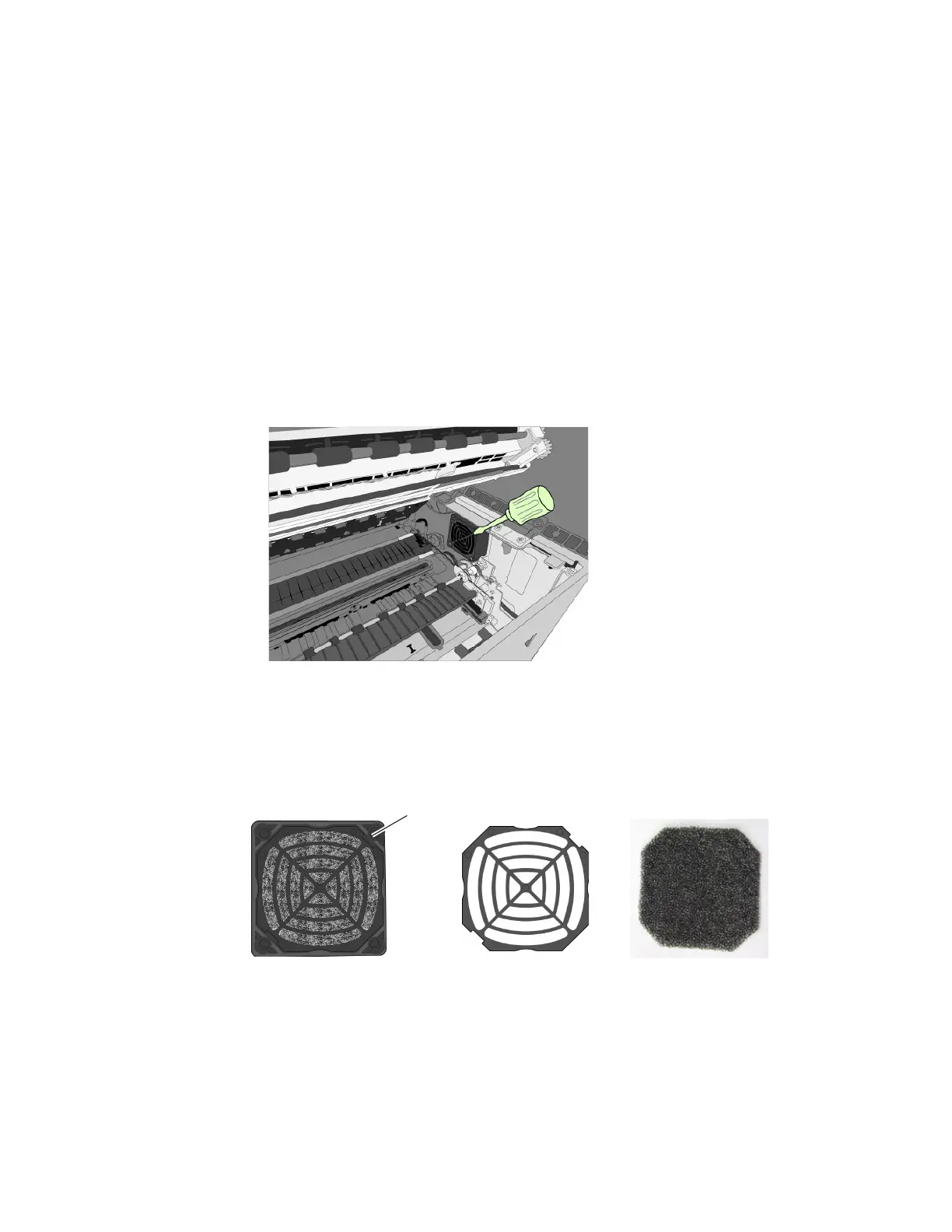
ReplacingtheAerosolFanFilter
Asageneralguideline,replacetheaerosolfanfiltereverysixmonths.
1. Turnof
fpowertotheprinter.SeeTurningOffthePrinteronpage35.
2. Opentheclamshelltoitshighestposition.
3. Insertthetipofaflat‐bladescrewdriverintotheslotatthecorneroftheaerosolfan
assembly,andprythecoveroff.
4. Removethefi
lter(Figure8)andreplaceitwithanewone.
5. Snapthecoverbackintoplaceontheaerosolfanassembly.
6. Closetheclamshellandtopcover.Turntheprinterbackon.
Figure8Fanassembly
Tools •N
itrilepowder‐freegloves
•Flat‐headedscrewdriver
filtercoveraerosolfanassembly
slot



 To Next Page