L801LabelPrinter
Printer Maintenance 63
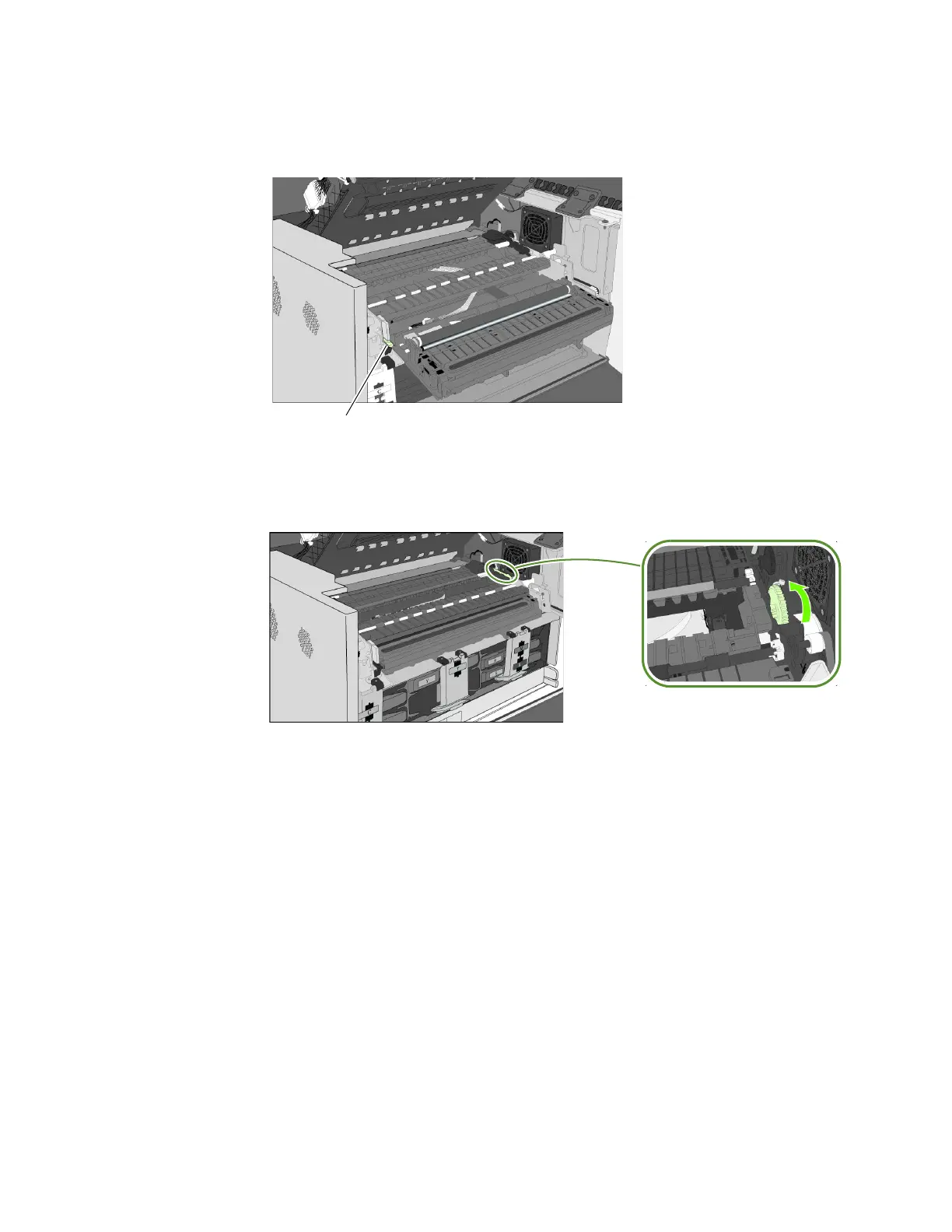
9. Carefullyaligntheservicestationwiththeguiderailsandslideitintotheprint
engine.
10.Manuallyro
tatethepositioninggearbackwardswhileuniformlypushingtheservice
stationtomovetheservicestationintotheprintengine.
Figure7Positioninggearforservicestation
11.Reinstallthefr
ontpanel:Reconnectthetwocablestothefrontpanelandreplace
thescrews.
12. Closetheclamshell
13. Installtheprinthead,closethebluelatch,andclosethecovers.
14. Plugthepowercordbackinandturntheprinteron.
NeverturnonthePrinterwiththeServiceStationdisconnected!!!



 To Next Page